Custom website development by MrWebApp interface

Custom Website Development by MrWebApp: Build Your Dream Site

Your business needs a website that shines. A slow or generic site can hurt sales. For example, 88% of visitors leave poorly designed websites. That’s why custom website development by MrWebApp is the answer. We build fast, unique sites to grow your business.

Based in Lahore, MrWebApp has created over 100 custom websites. We serve clients in Pakistan, UAE, UK, and USA. Our team helps restaurants, startups, and eCommerce brands succeed online. Ready to boost your presence? Let’s see how custom website development transforms your business in 2025!

Why Choose Custom Website Development?

A custom website fits your business perfectly. Unlike templates, it shows your brand’s style. For instance, custom sites load fast and rank high on Google. In 2025, with mobile use rising, a unique site gives you an edge.

Templates lack flexibility for complex needs. They struggle with eCommerce or booking features. Our custom website development makes your site work well. It suits industries like real estate or healthcare.

Benefits of Custom Website Development by MrWebApp

Our custom website development delivers results. Here’s why businesses trust us in 2025.

1. Unique Designs with Custom Web Solutions

Your brand deserves a standout website. We create designs that match your style. For example, restaurants need menu-focused sites. Startups want sleek landing pages. We use WordPress or Webflow for stunning results.

  • Why It Helps: Unique designs build trust and keep visitors engaged.
  • How We Do It: We design mockups in Figma for your approval.
  • Pro Tip: Use your brand colors for a unified look.

Explore our UI/UX design services for unique designs.

2. SEO-Optimized Custom Web Development

Your site needs to be found online. Our custom websites are SEO-ready. For example, we optimize speed and keywords like “custom website development.” This brings more visitors in 2025.

  • Why It Helps: Higher rankings drive more leads and sales.
  • How We Do It: We use clean code and Yoast SEO.
  • Pro Tip: Add fresh content to stay on Google’s top pages.

Check Yoast’s guide or visit our SEO services.

3. Fast and Mobile-Ready Websites

Speed is key in 2025. A slow site loses 53% of mobile visitors. Our custom websites are fast and mobile-friendly. We optimize images and use caching for smooth performance.

  • Why It Helps: Fast sites keep visitors and rank better.
  • How We Do It: We use lightweight code and WP Rocket.
  • Pro Tip: Test your site with Google’s PageSpeed Insights.

4. Scalable Features for Growth

Your website should grow with you. For example, we add eCommerce or booking systems. Our custom sites adapt to your needs, whether you’re in retail or education.

  • Why It Helps: Scalable sites support your business growth.
  • How We Do It: We build with WordPress or Shopify for flexibility.
  • Pro Tip: Plan features like payment gateways early.

See our eCommerce services for scalable solutions.

Our Custom Website Development Process

At MrWebApp, we simplify custom website development. Our Lahore team has built over 100 websites globally. Here’s our process:

  • Discovery: We learn your goals and audience needs. For example, healthcare sites need appointment tools. eCommerce stores need product pages.
  • Design: We create Figma mockups for your approval.
  • Development: We build with clean code using WordPress or Shopify.
  • Testing: We check speed, mobile compatibility, and SEO.
  • Support: We offer updates to keep your site running.

For instance, we built a site for a Lahore restaurant. It boosted orders by 40%. A UAE startup gained 25% more leads with our design. Want results? Contact https://mrwebapp.com or WhatsApp +92 300 7118710.
Custom website development by MrWebApp performance stats
See how MrWebApp’s custom websites boost results

Why 2025 Needs Custom Websites

The digital world moves fast. In 2025, trends like AI and voice search shape websites. For example, 60% of searches are mobile. Responsive design is a must. Our custom websites are ready for these trends.

Moreover, Google favors fast, unique sites. Our SEO optimization helps you rank higher. Additionally, Web3 features like blockchain payments are growing. We can add these for modern businesses. Learn more at HubSpot’s blog.

Busting Myths About Custom Website Development

Some businesses avoid custom websites due to myths. Let’s clear them up.

  • Myth 1: Custom websites are too expensive. Truth: Our solutions start at PKR 50,000 with high ROI.
  • Myth 2: Templates are just as good. Truth: Templates limit SEO and flexibility. Custom sites are unique.
  • Myth 3: It takes too long. Truth: We deliver in 2–4 weeks, based on complexity.
  • Myth 4: Maintenance is hard. Truth: We provide ongoing support for your site.

For example, a real estate client saw 30% more traffic with our custom site. Check WordPress.org for platform details.

Who Needs Custom Website Development?

Our services fit many industries. For instance:

  • Restaurants: Add menus and booking systems.
  • eCommerce: Build stores with Shopify or WooCommerce.
  • Startups: Create landing pages for leads.
  • Real Estate: Showcase properties with fast sites.
  • Education: Develop portals for courses.

A healthcare client tripled bookings with our custom design. Your business can grow too!

FAQs About Custom Website Development by MrWebApp

1. What is custom website development? It’s building a unique website to match your brand and goals.

2. How long does a custom website take? We deliver in 2–4 weeks, based on your needs.

3. Are custom websites SEO-friendly? Yes! Our sites are optimized for speed and keywords.

4. Can small businesses afford custom sites? Yes, our solutions start at PKR 50,000 for small budgets.

5. Do you support sites after launch? Yes, we offer maintenance to keep your site secure.

Start Your Custom Website with MrWebApp

Our custom website development gives you a fast site. It’s SEO-friendly and boosts sales. MrWebApp’s Lahore team is ready to bring your vision to life in 2025.

Ready to grow? Visit https://mrwebapp.com or WhatsApp +92 300 7118710 now. Let’s build your dream site!

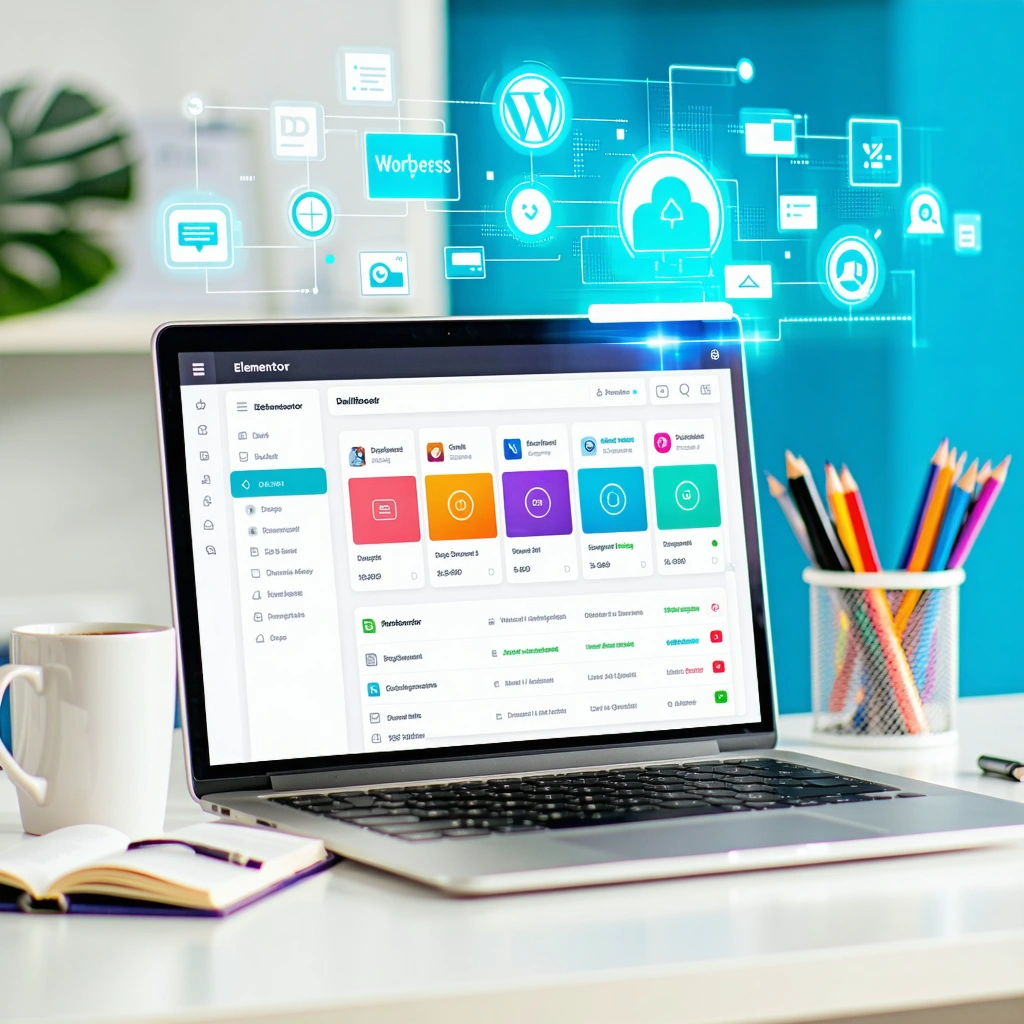
Best WordPress plugins for beginners 2025 dashboard view.

Best WordPress Plugins for Beginners 2025: Simplify Your Website Journey

Why Choose the Best WordPress Plugins for Beginners?

Plugins add features to your WordPress site without coding. For example, they handle SEO, security, or design tasks. With over 60,000 plugins in the WordPress directory, picking the right ones is hard. Therefore, we’ve chosen simple, reliable tools for 2025 trends like AI, voice search, and mobile-first design.

These plugins suit bloggers, small businesses, or eCommerce startups. They’re free or low-cost and keep your site fast. Plus, they’re easy to use, even if you’re new to WordPress. Next, let’s explore the top five plugins to boost your site in 2025!

Top WordPress Plugins for Beginners in 2025

Here are the best WordPress plugins for beginners in 2025. Each one solves a key problem, like SEO or speed, and is beginner-friendly. Let’s break them down with tips to maximize their impact.

1. Yoast SEO: Top SEO Plugin for Beginners 2025

SEO can seem tricky for new users. However, Yoast SEO makes it simple. It helps your site rank higher on Google with clear tips. For instance, in 2025, voice search is growing fast. Yoast’s keyword suggestions keep your content ready for these trends. Plus, it checks readability to ensure your posts are clear.

  • Why You Need It: Boosts search rankings with keyword optimization.
  • How to Use It: Install Yoast. Add a keyword like “best WordPress plugins for beginners 2025.” Follow its checklist for posts.
  • Pro Tip: Use Yoast’s AI tools to match Google’s 2025 algorithms.
  • Bonus Tip: Write short sentences to get Yoast’s green readability score.

Visit Yoast’s site for setup guides. Also, explore our SEO services for expert support.

2. Elementor: Best Design Tool for Beginners 2025

Want a stunning site without coding? Elementor is the perfect solution. This drag-and-drop builder lets you create professional pages quickly. For example, it’s one of the best WordPress plugins for beginners in 2025 for startups or bloggers. In 2025, mobile-first design is key, and Elementor’s free version makes it easy to create responsive sites.

  • Why You Need It: Builds custom pages without tech skills.
  • How to Use It: Install Elementor. Choose a template. Drag text, images, or buttons to design.
  • Pro Tip: Use Elementor’s mobile editor to check your site on phones.
  • Bonus Tip: Add animations sparingly to keep your site fast.

Check our UI/UX services for professional design help.

3. WP Rocket: Speed Up with Beginner Plugins 2025

Slow websites drive visitors away. WP Rocket makes your site faster with caching. Because speed is critical for SEO and user experience in 2025, this plugin is a must. For instance, Google ranks fast sites higher. WP Rocket simplifies optimization, even for beginners, with one-click settings.

  • Why You Need It: Cuts load times for better performance.
  • How to Use It: Install WP Rocket. Turn on caching. It handles the rest.
  • Pro Tip: Pair with a lightweight theme for maximum speed.
  • Bonus Tip: Enable lazy loading to speed up image-heavy pages.

Learn more at Google’s PageSpeed Insights.

Best WordPress plugins for beginners 2025 dashboard view.

4. UpdraftPlus: Secure Your Site in 2025

Mistakes happen when editing your site. For example, you might break a page by accident. Therefore, UpdraftPlus saves your site with automatic backups. With cyber threats rising in 2025, this plugin is essential. It stores your data safely in the cloud, ready to restore in a few clicks.

  • Why You Need It: Protects your site from crashes or hacks.
  • How to Use It: Install UpdraftPlus. Link to Google Drive. Set daily backups.
  • Pro Tip: Test backups monthly to ensure they work.
  • Bonus Tip: Keep only recent backups to save cloud storage.

See tips at WordPress.org.

5. WooCommerce: Best eCommerce Plugin for Beginners 2025

Want to sell products online? WooCommerce turns your WordPress site into a store. It’s perfect for beginners in 2025, whether you sell clothes, digital items, or services. For example, it supports multiple payment gateways like PayPal and Stripe. Plus, it’s flexible for small businesses or startups.

  • Why You Need It: Adds product pages and payment options.
  • How to Use It: Install WooCommerce. Follow its setup wizard. Add your products.
  • Pro Tip: Use its analytics to track sales trends.
  • Bonus Tip: Add product images to boost conversions.

Visit our eCommerce services for setup help.

How MrWebApp Simplifies WordPress for You

WordPress can feel hard for beginners. At MrWebApp, we build fast, SEO-friendly sites for businesses. Our Lahore team works with restaurants, startups, and online stores. For instance, we use the best WordPress plugins for beginners in 2025 to drive results. Here’s how we help:

  • What We Do: Install and optimize plugins like Yoast and WooCommerce.
  • Our Results: Clients see 30% more traffic and 20% more sales.
  • Why Choose Us: We focus on your challenges to deliver growth.

We’ve helped businesses in education, real estate, and healthcare grow online. For example, a local restaurant doubled its online orders after we built their WooCommerce store. Similarly, a startup boosted traffic with our Yoast SEO setup. Want the same results? Visit https://mrwebapp.com or WhatsApp +92 300 7118710 to get started.

The digital world changes fast. For example, 2025 brings trends like AI, voice search, and Web3. Yoast’s AI tools keep up with Google’s updates. Similarly, Elementor supports modern, Web3-ready designs. These plugins ensure your site stays competitive.

Moreover, mobile-first design is critical in 2025. Over 60% of web traffic comes from phones, so plugins like Elementor and WP Rocket are vital. Additionally, voice search queries are rising. Yoast helps you optimize for phrases like “best WordPress plugins for beginners 2025.” Finally, Web3 trends, like blockchain-based features, are emerging. Elementor’s flexibility lets you experiment with these designs.

Want to stay ahead? Check HubSpot’s blog for trends or let MrWebApp plan your strategy.

FAQs About Best WordPress Plugins for Beginners 2025

1. What’s the top SEO plugin for 2025? Yoast SEO is ideal. It offers easy tips to rank higher with AI.

2. Can I design a site without coding? Yes! Elementor’s drag-and-drop tool makes professional sites simple.

3. How do I speed up my site? WP Rocket uses caching to make your site faster.

4. Is WooCommerce good for small stores? Yes, WooCommerce handles payments and products easily.

5. How do I protect my site? UpdraftPlus backs up your site to the cloud.

Build Your WordPress Site Now

The best WordPress plugins for beginners in 2025 make your site fast and secure. Tools like Yoast, Elementor, and WooCommerce help businesses grow. At MrWebApp, we set up your site for success with expert strategies.

Ready to grow? Visit https://mrwebapp.com or WhatsApp +92 300 7118710 today. Let’s make it happen!

Wix website owners can avoid major security mistakes in 2025 by using SSL, strong passwords, and regular backups

7 Wix Security mistakes to avoid in 2025

Running a Wix website in 2025 is easier than ever, but that convenience also brings new security risks. Many site owners assume Wix handles everything, yet even the best platforms need smart management. Below are the most common Wix website security mistakes you should avoid this year — and how to fix them quickly.


1. Ignoring HTTPS Setup

Many Wix users skip enabling HTTPS, assuming Wix does it automatically. While Wix provides free SSL, you must make sure it’s activated. Without HTTPS, your website shows “Not Secure,” which scares away visitors and lowers SEO rankings.
Always check your Wix Dashboard → Settings → Site SSL Certificate and confirm it’s on.


2. Weak or Reused Passwords

A shocking number of security breaches come from simple passwords like 123456 or reusing the same password across accounts. In 2025, AI-based attacks can guess weak passwords in seconds.
Use a password manager and enable two-factor authentication (2FA) to protect your Wix account and connected emails.


3. Not Updating Apps and Plugins

Every app on your Wix site — even from the official App Market — can become a target if not updated. Developers often release security patches that you might miss.
Check your dashboard weekly for pending app updates, and remove plugins you no longer use.


4. Giving Too Many Permissions to Team Members

Many business owners add editors or freelancers without limiting permissions. If someone leaves your team, they might still have access to your site.
In 2025, always assign roles carefully: Owner, Admin, Editor, or Contributor. Update roles regularly and remove old accounts.


5. Not Backing Up the Website Regularly

Wix allows you to restore previous versions of your site, but few users take advantage of it. Cyberattacks, design errors, or accidental deletions can cause massive losses.
Set a reminder to create manual backups every month and download essential data offline for safety.


6. Ignoring User Data Protection Rules

With stricter privacy laws in 2025, ignoring GDPR and similar data policies can cause fines and loss of trust.
Add a Privacy Policy page and clear cookie consent banners. Always encrypt customer data collected through forms or payment pages.


7. Thinking “Wix Handles It All”

While Wix has strong default security, it’s not a full replacement for responsible site management. Hackers often target user habits, not platforms.
Take small steps: use strong passwords, check updates, manage access, and monitor your site’s analytics for unusual activity.


Wix website owner reviewing security settings to avoid common mistakes in 2025
Wix websites stay secure in 2025 with smart habits like SSL, updates, and backups

🔗 Internal Links


🌍 External Links


❓ FAQs

1. Is Wix secure for small businesses in 2025?
Yes, Wix is secure by default, but users must manage passwords, updates, and permissions actively.

2. How do I enable SSL on my Wix site?
Go to Settings → Site SSL Certificate, and toggle it on. Wix provides it for free.

3. Does Wix automatically back up my website?
Wix saves versions, but it’s best to make manual backups regularly.

4. Can hackers access my Wix account easily?
Only if you use weak passwords or share access carelessly. Enable 2FA for extra safety.

5. What are the best security plugins for Wix?
Wix has built-in features, but use apps like Site Booster and Visitor Analytics for monitoring.


💬 Conclusion

In 2025, keeping your Wix website secure is more about smart habits than complex tools. Focus on HTTPS, updates, and user access to build trust and protect your data.
For more website safety and optimization guides, visit mrwebapp.com — your trusted source for smarter web solutions.

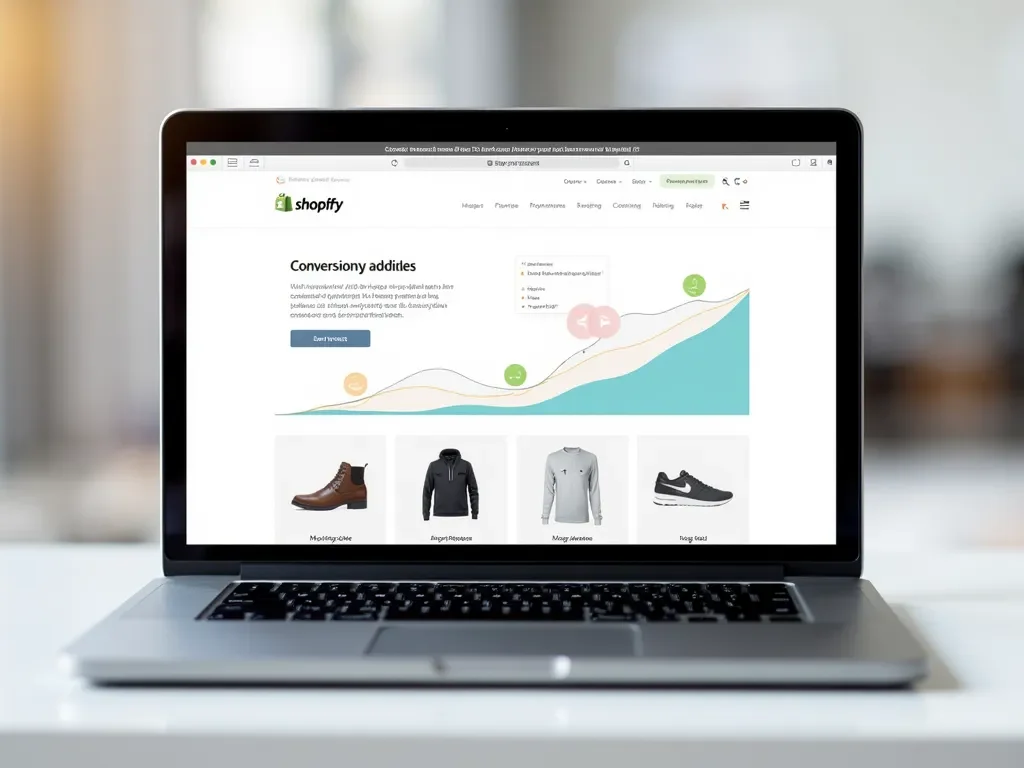
shopify-speed

Why Shopify Speed Optimization Isn’t Enough — and What to Focus on Instead

In 2025, Shopify store owners still chase faster load times — but is speed optimization enough? While website speed is important, many stores fail to convert visitors because they ignore other essential elements like user experience (UX), mobile design, SEO, and trust signals. This article explains why you need a complete growth strategy beyond just improving Shopify speed.


⚡ The Truth About Shopify Speed Optimization

Yes, a fast website matters. No one likes waiting more than two seconds for a page to load. Tools like Google PageSpeed Insights or GTmetrix highlight how speed affects user engagement.

But speed is just one part of a bigger picture. You could have a lightning-fast website that still doesn’t convert — because of poor layout, weak product images, or confusing checkout flows.


🧠 What Actually Makes a Shopify Store Successful

Success on Shopify depends on how well your store connects with your customers. After speed optimization, you should focus on these core areas:

1. User Experience (UX)

A smooth experience keeps visitors longer. Use clear product pages, easy navigation, and attractive visuals.
👉 Example: Add smart filters, sticky carts, and clear call-to-action buttons to make browsing easy.

2. Mobile Optimization

More than 70% of Shopify traffic comes from smartphones. Even if your desktop site is fast, a laggy mobile layout will hurt sales. Test on both devices to ensure full responsiveness.

3. SEO & Content Optimization

Speed doesn’t bring traffic — search visibility does. Use optimized meta titles, product descriptions, and internal links. Make sure each page targets specific keywords like Shopify website design services or Shopify SEO in 2025.

4. Visual Appeal & Branding

Your design should match your brand personality. Shoppers trust stores that look professional and consistent. Include high-quality product images, review badges, and brand colors that build recognition.

5. Conversion Rate Optimization (CRO)

Speed doesn’t guarantee conversions. You must guide users to buy. Add features like product previews, limited-time offers, and trust badges to push sales.


💬 Real Example: Why Speed Alone Failed

Imagine a clothing store that improved its load time from 4.5s to 1.2s — yet sales didn’t increase. Why?
Because users left at checkout due to missing size guides and no “Try Before You Buy” option.
Lesson: Speed got users in, but a poor buying experience pushed them out.


🔍 What to Focus on After Speed Optimization

1. Shopify SEO

  • Optimize meta titles and descriptions for every page.
  • Use structured data and schema for rich results.
  • Add internal links to related products or guides.

Internal Link Example:

2. Analytics & User Behavior

Use tools like Hotjar and Microsoft Clarity to track clicks, scrolls, and drop-off points. These insights reveal what actually needs fixing — not just what’s slow.

3. Trust & Security

Add SSL, clean checkout flows, and visible refund policies. Shoppers only buy from stores that feel safe.

4. Content Marketing

Publish articles that educate buyers — such as “Shopify Design Trends 2025” or “Best Free Tools for Online Stores”.
Fresh content helps rank your Shopify site higher in Google.


🌐 External Resources


❓ FAQs

1. Is Shopify speed optimization still important in 2025?
Yes — it’s essential, but only as part of a complete optimization plan that includes UX and SEO.

2. How can I check if my Shopify site loads fast?
Use free tools like Google PageSpeed Insights or GTmetrix to analyze performance.

3. What’s the best way to improve conversions?
Enhance design, simplify checkout, and add trust badges.

4. Does SEO affect Shopify store speed?
Indirectly — better SEO structures can help browsers load pages efficiently.

5. Can MrWebApp help with Shopify optimization?
Yes, MrWebApp offers full Shopify design, SEO, and performance optimization services.


💼 Conclusion

Shopify speed optimization is a great first step — but real success comes from improving user experience, branding, SEO, and conversion strategy. A fast store gets clicks, but a smart store makes sales.

👉 Want a Shopify website that actually grows your business?
Visit mrwebapp.com to start your project today.

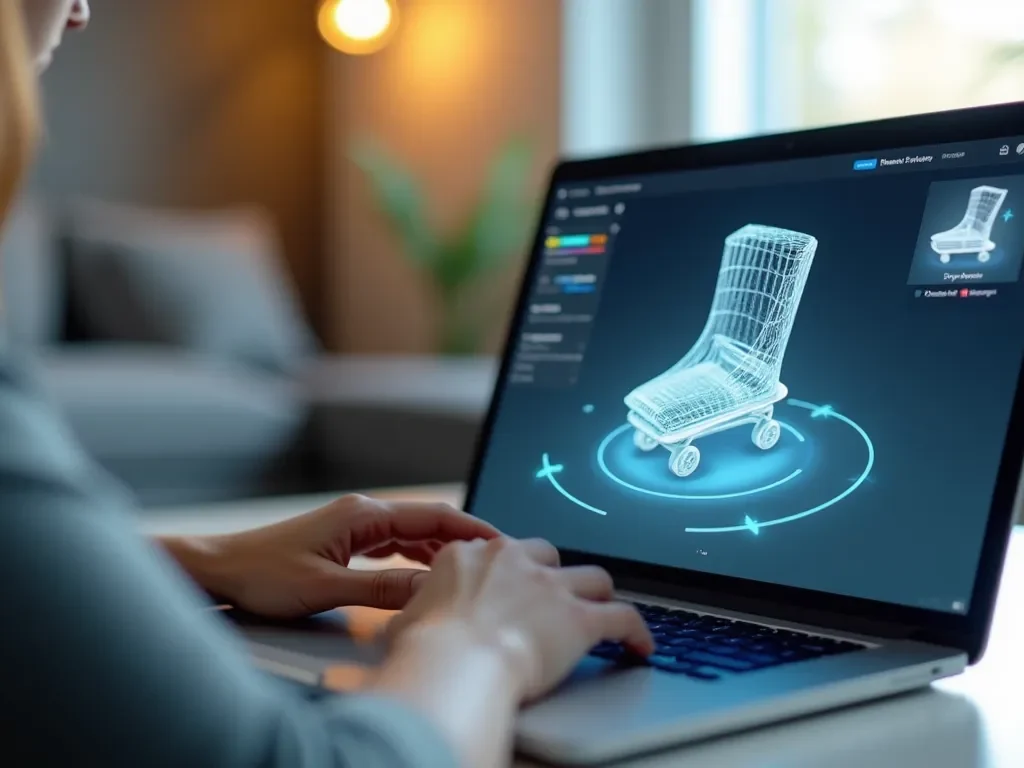
eCommerce shopper using a smart preview tool to reduce product returns in 2025

Why Product Returns Are So High in 2025 — and the Smart Preview Tool That Prevents Them

Online shopping has become faster, easier, and more convenient than ever before — but one problem still frustrates both sellers and buyers: high product return rates.
In 2025, product returns have reached record levels, cutting into profits and hurting customer trust. The question is: why are returns increasing, and how can smart preview tools stop them?


What’s Really Driving Product Returns in 2025

Even with advanced product descriptions and professional photography, shoppers often receive something that feels different from what they expected. Some of the biggest causes include:

  1. Inaccurate Product Images: Many customers realize the color, texture, or size is different from what they saw online.
  2. Fit and Size Problems: Especially in fashion and furniture, it’s hard to imagine true proportions.
  3. Poor Product Details: Missing information like material quality, real-use examples, or customer context.
  4. Impulse Purchases: Discounts encourage buyers to act fast without checking full details.
  5. Complicated Return Policies: When customers can easily return items, they buy more — and send more back.

A report by Shopify shows that around 20–30% of all eCommerce orders are returned, compared to just 9% in physical stores.


The Rising Cost of Returns

For online stores, every returned order means:

  • Extra shipping costs
  • Restocking labor and packaging waste
  • Refund delays that reduce customer loyalty

Even big brands like Amazon and Walmart are redesigning their return systems to minimize environmental and financial impact.

In 2025, businesses are looking for smarter ways to reduce returns — and technology is leading the way.


The Smart Preview Tool: A Modern Fix

A Smart Preview Tool is a digital feature that lets customers interact visually with products before buying.
It bridges the gap between online and in-person shopping by showing real-life product details through 3D previews, AR (augmented reality), or virtual placement.

💡 How It Works

  • 3D Product Models: Let customers rotate, zoom, and view every angle.
  • AR View: Place the item in a real room using a smartphone camera (e.g., furniture or décor).
  • Real-Use Simulation: Preview items on a model or through upload tools (for fashion and eyewear).

This gives buyers a true sense of fit, proportion, and style before clicking “Buy Now.”


Why Smart Preview Tools Reduce Returns

  1. Realistic Expectations
    Customers know exactly what they’ll receive, reducing surprises when the product arrives.
  2. Higher Buyer Confidence
    Visual previews help buyers feel secure in their choice, leading to fewer “just-in-case” purchases.
  3. Improved Product Understanding
    When users interact with a product online, they absorb more information — leading to better buying decisions.
  4. Less Return Fraud
    When buyers understand what they’re getting, accidental or false returns drop significantly.

Example: Smart Preview in Action

A home décor store using a Smart Preview tool noticed a 40% drop in returns within three months. Customers could see how lamps, sofas, or shelves looked inside their rooms before ordering.

Similarly, fashion stores offering a virtual try-on feature reduced size-related returns by over 50%.

This isn’t just about visuals — it’s about building trust.


Internal and External Resources


The Future of Smarter Shopping

As online markets expand, visual trust is becoming the new currency of eCommerce.
Retailers who invest in visual try-on and smart preview tools not only reduce return rates but also increase conversions and repeat customers.

In 2025, success depends on clarity — when customers see clearly, they buy confidently.


FAQs

1. What is a Smart Preview Tool?
It’s a digital system that lets customers interact with or visualize a product before buying it.

2. How do smart previews reduce returns?
They help customers understand product size, color, and features more clearly before purchase.

3. Are smart preview tools expensive to set up?
Costs vary, but most businesses see quick returns through higher conversions and fewer refunds.

4. Can I add a smart preview tool to my Shopify or WordPress site?
Yes, many plugins and integrations make it simple to add visual previews.

5. Does this work for all products?
Almost! It’s ideal for fashion, furniture, electronics, and any product where visuals matter.


Final Thoughts

High return rates don’t have to be part of eCommerce.
With the help of smart preview tools, businesses can improve customer satisfaction, save costs, and create a shopping experience people trust.

👉 Explore more solutions at MrWebApp.com — your partner in smarter, faster digital growth.

A woman trying sunglasses online using a visual try-on tool on her phone

Why 90% of eCommerce Visitors Don’t Buy — and the Visual Try-On Solution That Fixes It

Running an online store isn’t just about getting traffic — it’s about turning visitors into buyers. But here’s the truth: around 90% of online shoppers leave without buying anything.

Why? Because most websites still miss one key thing — the feeling of trying before buying.
That’s where visual try-on technology comes in and changes everything.


1. The Main Reason People Don’t Buy Online

When people shop in physical stores, they touch, hold, and try products before paying.
Online, that trust is missing.

Most visitors hesitate because they can’t be sure:

  • Will it look good on me?
  • Is the color right?
  • What if it doesn’t fit?

Without confidence, they leave — even if they liked the product.


2. The Psychology Behind Online Shopping Doubt

Humans buy with emotions first and logic later.
When shoppers can’t see how something fits their life, they delay the decision.

That’s why many people add items to their cart… and then abandon it.

Simple truth: when the product feels real, sales happen faster.


3. What Is a Visual Try-On Solution?

A visual try-on solution uses your phone or webcam to show how a product would look on you — just like trying clothes in a fitting room, but online.

You can test:

  • Sunglasses on your face
  • Lipstick shades on your skin tone
  • Shoes or watches on your hands or feet
  • Even home décor in your room with AR (Augmented Reality)

This feature builds confidence instantly. People don’t have to imagine — they can see it.


4. How It Boosts Sales and Trust

Adding visual try-on tools does more than make your site look cool — it makes buyers trust your products.

Here’s what stores have noticed:

  • Conversion rates grow by 30–40% after adding try-on features
  • Return rates drop because customers choose more carefully
  • Visitors stay longer on the website

When people can see the product on themselves, the question changes from “Should I buy this?” to “When should I buy this?”


5. Example: Fashion and Beauty Brands Using It

Top brands already use visual try-ons:

  • L’Oréal lets customers test makeup online before ordering
  • Warby Parker allows users to try glasses using their phone camera
  • Nike uses AR fitting for shoes

These brands have one thing in common — they make shopping feel personal.


6. How Small eCommerce Stores Can Use It Too

You don’t need a big budget to start.
Platforms like Shopify, Wix, and WordPress now offer visual try-on plugins and apps.

With these, you can add:

  • AR product previews
  • Face or body mapping for fashion
  • Room preview tools for furniture or décor

🔗 Internal Links:

External Tools:

A woman trying sunglasses online using a visual try-on tool on her phone

7. Benefits for Store Owners

Here’s how visual try-on tech helps your eCommerce store:
✅ Fewer returns — customers pick what truly fits
✅ Higher sales — people buy faster with confidence
✅ Longer engagement — shoppers spend more time exploring
✅ Brand trust — customers feel connected to your store


8. Future of Online Shopping — Try Before You Buy

By 2026, most successful online stores will include visual try-on or AR tools as standard.
It’s not just a trend — it’s becoming a must.

People expect interactive shopping. The sooner your website offers it, the faster you’ll build trust and grow sales.


💡 Quick Tips to Add Visual Try-On to Your Store

  1. Choose a plugin that fits your platform (Shopify, Wix, or WordPress).
  2. Start with top-selling products — like sunglasses, watches, or makeup.
  3. Add clean, bright product photos with clear angles.
  4. Optimize every try-on image with alt text and keywords for SEO.
  5. Test the feature on mobile — most buyers shop from phones.

🧠 FAQs

1. Does visual try-on really increase sales?
Yes, brands using visual try-on report up to 40% more conversions.

2. Is it hard to set up?
No, most eCommerce platforms offer plugins or ready apps — you don’t need coding.

3. Can small stores afford it?
Yes, affordable options are available for every platform.

4. Does it work on mobile?
Absolutely. In fact, most try-ons are designed for mobile users.


🔚 Conclusion

Most eCommerce stores lose buyers because people can’t see how products look on them.
Adding a visual try-on solution builds instant trust, reduces returns, and helps you sell faster.

If you want to upgrade your online store with modern tools that attract real buyers, explore:
👉 Free Online eCommerce Tools by MrWebApp

Start turning visitors into happy customers — one try-on at a time

IT professionals collaborating on AI and cybersecurity projects for 2026

Future of IT Jobs 2026: Which Roles Will Be in High Demand?

Technology is evolving faster than ever — and so is the job market. As we move toward 2026, new technologies like AI, blockchain, and quantum computing are reshaping what employers need. The future of IT jobs 2026 looks promising for skilled professionals who can adapt, innovate, and work remotely across global teams.

Whether you’re starting your tech career or upgrading your skills, here’s a complete look at the roles that will define the IT landscape in the next few years.


1. Artificial Intelligence (AI) and Machine Learning Engineers

AI continues to revolutionize every industry — from healthcare to finance and education. By 2026, AI engineers and machine learning specialists will be among the most in-demand professionals.

Companies need experts who can build smart algorithms, train AI models, and develop predictive systems that make data-driven decisions.

Common tools: TensorFlow, PyTorch, and Scikit-learn.

🔗 Learn more about AI development on Google Cloud or Microsoft AI programs.


2. Cybersecurity Experts and Ethical Hackers

As digital systems grow, so do cyber threats. The demand for cybersecurity analysts, ethical hackers, and network defenders will skyrocket in 2026.

Businesses are increasingly hiring remote security experts to monitor networks, identify vulnerabilities, and protect sensitive data.

Certifications that boost your career:

  • Certified Ethical Hacker (CEH)
  • CompTIA Security+
  • CISSP (Certified Information Systems Security Professional)

3. Cloud Engineers and DevOps Specialists

The global shift to remote work and digital platforms means cloud computing is now essential. Cloud engineers skilled in AWS, Azure, and Google Cloud will continue to dominate hiring trends.

DevOps roles — those who can automate deployments using Docker, Kubernetes, and CI/CD pipelines — will remain among the top IT jobs in demand for 2026.

🔗 Internal Link: Explore Cloud Hosting Services by MrWebApp.


4. Data Scientists and Data Analysts

In 2026, businesses will rely even more on data-driven insights. Data scientists will play a central role in translating raw data into business intelligence.

Top skills include Python, SQL, Power BI, and R.
Remote analysts will be key in helping organizations predict trends, manage risks, and personalize customer experiences.


5. Blockchain and Web3 Developers

Blockchain technology has matured beyond cryptocurrency. Web3 developers now create decentralized apps (dApps), NFT marketplaces, and digital identity systems.

By 2026, companies will seek Solidity and Rust developers to build secure, transparent, and scalable blockchain solutions.

💡 Check Ethereum Developer Resources for hands-on blockchain guides.


6. Software Engineers and Full-Stack Developers

Despite AI automation, software engineers remain the foundation of the tech ecosystem. Developers skilled in both front-end and back-end technologies are in high demand.

Key technologies for 2026:

  • Frontend: React.js, Vue.js, Next.js
  • Backend: Node.js, Django, Laravel
  • Mobile: Flutter, React Native

🔗 Internal Link: Website Development Services at MrWebApp.


7. UI/UX Designers and Product Developers

User experience will continue to define digital success. By 2026, companies will invest more in UI/UX designers who understand accessibility, performance, and human-centered design.

Familiarity with tools like Figma, Adobe XD, and Canva Pro will remain essential.

📍 Internal Link: Learn About Our UI/UX Design Services.


8. Automation and Low-Code Platform Developers

Businesses are adopting low-code and no-code tools to build apps faster. Professionals who understand workflow automation tools like Zapier, Airtable, and Bubble will find many remote opportunities.

This hybrid skill set merges tech expertise with process management — a major advantage in global IT teams.


9. Cloud Security and Compliance Specialists

As companies store more data in the cloud, cloud security engineers and compliance officers will become essential.

These roles involve protecting cloud infrastructure, ensuring regulatory compliance (GDPR, ISO 27001), and integrating AI-based threat detection systems.

🌐 External Link: IBM Cloud Security Resources.


10. IT Project Managers and Business Analysts

Technology projects require structured leadership. By 2026, IT project managers and business analysts will bridge the gap between developers and clients.

Knowledge of Agile, Scrum, and Kanban frameworks will make these roles even more valuable.


🧠 FAQs

1. What IT jobs will be most in demand in 2026?
AI engineers, cybersecurity experts, and cloud specialists will lead the IT job market in 2026.

2. Will automation reduce IT jobs?
No. Automation will shift the focus toward high-skill roles such as AI integration, data analysis, and system architecture.

3. Are blockchain careers still relevant in 2026?
Yes — blockchain continues to expand beyond crypto into identity, healthcare, and digital assets.

4. What skills should I learn for future IT jobs?
Cloud computing, AI/ML, cybersecurity, and full-stack development are top priorities.

5. Can I work remotely in these IT roles?
Absolutely. Most modern IT roles — from web development to data analysis — are remote-friendly in 2026.


💼 Conclusion

The future of IT jobs in 2026 belongs to those who continuously learn and adapt. Whether you’re exploring AI, blockchain, or web development, building a future-ready skill set will secure your place in the digital world.

Explore cutting-edge web development, cloud hosting, and AI solutions at MrWebApp.com — your trusted digital partner for modern business success.

Remote developer learning top IT skills for 2025–2026

Top IT Skills in Demand for Remote Jobs 2025–2026

In 2025, the remote work revolution is entering a new phase — powered by automation, cloud computing, and AI-driven systems. Whether you’re a developer, designer, or data analyst, the IT industry is shifting fast. Learning the top IT skills in demand for remote jobs in 2025–2026 can help you secure high-paying, flexible opportunities from anywhere in the world.

This article covers the most valuable tech skills employers are hiring for, how to get started, and why staying updated is the smartest career move you can make.


1. Cloud Computing and DevOps

Cloud technology remains the backbone of global remote infrastructure. As companies move their operations online, experts in AWS, Microsoft Azure, and Google Cloud are in high demand.

DevOps professionals who can automate workflows using Docker, Kubernetes, and Jenkins are especially valued. Remote cloud engineers help businesses scale operations without maintaining physical servers.

💡 Tip: Check out AWS Certifications and Google Cloud Learning to enhance your skills.


2. Artificial Intelligence and Machine Learning

AI is reshaping every business sector. From recommendation systems to chatbots and predictive analytics, AI and ML experts are key players in the remote tech workforce.

Employers look for candidates skilled in Python, TensorFlow, PyTorch, and data modeling. A strong understanding of data ethics and AI integration is a bonus.

📚 Learn more from Wikipedia: Machine Learning Overview.


3. Cybersecurity and Ethical Hacking

As remote work expands, so do online threats. That’s why cybersecurity remains one of the top IT skills in demand for 2025. Companies seek professionals skilled in penetration testing, network defense, and risk management.

Roles like Security Analyst and Ethical Hacker are becoming fully remote, offering excellent pay and long-term job security.


4. Data Science and Big Data Analytics

Businesses are overwhelmed with information — and they need data experts to make sense of it. Data scientists and analysts who can interpret massive datasets are vital.

Key tools include R, Python, SQL, Tableau, and Power BI.
Remote analysts use these skills to identify trends and guide business decisions.


5. Web and App Development

Developers are still among the top earners in the IT industry. With the global shift toward digital services, the need for skilled front-end, back-end, and full-stack developers is only growing.

Languages and frameworks in demand:

  • React.js, Next.js, Vue.js (front-end)
  • Node.js, Django, Laravel (back-end)
  • Flutter and React Native (mobile apps)

🔗 Internal link: Explore Web Development Services at MrWebApp.


6. UI/UX Design and Product Prototyping

Designers play a major role in shaping how users interact with websites and apps. Mastery of Figma, Adobe XD, and Canva Pro can open many remote opportunities.

Understanding user behavior, color psychology, and accessibility design standards helps make products more effective.

💼 Related internal link: Learn About Our UI/UX Design Services.


7. Blockchain and Web3 Development

The decentralized web is expanding beyond cryptocurrency. Companies now hire Web3 developers to create smart contracts, NFTs, and decentralized applications (dApps).

Skills in Solidity, Rust, and Ethereum development are increasingly valuable.
You can start by exploring Metamask, Polygon, and IPFS for practical learning.


8. Automation and Low-Code Tools

Low-code platforms like Zapier, Airtable, and Bubble allow businesses to automate processes without heavy programming. Professionals who understand both tech and workflow logic will dominate remote project management in 2026.

This hybrid skillset combines business strategy and technology — a winning combination for freelancers.


9. Digital Marketing and SEO Analytics

While not purely technical, SEO, Google Ads, and content automation tools are essential in remote IT environments. Businesses need people who understand analytics, automation, and optimization.

🧭 Related internal link: Explore Digital Marketing Services at MrWebApp.


10. Soft Skills That Support Remote IT Success

Beyond technical know-how, employers are emphasizing communication, time management, and adaptability.
Remote teams thrive when IT professionals can explain complex systems clearly, manage tasks independently, and stay proactive.


🧠 FAQs

1. Which IT skill is best for remote work in 2025?
Cloud computing, cybersecurity, and web development remain the most sought-after skills for remote positions.

2. Is AI a good career for remote workers?
Yes. AI and ML professionals can work remotely on automation, data modeling, and product personalization.

3. How do I start learning data science?
Begin with Python and SQL, then explore visualization tools like Tableau and Power BI.

4. Are Web3 jobs still in demand in 2026?
Absolutely. Decentralized apps, NFTs, and smart contracts will continue to shape future development.

5. Can UI/UX designers work fully remotely?
Yes — design teams use tools like Figma and Adobe XD for full collaboration online.


💡 Conclusion

The IT world is evolving fast, and remote work continues to redefine global collaboration. By mastering the top IT skills in demand for remote jobs 2025–2026, you can build a flexible, future-proof career.

Visit MrWebApp.com to learn more about modern web solutions, career tools, and digital services that help professionals thrive in the tech era.

Artificial Intelligence in IT 2026

Future of Artificial Intelligence in IT: What to Expect by 2026

Artificial Intelligence (AI) is reshaping every corner of the digital world, and the IT sector stands at the center of this revolution. By 2026, AI will redefine how systems manage data, optimize workflows, and protect businesses from cyber threats. Let’s explore what’s next for Artificial Intelligence in IT — and how businesses can prepare for this fast-approaching future.


The Rapid Evolution of AI in Information Technology

In the past decade, IT departments have moved from simple automation to complex machine learning models that think, adapt, and optimize. By 2026, AI will be an integral part of every IT process — from software development to infrastructure management.

Modern IT systems already use AI for predictive analytics, network monitoring, and security automation. However, the next wave of advancements will bring self-healing systems and intelligent infrastructure that learns from every action.

In short, the future of Artificial Intelligence in IT is about autonomy, precision, and resilience.


AI-Driven Cybersecurity: Smart Defense Against Smart Threats

Cybersecurity is no longer a manual task. As hackers use AI to breach systems, IT teams are responding with AI-powered security that detects and blocks threats in real time.

By 2026, AI-based security algorithms will analyze massive datasets across cloud networks to identify vulnerabilities instantly. Instead of waiting for alerts, systems will automatically isolate infected areas and self-repair without human input.

🔗 External Sources:


AI and Cloud Computing: A Perfect Partnership

AI and cloud technology are merging to create a smarter, faster, and more scalable IT ecosystem. Cloud-based AI models enable companies to deploy intelligent apps without heavy infrastructure costs.

By 2026, expect AI-optimized cloud platforms that automate load balancing, energy efficiency, and storage allocation — improving both cost and sustainability.

This integration ensures that businesses can scale globally while maintaining high performance and reliability.

🔗 Internal Links:


AI in Software Development and IT Operations

Developers are already using AI tools to generate code, debug software, and predict user behavior. By 2026, AI will take over repetitive coding tasks entirely.

Frameworks like GitHub Copilot and ChatGPT APIs are early examples of AI-powered development assistance. These systems learn from millions of repositories, allowing IT professionals to write cleaner, more efficient code faster than ever before.

Moreover, AIOps (Artificial Intelligence for IT Operations) will become standard. These platforms analyze system performance, detect anomalies, and automatically apply solutions — reducing downtime and maintenance costs.


Data Analytics: The New Powerhouse of Decision-Making

The future of IT is data-driven. AI will not just process data but interpret it intelligently. By 2026, AI systems will create detailed insights from structured and unstructured data, helping businesses make real-time, data-backed decisions.

AI will enable organizations to:

  • Predict market trends
  • Identify customer needs instantly
  • Optimize IT infrastructure automatically

Businesses using AI-driven analytics will have a clear edge over competitors still relying on manual systems.


AI Ethics and Responsible Innovation

As AI becomes more embedded in IT infrastructure, ethical concerns are gaining attention. Transparency, fairness, and accountability will be key in AI development.

Regulatory frameworks by 2026 will require companies to ensure responsible AI adoption, protecting privacy while encouraging innovation. The IT sector must focus on ethical AI models that ensure trust and compliance.


The Future Workforce: Humans and AI Side by Side

One common misconception is that AI will replace IT professionals. The reality is collaboration — not competition.

By 2026, the IT workforce will evolve into AI-assisted professionals, focusing more on creativity and strategy rather than repetitive coding or monitoring. Upskilling in AI, machine learning, and data management will be essential for career growth in this new digital era.


FAQs – Future of Artificial Intelligence in IT 2026

1. How is AI changing IT operations?
AI automates monitoring, maintenance, and data analysis, improving efficiency and reducing system downtime.

2. Will AI replace IT professionals?
No, AI will assist IT teams, allowing humans to focus on complex tasks like strategy and innovation.

3. What are the biggest AI trends by 2026?
Expect autonomous systems, ethical AI frameworks, predictive analytics, and enhanced cybersecurity.

4. How can businesses prepare for AI adoption?
Invest in training, upgrade infrastructure, and start integrating AI tools into existing workflows.

5. Is AI in IT safe?
Yes, when implemented with strong ethical and security guidelines, AI enhances system safety and performance.


Conclusion

The future of Artificial Intelligence in IT by 2026 is bright, efficient, and deeply transformative. From cybersecurity to data analytics and automation, AI is redefining what’s possible in the tech world.

If you’re ready to bring AI innovation to your business, visit MrWebApp.com — where technology meets strategy.

AI integration on Shopify websites in 2025

How to Integrate AI on Shopify Websites in 2025

Artificial Intelligence (AI) is reshaping how eCommerce operates, and AI integration on Shopify websites in 2025 is becoming essential for online success. From personalized shopping experiences to automated customer support, AI is empowering Shopify store owners to boost engagement, sales, and efficiency.

In this comprehensive guide, we’ll explore the benefits of AI for Shopify, top integration tools, step-by-step methods, and practical strategies to future-proof your eCommerce business.


Why AI Integration on Shopify Matters in 2025

The eCommerce market is more competitive than ever, and businesses need smarter ways to stand out. AI integration on Shopify websites allows store owners to analyze data, automate repetitive tasks, and offer customers a highly personalized experience.

Shopify’s AI ecosystem in 2025 supports tools like Shopify Magic, which uses machine learning to optimize product descriptions, recommend products, and even predict trends.

External resource: Learn more about Shopify Magic.


Benefits of AI Integration on Shopify Websites

1. Personalized Shopping Experiences

AI algorithms analyze customer behavior and suggest products that match user preferences. This increases conversion rates and customer satisfaction.

2. Smarter Product Recommendations

Integrating AI tools like Nosto or LimeSpot on Shopify can automatically display dynamic product recommendations based on browsing patterns.

3. Chatbots and Automated Support

AI-powered chatbots can handle FAQs, order tracking, and customer queries 24/7 — reducing workload while enhancing user experience.

4. Enhanced Inventory Management

AI tools forecast demand, optimize stock levels, and reduce waste. This automation helps maintain efficiency, especially for large inventories.

5. Predictive Analytics

With AI, Shopify merchants can analyze buying trends and forecast which products will perform best in upcoming seasons.

Internal resource: See how automation works at mrwebapp.com/website-development-services.


Tools for AI Integration on Shopify

1. Shopify Magic

Shopify Magic is an in-built AI feature that assists with content creation, inventory suggestions, and analytics.

2. ChatGPT Integration

Shopify store owners can embed OpenAI-powered chatbots to provide conversational experiences directly on product or checkout pages.

External link: Learn more about OpenAI’s ChatGPT API.

3. ReConvert

AI-based upselling and post-purchase optimization app designed to increase your average order value automatically.

4. Clerk.io

An intelligent search and recommendation system that improves navigation and product discovery on Shopify stores.

Internal link: Discover related automation tools at mrwebapp.com/free-online-tools.


Step-by-Step: How to Integrate AI on Your Shopify Website

Step 1: Identify Your Goals

Decide whether you want to improve product recommendations, automate support, or enhance analytics. Clear goals help select the right AI tools.

Step 2: Choose the Right App

Visit the Shopify App Store and search for AI-powered apps. Choose one that aligns with your store’s niche.

Step 3: Install and Configure

After installation, connect your AI app with product catalogs, inventory, or customer data for smooth synchronization.

Step 4: Train Your AI System

Feed your AI with product data, customer behavior insights, and previous orders to refine recommendations and accuracy.

Step 5: Analyze and Optimize

Monitor performance metrics regularly — such as conversion rates, click-through rates, and sales lift — to fine-tune the AI model.


AI-Powered Marketing Strategies for Shopify Stores

1. Dynamic Email Campaigns

AI analyzes user behavior and sends personalized emails at the perfect time, improving open and conversion rates.

2. Smart Pricing Optimization

AI tools can automatically adjust prices based on competition, demand, and inventory — maximizing profitability.

3. Visual Search and AR Integration

In 2025, AI is merging with Augmented Reality (AR) to let users virtually “try” products. It’s a must-have feature for fashion and home décor stores.

Internal link: Learn about performance tools at mrwebapp.com/image-to-text-free-online-tool.


SEO and AI: A Powerful Duo

AI isn’t just improving user experience — it’s transforming SEO. Tools like SurferSEO and HubSpot AI analyze content performance, competitor insights, and keyword opportunities. By integrating these with your Shopify website, you can consistently achieve higher search rankings.

External link: Check out HubSpot’s AI SEO Tools.


Common Mistakes to Avoid in AI Integration

  1. Ignoring data privacy regulations.
  2. Installing too many AI apps without integration consistency.
  3. Neglecting manual testing after automation.
  4. Focusing only on visuals instead of customer data optimization.

FAQs

1. Can small Shopify stores use AI integration?
Yes! Many affordable AI tools are available that scale according to your store size.

2. Do I need coding skills to integrate AI on Shopify?
No, most AI apps are plug-and-play and require no coding knowledge.

3. Is AI safe for handling customer data?
Yes, as long as you use trusted apps that comply with Shopify’s privacy standards.

4. Which AI tool is best for product recommendations?
Nosto and Clerk.io are among the most effective options for dynamic product suggestions.

5. How often should I optimize my AI settings?
Review AI performance monthly to ensure your Shopify store adapts to new data and trends.


Conclusion

AI integration on Shopify websites in 2025 is not just a trend — it’s a transformation. From predictive analytics to smart marketing, AI empowers businesses to create smoother, faster, and more intelligent eCommerce experiences.

If you’re planning to launch or upgrade your Shopify store, explore professional AI-powered website development services at mrwebapp.com and stay ahead in the evolving digital market.