Marketer optimizing content for generative search engines in 2025

How to Optimize Content for Generative Search Engines (AEO / GEO) in 2025

Introduction:

Search is changing fast. In 2025, Google, Bing, and AI-based engines don’t just show links anymore. They create direct answers, summaries, and suggestions using AI.

This change is called Generative Search. It’s powered by AEO (Answer Engine Optimization) and GEO (Generative Engine Optimization). If your content isn’t ready for this, it may vanish from search visibility.

At MrWebApp, we help brands prepare for this shift. Here’s a complete, simple guide to make your content ready for Generative Search in 2025.

1. From SEO to AEO and GEO

Traditional SEO focuses on:

  • Keywords
  • Rankings
  • Backlinks

Generative Search focuses on:

  • Clear and factual answers
  • Organized content
  • Context and meaning

You are no longer writing for just Google crawlers. You are writing for AI systems that understand intent and context.

In short:

  • SEO → Helps you rank in search results.
  • AEO → Helps AI use your content in direct answers.
  • GEO → Helps AI understand your content’s meaning and relationships.

2. How AI Search Engines Read Your Website

AI-based search engines scan your website differently. They don’t look for just keywords — they look for structure and clarity.

Here’s what they check:

  • Clear question and answer format
  • Logical headings (H2, H3)
  • Short sentences and lists
  • Verified data and dates
  • Author name and brand authority
  • Structured schema (FAQ, HowTo, Article)

If your content is messy or unclear, AI may skip it. So, always make your content easy to read and easy to understand.

3. Key AEO & GEO Ranking Factors in 2025

To appear in AI search results, your content should include:

  • Question-style headings like “How does AEO work?”
  • Short, direct answers in the first few lines
  • Linked pages that connect related topics
  • Facts, examples, and data to prove your point
  • Author bio and date for trust
  • Schema markup for structure
  • Readable layout with short paragraphs and lists

These points make your website both human-friendly and AI-friendly.

4. Write for AI Answers and Snippets

AI tools like Google SGE and Perplexity take short parts of your content to make quick answers. To help them, follow this pattern for writing:

  • Start with a question or problem
  • Give a short answer in one or two sentences
  • Then explain the reason in a few lines

Example: Question: What is AEO? Answer: AEO means optimizing your content so AI can easily pick and use it in direct answers. It focuses on structured writing, short answers, and factual accuracy.

When you use this format, AI engines can easily understand and credit your website as the source.
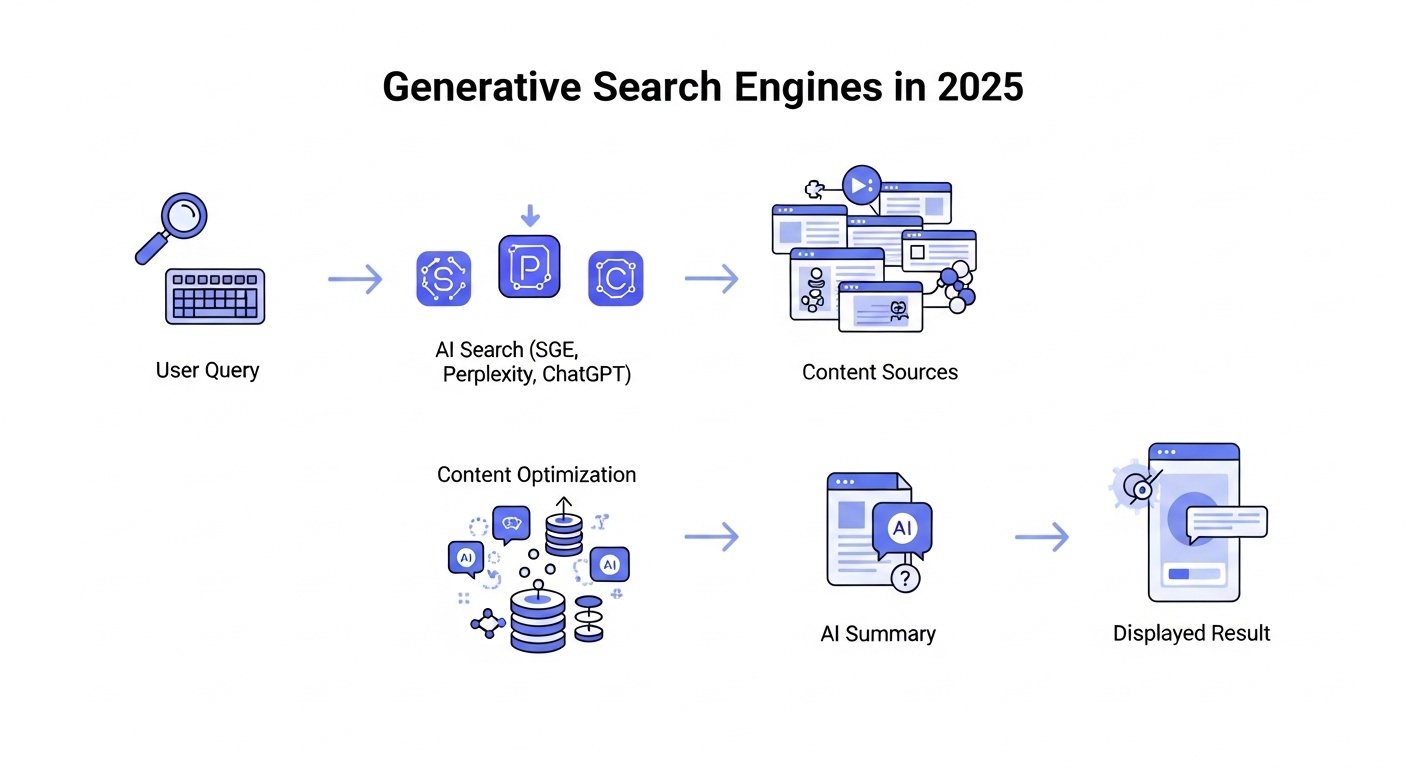
Diagram showing how generative search engines work in 2025
How AI search engines collect and summarize website content in 2025

5. Use Schema Markup

Schema markup is code that tells AI what your content means. It helps AI engines show your answers in better positions.

The best schema types for 2025 include:

  • FAQPage for questions and answers
  • HowTo for step-by-step guides
  • Article for blogs and insights
  • Product for eCommerce pages
  • Review for testimonials

At MrWebApp, we add schema markup with smart SEO tools and custom scripts.

6. Create Topic Clusters

Topic clusters help AI understand what your site is about. They also build authority in your niche.

Here’s how:

  • Choose one main topic (like “Generative SEO”)
  • Write several related posts (like “AI search trends,” “AEO content writing,” etc.)
  • Link all related posts to your main topic page

This shows AI that your website covers the subject in depth. It also helps users find related content easily.

7. Focus on E-E-A-T

E-E-A-T means Experience, Expertise, Authority, and Trust. Generative search engines prefer trusted sources.

Improve your E-E-A-T by:

  • Adding real author names and bios
  • Linking to trusted external sources
  • Including client testimonials
  • Showing case studies
  • Keeping your content updated

At MrWebApp, we help brands create E-E-A-T-friendly content that AI systems trust.

More users now speak their queries using AI assistants. Instead of typing short phrases, they ask long questions.

Example: Instead of “SEO tools,” they ask,

“What are the best SEO tools for online stores in 2025?”

To prepare for this, you should:

  • Write in a natural, human tone
  • Include FAQs and conversational phrases
  • Avoid robotic keyword stuffing

This improves visibility in voice search and AI chat results.

9. Use Real Data and Examples

AI engines want reliable content, not vague opinions. Use real-world examples, case studies, or data.

You can add:

  • Research-backed facts
  • Screenshots or charts
  • Before-and-after case results
  • Step-by-step visuals

At MrWebApp, we add real data and visuals that AI engines prefer to show.

10. Improve Technical SEO for GEO

Your website’s technical setup still matters. AEO and GEO perform best on fast, secure, and mobile-friendly sites.

Here’s your technical checklist:

  • Website loads under 2 seconds
  • Mobile-first responsive design
  • Secure HTTPS and SSL setup
  • Image compression enabled
  • No broken links or redirects
  • Updated sitemaps and schema

At MrWebApp, we use speed and security optimization tools to make websites GEO-ready.

11. Add FAQs at the End of Each Page

Adding FAQs helps AI engines quickly find and show answers. Keep your questions short and your answers clear.

Example:

Q: What’s the difference between AEO and SEO? A: AEO focuses on making content ready for AI answers. SEO focuses on ranking in Google search results.

Q: Why is GEO important in 2025? GEO helps your site show up in AI search results that display short summaries.

FAQs also make your content more useful for users and more visible in AI-driven results.

12. Keep Content Fresh

AI tools prefer updated information. If your content is old, it might not show in generative answers.

To stay relevant:

  • Update facts and screenshots regularly
  • Add new data every few months
  • Refresh examples and case studies
  • Review meta tags and schema

MrWebApp clients receive quarterly content updates to keep their sites AI-friendly and current.

13. Track GEO Performance

You need tools that track your AI search visibility. Traditional rank tracking isn’t enough anymore.

Use tools like:

  • BrightEdge Copilot – to track visibility in AI summaries
  • AlsoAsked.com – to find related questions
  • NeuronWriter or Surfer AI – to optimize semantic writing
  • Google Search Console (SGE beta) – for monitoring AI appearances

These tools help you see how well your content performs in the new AI search environment.

14. Future of Generative Optimization

Generative optimization is about helping AI understand you — not tricking it. The future of GEO will focus on:

  • Verified facts and sources
  • Structured and conversational content
  • Personalization based on user intent
  • Voice-first and chat-style browsing

If you prepare now, you’ll lead when the search landscape changes even more.

SEO is no longer just about being found — it’s about being understood. Generative engines reward websites that provide clear, factual, and organized information.

If your site doesn’t meet AEO and GEO standards, it may fade from results completely.

At MrWebApp, we help businesses build content and websites that AI engines love. We help you write clear content and set up schema so your site is ready for future search.

✅ Want your content to appear in AI-generated answers? Let’s make your website AEO and GEO optimized for 2025. Contact MrWebApp — and stay visible in the new AI-powered search world.

Wix vs Webflow 2025 Honest Review

Truth About Wix vs Webflow (2025 Honest Review for Beginners)

If you’re new to building websites, this is the article you need. We cut through hype, fees, and confusing features. We show what matters for real projects in 2025: speed, control, cost, and results. Read on and decide which tool fits your goals — fast.

Quick verdict — who wins for beginners?

  • Pick Wix if you want the easiest path, fast templates, and built-in tools. It’s practical for small businesses and solo founders.
  • Pick Webflow if you want clean code, control, and better performance out of the box. It’s worth it for designers, agencies, and people who plan to scale.

This review explains why. We avoid fluff. We’ll look at pricing, ease of use, design tools, SEO, online stores, and pros and cons… You’ll walk away ready to choose.

What are Wix and Webflow? (short)

Wix is a hosted website builder. It provides templates, AI tools, and a drag-and-drop editor. It aims to make website creation simple for everyone. Wix is adding more AI tools and online store features. It also supports popular payment methods like PayPal and credit cards.

Webflow is a visual website builder that makes clean, ready-to-use code. It’s popular with designers and teams that want design freedom plus reliable hosting. Webflow focuses on performance, semantic code, and production-ready exports.

Pricing — simple numbers you actually care about

Pricing changes often. Yet, these facts hold in 2025:

  • Wix: multiple site plans. Entry-level and business/ecommerce tiers. Expect monthly plans from affordable to mid-range. Wix bundles hosting, templates, and many features.
  • Webflow: separates site plans and workspace (team) plans. Prices are competitive for serious sites but can climb for e-commerce or many editors. Expect per-site billing for production sites.

Bottom line: Wix often looks cheaper at first. Webflow can be a smart choice for teams managing many sites or needing fast, clean code.

Learning curve — who’s easier to use?

  • Wix: very beginner-friendly. The editor guides you. Templates reduce choices. So, launch time is short. Great for non-technical owners.
  • Webflow: steeper learning curve. But the payoff is control and cleaner output. Designers and devs learn once, then build faster later.

If you want a site live today, use Wix. If you want a site that grows with your business, consider Webflow.

Design flexibility & templates

  • Wix has a large template library. Templates are turnkey. However, mobile versions are adaptive and sometimes need tweaks. Wix added new fonts and adaptive content tools in 2025 to improve design variety.
  • Webflow gives pixel-level control. You can design anything. Templates are lean and modern. Webflow’s outputs are clean HTML, which helps page speed. Designers love that.

Designers pick Webflow. Beginners pick Wix. Both can look professional with effort.

Performance & SEO — what Google prefers

Webflow sites often load faster. They generate semantic HTML and clean CSS. That helps SEO and Core Web Vitals. Wix has improved. Wix now includes AI features and tools to help SEO. Still, Webflow holds an edge for performance-first projects.

If you’re building a marketing-focused site, performance matters. So Webflow is your go-to for speed and SEO control. If you prefer an easier setup with built-in SEO helpers, Wix does the job.

E-commerce — selling online in 2025

  • Wix: strong for small stores. It provides built-in payment options and new commerce features. It now integrates PayPal directly into Wix Payments in some regions. That improves checkout flow.
  • Webflow: powerful for branded stores and customization. Pricing scales with features, and advanced stores cost more. But Webflow gives designers full control over checkout UX.

If you sell a small product line, Wix is straightforward. For high-branding or conversion optimization, Webflow wins.

Wix vs Webflow dashboard comparison 2025
Side-by-side look at Wix and Webflow dashboards in 2025.

CMS & content — which handles blogs and dynamic content?

  • Wix: good CMS for basic blogs and pages. Easy to manage. Best for sites without complex data needs.
  • Webflow: more advanced CMS. Dynamic collections, templated content, and strong filtering. Ideal for complex catalogs and rich content.

Choose Webflow for content complexity. Choose Wix for quick content updates and simplicity.

Exporting & ownership

  • Wix: hosted. You’re tied to Wix for hosting and backend features. Exporting a full site isn’t an option.
  • Webflow: you can export clean code (HTML/CSS/JS) for static sites. That gives you portability and more control. For many agencies, this matters a lot.

If you think you’ll migrate or need raw code, Webflow is better.

Collaboration & team features

Webflow offers workspace seats and team collaboration tools. This helps agencies and multi-person teams. Webflow’s structure scales for projects with many editors. Wix offers collaboration too, but Webflow targets teams with robust workflows.

Support & ecosystem

  • Wix: large user base. Lots of tutorials and an easy help center. Good for beginners.
  • Webflow: active community and learning resources. Plus certifications. Great if you want to learn design and production workflows.

Both platforms have plugins, apps, and third-party marketplaces. Wix focuses on apps; Webflow focuses on code and integrations.

Real-world use cases — pick this, not that

  • Small cafe, local shop, solo professional: Wix. Launch fast. Manage easily. Low cost.
  • Design agency, SaaS landing, content-heavy brand: Webflow. Control, performance, clean code.
  • Growing ecommerce store: Start with Wix for speed. Migrate to Webflow when you need custom checkout and high performance.

Remember: your needs change. Start small. Then scale.

Pros & cons — side-by-side (short lists)

Wix — Pros

  • Fast setup.
  • Large template library.
  • Built-in features and payments.
  • Beginner-friendly.

Wix — Cons

  • Less code control.
  • Hosted, so limited export options.
  • Some mobile edits may need fixes.

Webflow — Pros

  • Clean, exportable code.
  • Strong performance and SEO potential.
  • Advanced CMS and design freedom.

Webflow — Cons

  • Steeper learning curve.
  • Can get pricey for e-commerce.
  • More developer/designer mindset required.

Pricing reality — what to budget

Prices vary, but plan like this for 2025:

  • Small business site:
    Wix $10–$30/month.
    Webflow $18–$40/month (site plan).
  • Small store:
    Wix $20–$45/month.
    Webflow $29–$74+/month depending on ecommerce limits.

Also expect add-ons for apps, custom domains, or team seats.

Migration & future-proofing

If you want future control, pick Webflow. If you want speed now, pick Wix. You can start on Wix and migrate later, but that takes work. If you expect a complex site later, launching on Webflow saves migration headaches.

SEO & marketing tips for beginners (apply to both)

  1. Use clear page titles and meta descriptions.
  2. Keep images optimized for web.
  3. Use fast hosting and CDN.
  4. Add schema for articles and products.
  5. Test mobile speed often.

Both platforms let you do these things. Webflow gives more control. Wix gives more hand-holding.

Final recommendations — beginner-friendly roadmap

  • You’re non-technical, want fast results: choose Wix. Build and launch within a day. Then invest in content and ads.
  • You want a brand site or plan to scale: choose Webflow. Learn a bit. Or hire a designer to build a pro site once.
  • You sell a few products and need speed: choose Wix now. Move to Webflow if growth demands it.

Either way, build smart: focus on conversion, not tools.

Resources & further reading

  • Wix Plans & Features — official.
  • Webflow Pricing & Docs — official.
  • Zapier comparison: Webflow vs Wix (2025 overview).

Closing thoughts — plain and honest

Wix and Webflow serve different minds. Wix solves time and simplicity. Webflow solves control and performance. Neither is perfect. Yet both can build great websites. Choose based on today’s needs and tomorrow’s plans. If you want speed and no fuss, use Wix. If you want high polish and growth-ready structure, use Webflow.

And one more thing — don’t overthink. Build something real. Test it. Then improve. That’s how winners are made, bhai.

Need help choosing or building? Mr WebApp builds fast, smart websites on both platforms. Message us and we’ll show the best path for your project. +923100078066

Related projects and services: Website Development Services

Practical comparison guides: related projects

Tools you can use: related tools

MrWebApp 90-Day Digital Dominance Blueprint: Build, Rank, Sell in 3 Months

3 Month Digital Marketing Plan

Build, Rank, Sell — Any Niche, Any Brand

Every brand wants more traffic, sales, and freedom. We make it happen in 90 days. No luck. Just systems. This is the same plan we use for every client. Read it. Use it. Or hire us. Your choice.


Who We Are

We are Mr WebApp, based in Lahore. 18 people. 400+ stores built since 2019. We know Marketing, SEO, and ads inside out. We turn small shops into big brands.


Phase 1: Launch in 9 Days (Days 1–9)

We go live fast. Most agencies take 6–8 weeks. We do it in 9 working days.

Day 1 – Send Your Stuff

Send logos, photos, and prices. We give you a shared board and a quick video.

Day 2 – Domain & Hosting

We buy your domain. We set up fast hosting. SSL included.

Days 3–4 – Pick the Design

We send 2 designs. You choose one. We fix it in 48 hours.

Days 5–7 – Build the Store

  • Hero banner with trust icons
  • Smart product grids
  • Zoom + video on product pages
  • 10% cart pop-up
  • One-click checkout (Stripe + PayPal)

All pages load in under 2 seconds.

Day 8 – Categories & Chat

We add filters. We set up a smart chatbot. It answers FAQs and collects emails.

Day 9 – Test & Launch

We check everything. We fix bugs. Your store goes live. Tracking starts instantly.

Result: A pro store in 9 days.


Phase 2: Traffic & Sales (Days 10–99)

A store without visitors is useless. Our $576/month plan brings real buyers.

SEO & Content

  • Week 1: Find 30 top keywords
  • Weeks 2–12: 4 long blogs + 8 short ones
  • Daily: 1 Reel, 1 TikTok, 1 Pinterest pin, 1 Facebook, 1 Instagram
  • Backlinks: 20+ from real sites

By Day 90: 25,000 free visits from Google.

Paid Ads

  • Google Shopping (4× return)
  • Facebook lookalike ads
  • TikTok viral-style videos

By Day 90: 40,000 views, 800 clicks, $12K–$18K in sales.

Community

  • VIP WhatsApp list
  • Weekly emails
  • Repost customer photos

Clear Pricing

One-Time Store Cost

  • Custom Store: $490
  • Domain (1 year): $12
  • Hosting (1 year): $42
  • Total: $544
  • Discount: -$45
  • You Pay: $499

Yearly Renewal

  • Domain + Hosting: $42/year

3-Month Marketing

  • SEO + Content: $180/month
  • Ads (management + budget): $288/month
  • Total per month: $568
  • 3 months: $1,404

Easy Payment

  1. 50% now
  2. 30% on design
  3. 20% on launch

Pay all upfront? Get 2 extra months free ($1,152 value).


Free Tools (Yours Forever)


Real Results

  1. Afnoor Perfumes – $31,400 in month 3
  2. Markhor Blades – 14,000 followers in 90 days
  3. Rahwaniofficial.com – 1,110 orders in first quarter

All started from zero.


Why Choose Us?

  • Live in 9 days (not 8 weeks)
  • 50,000+ impressions guaranteed
  • 4× ad return or we refund
  • 90 posts + 12 blogs in 3 months
  • Unlimited changes
  • 8 free tools

After 90 Days

You get:

  • Full training video
  • Live dashboard (sales, traffic, profit)
  • 90-day content plan
  • Option to continue at $499/month

Most clients stay. The money keeps coming.


Take Action Now

  1. WhatsApp: +92 300 7118710 – Say “90-DAY PLAN”
  2. Email: info@mrwebapp.com – Attach your catalog
  3. Reply “BLUEPRINT” – Get a free audit

We take only 5 brands per month. November slots are filling fast.

Don’t wait. Your growth starts today.

Get Website in One Day 2025 with Wix Shopify Webflow

The 2025 Guide to Get Website in One Day With Wix, Shopify, or Webflow

Tired of spending weeks on a website that never launches? Small businesses often delay going online due to complex setups and high costs. In 2025, that’s no longer an excuse. At Mr WebApp, we help founders like you launch fast without the hassle. This guide shows how to Get Website in One Day 2025 using Wix for simple sites, Shopify for eCommerce, or Webflow for custom designs. No coding needed. Let’s make it happen.

Mr WebApp, based in Lahore. Specializes in quick digital solutions. We know time is money for startups and shop owners. So, pick your platform and follow these steps.

Why Get Website in One Day 2025 Matters Now

Speed wins in 2025. Google’s updates favor fast-loading sites. Mobile traffic hits 70% of searches. Delays cost sales. Our guide cuts setup to hours.

Choose based on needs. Wix suits portfolios. Shopify powers stores. Webflow handles advanced looks. All work on day one.

Step-by-Step: Get Website in One Day 2025 with Wix

Wix shines for beginners. Its drag-and-drop editor launches sites fast. Start with a template in minutes.

Sign up free. Pick a category like “business.” Choose a design. Add your logo and text. Connect a domain. Publish live.

Wix’s AI builder speeds it up. It suggests layouts in 2025 updates. Test on mobile. Go online by noon.

For tips, see Wix. Great for quick starts.

Step-by-Step: Get Website in One Day 2025 with Shopify

Shopify focuses on sales. Ideal if you sell products. Its themes load in under an hour.

Create an account. Select a free theme. Add inventory via CSV import. Set up payments. Launch your store.

2025’s AI setup generates product pages automatically. Customize colors. Add a blog. You’re ready to sell.

Shopify integrates with apps for shipping. Check Shopify for eCommerce guides.

Step-by-Step: Get Website in One Day 2025 with Webflow

Webflow offers control without code. Perfect for unique brands. Build visually on day one.

Start a project. Choose a blank canvas or template. Drag elements like headers. Style with CSS-like tools. Export or host.

New in 2025: AI-assisted layouts suggest responsive designs. Add interactions. Connect CMS. Publish instantly.

Webflow excels in animations. Visit Webflow for tutorials.

Compare Platforms to Get Website in One Day 2025

Wix: Easiest for non-tech users. 800+ templates. Free plan available.

Shopify: Best for sales. 150+ themes. Starts at $29/month.

Webflow: Most flexible. Custom code access. Free starter plan.

All support one-day launches. Pick by goal: simple (Wix), sales (Shopify), design (Webflow).

Common Mistakes When You Get Website in One Day 2025

Skip mobile checks. Fix it with previews.

Ignore SEO basics. Add titles and descriptions early.

Over-customize. Stick to templates first.

Avoid these. Launch strong. See mrwebapp.com/services for help.

Tools to Speed Up Get Website in One Day 2025

Use Canva for logos. Unsplash for images. Google Fonts for text.

Wix has built-in AI. Shopify offers theme editors. Webflow’s visual tools shine.

Combine them. Finish faster. Explore mrwebapp.com for extras.

Image Placeholder

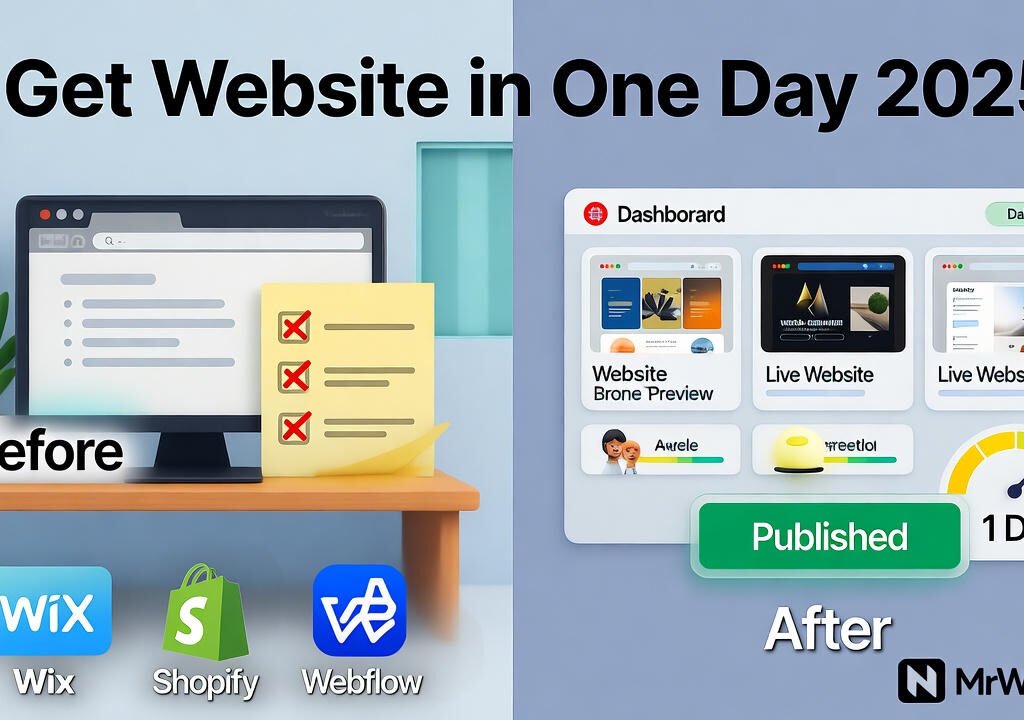
Get Website in One Day 2025 before and after transformation
Launch your site in one day with Wix, Shopify, or Webflow.

Tips for Launch After Get Website in One Day 2025

Drive traffic. Share on social media. Run Google Ads.

Track analytics. Use built-in tools. Tweak based on data.

Update content. Add blogs weekly. This keeps visitors coming.

Success follows action. Visit mrwebapp.com/blog for more.

FAQs

How long to really Get Website in One Day 2025? Hours if you follow steps. Beginners take 4-6 hours.

Which platform for beginners to Get Website in One Day 2025? Wix. Its editor is intuitive and forgiving.

Can I sell products to Get Website in One Day 2025? Yes, Shopify excels here. Setup store basics fast.

Is Get Website in One Day 2025 free? Free trials on all. Upgrade later as needed.

What if I need help to Get Website in One Day 2025? MrWebApp offers free consults. Contact us.

Ready to Launch at MrWebApp?

Build your site today. Visit mrwebapp.com. Let’s get you online in one day.

Poor Online Visibility before and after improvement

Poor Online Visibility? 5 Quick Fixes That Actually Work in 2025

Feeling invisible online? Many small businesses struggle to stand out in today’s crowded digital space. By October 2025, competition has intensified, and outdated strategies no longer cut it. At Mr WebApp, we’ve seen this firsthand and crafted solutions that deliver. This article gives you five easy fixes for Poor Online Visibility 5 Quick Fixes 2025 quickly. Let’s get started.

Based in Lahore, Mr WebApp, helps businesses thrive online. Our team focuses on practical strategies and insights. So, whether you run a shop or offer services, these tips fit your needs.

Optimize Your Website for Poor Online Visibility

Speed matters. A slow site pushes visitors away. First, check loading times with tools like Google PageSpeed. Then compress images and use a content delivery network.

Mobile use dominates in 2025. Ensure your site looks great on phones. This tweak boosts rankings and keeps users engaged. Visit mrwebapp.com/services for more web tips.

Do Local SEO to Fix Poor Online Visibility

Local searches give traffic. Claim your Google Business Profile today. Add your address, hours, and photos. Next, encourage customers to leave reviews.

Consistency helps. List your business on local directories. This step puts you on the map. Check Wikipedia for SEO basics.

Boost Content with Poor Online Visibility

Fresh content attracts visitors. Post blogs or videos weekly. Focus on topics your audience cares about. Then share them on social media.

Keywords matter too. Use tools like Ahrefs to find terms. This draws search engines to your site. Explore mrwebapp.com/blog for ideas.

Use Social Media Smartly for Poor Online Visibility

Social platforms amplify reach. Pick two channels, like Instagram or LinkedIn. Post regularly with engaging visuals. Then respond to comments fast.

Ads work well in 2025. Try a small budget on Facebook Ads. This targets your audience effectively. See HubSpot for social tips.

Backlinks build authority. Reach out to local blogs for guest posts. Offer value, not just links. Then track results with Google Search Console.

Image Placeholder

Poor Online Visibility before and after transformation
  • Alt Text: Poor Online Visibility 5 Quick Fixes 2025 graphic
  • Caption: Boost visibility with 5 quick fixes in 2025
  • Description: This image shows a graphic for Poor Online Visibility 5 Quick Fixes 2025. Highlighting strategies to improve online presence.

Measure and Adjust Your Poor Online Visibility

Track progress. Use Google Analytics to see traffic. Check which fixes work best. Then adjust your efforts accordingly.

Stay current. Trends shift fast in 2025. So, test new tools monthly. This keeps you ahead. See Shopify for analytics advice.

Real Success Stories with Poor Online Visibility

A cafe doubled visits. They optimized their site and claimed their profile. Customers found them easily. Growth followed.

A freelancer gained clients. Fresh blogs and backlinks did the trick. This shows these fixes work. Real results inspire.

FAQs

Why is my online visibility so low? It might be a slow site or weak SEO. Try our fixes to see changes.

How fast do these fixes work? Some show results in weeks. Others, like backlinks, take a month.

Do I need tech skills for this? No, our steps are simple. We guide you free.

Can small businesses use these? Yes, they’re designed for small teams like yours.

What if I need more help? Contact us. We offer free support anytime.

Take Action Today with MrWebApp

Ready to shine online? Visit mrwebapp.com now. Let’s boost your visibility together. Start with one fix today!

Cam Scanner Online Free 2025 by MrWebApp

Cam Scanner Online Free 2025 — No Sign Up, No App, Just Scan

In 2025, people want speed — not downloads. And when it comes to scanning documents online, every second matters. That’s where Mr WebApp’s Cam Scanner Online Free tool changes the game. It’s fast, secure, and unbelievably simple — no login, no app, no headache.

Just upload, scan, and get a clean, ready-to-share PDF in under a second. Sounds unreal? Try it once, bhai. You’ll never open a mobile app again.

Why This Cam Scanner Is Different

Most online scanners are stuck in the past — clunky, ad-filled, and slow. Our Free Cam Scanner Online 2025 isn’t just another upload tool. It’s built with modern web technology. That compresses, crops, and enhances your documents in nano-seconds.

Here’s the mindset:

“If Tesla made a document scanner, this would be it.”

You drag your file, we do the rest.

Cam Scanner Online Free 2025

This entire article focuses on the Cam Scanner Online Free 2025 experience

A one-click, instant PDF converter made

For students

For Businesses, and forremote workers who hate wasting time.

Whether it’s ID cards, receipts, or full contracts.

Our online tool turns them into clean, high-quality PDFs instantly.

How It Works (No App, No Sign-Up)

There’s no download, no email form, and no hidden steps.

Here’s the quick flow:

  1. Upload Your Image or File Drop a photo or document from your phone or PC.
  2. Auto-Enhance & Crop Our tool adjusts brightness, sharpness, and edges automatically.
  3. Instant PDF Conversion Click “Convert” — and boom. Your PDF is ready in under a second.
  4. Preview & Download Review the scan, then hit download. No watermark, no waiting.
  5. Done. Ready for sharing, emailing, or printing.

What Makes It the Best Free Cam Scanner of 2025

There’s a reason users are switching to MrWebApp’s Free Online Cam Scanner:

  • Speed Like Never Before — Converts in nano-seconds.
  • AI-Enhanced Edges — Sharp and clear scans automatically.
  • Zero Data Storage — Your files vanish after you download.
  • Works Everywhere — Chrome, Safari, Edge, mobile — all smooth.
  • No Sign-Up, No Ads — Straight to the point.
  • Auto PDF Builder — Smart page detection and merge.

It’s scanning made for the 2025 user — simple, secure, and lightning fast.

Who Uses This Tool

The tool fits everyone who needs quick, paperless scanning:

  • Students submitting online assignments.
  • Business owners needing invoice copies.
  • Freelancers uploading KYC or contracts.
  • Remote teams organizing files.
  • Offices digitizing old records.

No app to install, no learning curve. Just results.

Modern Tech Behind the Magic

We built this tool using MrWebApp’s custom tech stack — designed for speed and stability.

Tools & Technologies Used:

  • JavaScript ES2025
  • React.js + Node.js backend
  • OpenCV for image detection
  • PDF.js for instant conversion
  • Cloudflare CDN for high-speed load
  • MrWebApp’s in-house optimization engine

Each scan runs directly in your browser — meaning no data leaves your device.

MrWebApp’s Vision: Smarter, Faster, Free

At MrWebApp, we don’t sell tools. We start your business free, help it grow, and you pay when you start earning.

That’s our model — no big upfront costs, just shared success.

This Cam Scanner Online Free is part of that mission. It helps thousands of users go paperless every day, without barriers.

Process (If You Want a Custom Tool Like This)

Want your own branded scanner or automation app? Here’s how we build similar tools:

  1. Understand Your Goals
  2. Map User Flow
  3. Design UI in Figma
  4. Develop with React/Node
  5. Integrate APIs
  6. Test in Real Time
  7. Deploy & Optimize
  8. Support & Scale

We’ve done this for 40+ startups and small businesses globally.

Timeline for Custom Tools

  • Initial Chat: 1 day
  • UI/UX Design: 2–4 days
  • Development: 5–7 days
  • Testing & Launch: 2 days
  • Support: Lifetime (yep, forever)

Team Roles

Building digital tools isn’t magic — it’s teamwork. Here’s who makes it happen at MrWebApp:

  • Product Strategist
  • Front-End Developer
  • UI/UX Designer
  • QA Engineer
  • Growth Manager

Each role keeps your project smooth and stress-free.

Special Offers for 2025

Because we believe in starting strong:

  • Free tool setup
  • Free growth plan
  • Free marketing visuals
  • Pay-from-profits model
  • 50% off on custom upgrades
  • Free SEO check for your app page

Start free — pay only when you earn.

Why Choose MrWebApp

Our process is fast, our tools are powerful, and our team is serious about results.

We build smart solutions for real growth — whether it’s an app, website, or online tool. Because in 2025, speed + simplicity = success.

“If your competitors are still asking users to sign up before scanning, you’ve already won.”

  • AI QR Code Generator
  • PDF Editor Online
  • Online Image Compressor

External Resources:

  • OpenCV Documentation
  • React Official Site
  • Cloudflare CDN

FAQs

1. How much does this tool cost? It’s 100% free to use. No sign-up, no hidden fees.

2. Do I need to install anything? No. It runs directly in your browser.

3. How long does a scan take? Usually less than a second — seriously.

4. Is my data safe? Yes. Files are processed locally and auto-deleted after download.

5. Can I build my own scanner like this? Yes, we can create one for your brand. Just WhatsApp us at +92 300 7118710.

Launch Your Scanner or Try It Now

You’ve got two choices:

  1. Use the Free Cam Scanner Online right now at 👉 https://mrwebapp.com/free-online-cam-scanner/
  2. Or message us to build your own version for your business.

💬 WhatsApp: +92 3100078066 🌐 Website: https://mrwebapp.com

Webflow vs Shopify Templates 2025 by MrWebApp.

Free Online Cam Scanner No Signup

Imagine running a small business where every receipt, contract, or invoice needs a clear scan—fast. Traditional apps demand sign-ups and eat up storage, slowing you down. At Mr WebApp, we’ve built a solution that changes the game. Our Free Online Cam Scanner No Sign lets you scan documents to PDF in seconds, no account required. Start free and pay only when you earn. Let’s dive into how this tool can transform your workflow.

We’re a Lahore-based team passionate about digital solutions, Mr WebApp focuses on tools that save time and boost productivity. This scanner fits perfectly, offering a hassle-free way to manage paperwork. So, whether you’re a shop owner or a freelancer, this is for you.

What Makes Free Online Cam Scanner No Sign Stand Out?

This tool breaks the mold. No sign-up barriers mean you jump straight to scanning. Use your phone or upload files, and get a polished PDF instantly. Businesses love the speed and simplicity.

Our scanner works across devices. No app download needed. Plus, it keeps your data safe with browser-based processing. This ease sets it apart from cluttered alternatives.

How to Use Free Online Cam Scanner No Sign Effectively

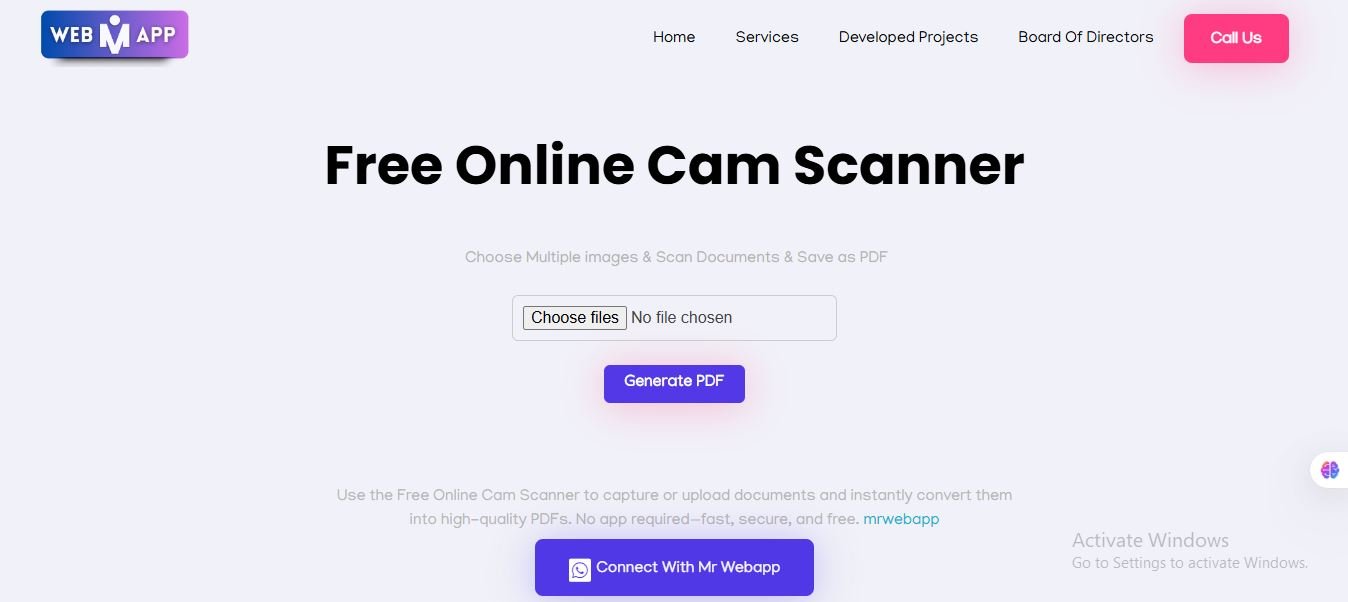
Getting started is a breeze. First, visit our site and find the scanner tool. Then, upload images or snap photos with your camera. Arrange the pages as you like.

Next, hit the generate button. A clean PDF downloads in moments. Use it for invoices or client docs. This process saves time every day.

Latest Features in Free Online Cam Scanner No Sign

We’ve upgraded this tool for 2025. Auto-enhance now fixes lighting and angles. Shadows vanish, making scans crisp. Businesses benefit from clearer documents.

This update reflects current trends. Users want quick, reliable tools. So, we’ve added features to meet that demand. Try it and see the difference.

Benefits for Small Businesses with Free Online Cam Scanner No Sign

Small shops thrive with this tool. Quick scans speed up billing. No sign-up means less hassle for staff. Plus, it boosts efficiency.

Clear files impress clients. Share them easily via email. This reliability helps grow your customer base. Check out Shopify for eCommerce tips that pair well here.

Why Trust Mr WebApp for Free Online Cam Scanner No Signup?

Our team builds with care. We test every feature to ensure quality. Users rely on us for consistent results. This trust drives our work.

We focus on real solutions. No gimmicks, just tools that work. So, you can count on us for support. Visit WordPress to see how tools integrate with sites.

Step-by-Step Process for Free Online Cam Scanner No Sign

Here’s how it flows. Start by selecting your images. Then preview and adjust them. Finally, download your PDF.

Each step is simple. No tech skills needed. This makes it perfect for busy owners. See mrwebapp.com/services for more tools.

Time-Saving Tips with Free Online Cam Scanner No Signup

Save hours weekly. Batch scan multiple pages at once. Then organize them later. This cuts down busy work.

Use it during meetings. Snap docs on the spot. Share right away. This speed helps you stay ahead. Explore HubSpot for productivity hacks.

Tools Behind Free Online Cam Scanner No Signup

We use smart tech. Browser APIs handle uploads. Image processors clean files. PDF creators finish the job.

This combo ensures quality. No heavy software needed. So, it runs smoothly on any device. Check mrwebapp.com/tools for other options.

Team Effort in Free Online Cam Scanner No Signup

Our crew makes it happen. Developers code the magic. Testers check every scan. Support guides you through.

Everyone plays a part. This teamwork delivers results. You get a tool that works. Learn more at mrwebapp.com/blog.

Special Offers with Free Online Cam Scanner No Signup

Start with perks. Get a free trial period. Plus, enjoy free file optimization. Then pay only after profit.

We add value upfront. No pressure to commit. This approach helps you grow. See Wikipedia for scanner history.

Real Stories Using Free Online Cam Scanner No Sign in

A local café owner scans menus daily. No sign-up saves time. His team loves the ease. Sales improve with clear files.

A freelancer shares contracts fast. Clients appreciate the clarity. This tool boosts his reputation. Real wins happen here.

How to Integrate Free Online Cam Scanner No Sign on Your Site

Add it to your page. Grab our embed code first. Then paste it into your site. Customize the look next.

Test on mobile devices. Launch when ready. This brings scans to your visitors. It’s a smart move.

Future of Free Online Cam Scanner No Signup

We plan more updates. AI will enhance scans further. Expect smarter features soon. This keeps you ahead.

Stay tuned for news. Our goal is better tools. So, your business grows with us. Watch trends evolve.

FAQs

How much does Free Online Cam Scanner No Sign in cost? It’s free to start. Pay only after you earn. Extra features start at $50.

Is it fast to use Free Online Cam Scanner No Sign up? Yes, scans take seconds. Multi-page docs finish in minutes.

What devices work with Free Online Cam Scanner No Sign up? Any device with a browser. No app needed at all.

Can it help my business grow? Absolutely. Clear scans boost client trust and sales.

What if I need help with Free Online Cam Scanner No Sign up? We offer free support. Just ask anytime you need it.

Take the Next Step with MrWebApp

Ready to simplify your scans? Explore mrwebapp.com today. Contact us to see how this tool fits your needs. Let’s grow together!


Why Choose MrWebApp for Webflow vs Shopify Templates 2025.

Why Choose MrWebApp for Webflow vs Shopify Templates 2025

Speed matters. Innovation too. We make complex simple. No stress. Just wins. Our team creates daily. For education, travel, healthcare, real estate, restaurants, factories, eCommerce. All thrive with us.

Our goal? Top digital brand by 2026. Join us now. See the difference.

What Makes a Template Convert in 2025?

Let’s dive in. What drives conversions? Speed comes first. Pages load under two seconds. Else, bounce rates climb. Google notes a one-second delay cuts conversions seven percent. Mobile dominates. Over seventy percent of traffic is phones. So, templates must adapt fast.

Trust is key. Clean designs build it. Add reviews. Badges. Clear CTAs. These spark action. Shopify packs these. Webflow lets you craft custom.

SEO helps too. Fast sites rank higher. Meta tags boost visibility. Both platforms support this. But Shopify’s tools edge out.

Ease seals the deal. Shoppers want simple. One-click buys. Smooth carts. Shopify optimizes this. Webflow needs tweaks.

In short, top templates blend speed, trust, ease. Now, let’s compare.

Deep Dive: Webflow Templates for eCommerce

Webflow rocks design. No coding needed. Drag and drop ease. In 2025, over six thousand templates exist. About sixty for eCommerce. All paid. From fifty to three hundred dollars.

Why pick Webflow? Total freedom. Control every pixel. Unlike rigid themes. This creates unique looks. Brands pop. So, buyers stay longer.

Take Zolina. Clean. For skincare shops. Loads fast. Works on all devices. Customize easy. No code skills. It boosts engagement. Because navigation is simple. Visuals catch eyes.

Or Toknic. For headphones. Bold images. Quick filters. Shoppers find items fast. This lifts cart adds.

Hyperion suits tech startups. Animations grab attention. But stay light. No lag. CMS handles three thousand products. Great for small shops.

Saasy fits SaaS. Also eCommerce. Isometric art. Icons stand out. Speed stays high. Trust signals like testimonials boost conversions.

Data shows it. Webflow sites get twenty percent more engagement. Why? Custom paths. Easy A/B testing. Tweak buttons. See what sells.

But limits hit. Only fifty variants per product. Shopify wins there. Checkout? Custom. Needs extra setup. Not instant.

Still, design-first brands love Webflow. Education. Travel. Restaurants. Templates adapt well.

Try their free trial. Test load times. Use Google PageSpeed. For insights, visit https://www.figma.com.

In 2025, Webflow adds AI. Auto-optimizes images. Smart layouts. This keeps conversions strong.

Webflow templates convert through beauty. They hook visitors. Keep them scrolling. Then buying.

Deep Dive: Shopify Templates for eCommerce

Now, Shopify. The eCommerce champ. Over five million stores use it. Templates? Two hundred forty-nine total. Thirteen free. Others cost one hundred to five hundred dollars.

Shopify excels at speed. Pick a theme. Tweak colors. Launch fast. No design skills needed.

Impulse leads. Cuts bounce rates. Boosts sales. How? Smooth journeys. Mobile-first. Thumb-friendly buttons.

Dawn is free. Loads in one second. Clean. Great for beginners. Add promo bars easy.

Booster packs tools. Over forty. Timers. Stock alerts. Create urgency. Users buy now. Claims up to two hundred seventy-seven percent lift. Wild, right?

Electro fits big catalogs. Popups. Badges. Cross-sells. Google PageSpeed loves it.

Flex offers power. Deep tweaks. But simple. For fashion. Or gadgets.

Prestige suits luxury. Cosmetics shine. Storytelling builds desire. Then closes sales.

Data proves it. Shopify checkouts hit three percent conversions. Higher than most. Why? Optimized flows. One-page carts. Recovery built in.

In 2025, updates shine. Two thousand variants per product. Huge for factories. Or real estate.

Apps add more. Six thousand options. Loyalty programs. Live chat. All build trust.

Limits? Less design freedom. Themes feel similar. Big changes need code.

But sales-first shops pick Shopify. Restaurants. Health brands. eCommerce pros.

Test it. Fourteen-day trial. No card. Swap themes fast. Find your fit.

Shopify templates convert through smarts. They guide buyers. Step by step. To checkout.

For trends, see https://www.shopify.com.

Head-to-Head: Key Differences in 2025

Let’s compare. Webflow vs Shopify. For conversions.

Design freedom? Webflow wins. Thousands of templates. Total control. Shopify? Fewer options. Structured. Good for quick tests. Less unique.

Speed? Both deliver. Shopify edges mobile. Webflow depends on tweaks. Can lag if heavy.

Products? Shopify unlimited. Webflow caps at three thousand. Variants? Shopify’s two thousand beats Webflow’s fifty.

Checkout? Shopify shines. High conversions. Webflow’s custom. Needs work.

Apps? Shopify’s six thousand dwarf Webflow. Marketing? Shopify automates. Webflow integrates. Like Mailchimp. But manual.

Pricing? Webflow plans from fourteen dollars. eCommerce add-on twenty-nine. Shopify basic twenty-nine. No fees with their payments.

Scalability? Shopify for big shops. Webflow for niche.

Conversions? Shopify averages four percent. Webflow varies. But custom designs lift engagement twenty percent.

Choose by goals. Shopify for volume. Webflow for wow.

Learn more at https://webflow.com.

Trends evolve fast. In 2025, AI leads. Webflow auto-generates layouts. Shopify adds smart blocks. Both keep templates fresh.

Mobile-first grows. Shopify’s Zest is touch-ready. Webflow’s Saasy adapts quick.

Sustainability matters. Eco-badges. Green themes. Both support. Boosts sales ten percent.

Video grabs eyes. Embeds are easy. Time on site rises. So do conversions.

Localization helps. Auto-detect language. Shopify built-in. Webflow via apps.

Minimalism wins. Clean lines. Fast loads. Themes like Dawn or Zolina nail it. Bounce drops twelve percent.

Voice search rises. SEO tweaks needed. Both handle well.

Trends favor speed, smarts. Pick templates that adapt.

Case Studies: Real Wins in Action

Real proof matters. Let’s look.

Boba Blinks. Used Shopify. Booster theme. Mobile focus. Conversions up thirty percent. Why? Seamless flow. Fun brand vibe.

Peer Health. Picked Webflow. Interactive designs. Gen Z loved it. Traffic doubled. Sales followed.

Daniel Wellington. Shopify’s Taiga. Storytelling shines. Speed sells. Revenue jumped.

Skincare brand. Webflow’s Zolina. Custom visuals. Engagement soared. Twenty-five percent more carts.

Food shop. Shopify’s Impulse. Quick journeys. Bounce down fifteen percent. Orders up.

Right template. Right platform. Big wins.

Click for marketing tips & more.

Which One Wins for Your Business?

It depends. Small startup? Need unique? Pick Webflow. Higher engagement.

High volume? eCommerce core? Shopify. Scales easy. Optimized flows.

Healthcare? Clean trust. Webflow.

Travel? Dynamic pages. Both work.

Restaurants? Menus fast. Shopify.

Factories? Big inventory. Shopify.

Test both. Track with Google Analytics. Find your fit.

Our Process for Webflow vs Shopify Templates 2025

Here’s how we roll. Simple steps. No details needed. Just clarity.

  • Understand Your Goals
  • Research User Needs
  • Sketch Initial Ideas
  • Build Wireframes
  • Design Visual Elements
  • Create Prototypes
  • Test User Feedback
  • Refine Final Changes
  • Deliver Live Template
  • Provide Ongoing Support

This keeps things smooth. Trust grows here.

Timeline for Webflow vs Shopify Templates 2025

We move fast. Phases are clear. So, you stay informed.

  • Initial Client Meeting
  • Research and Planning
  • Design Kickoff
  • Prototype Creation
  • Testing Phase
  • Client Sign-Off
  • Template Delivery
  • Post-Launch Review
  • Support Period

Timelines match your needs. Results follow quickly.

Tools and Technologies We Use

We pick top tools. For high-performing templates.

  • Webflow
  • Shopify
  • Figma
  • Adobe XD
  • Google Analytics

These ensure quality. Efficiency shines through.

Explore related projects for more ideas.

Team Roles in Our Process

Our crew is sharp. Each role delivers.

  • Project Manager
  • UX Designer
  • UI Designer
  • Developer
  • QA Tester

They work tight. Results prove it.

Schedules and Updates

We keep you close. Schedules are simple.

  • Weekly Progress Updates
  • Feedback Calls
  • Milestone Check-Ins
  • Adjustment Meetings

This builds confidence. You’re always in the loop.

Pricing for Webflow vs Shopify Templates 2025

Affordable ranges fit all. Budgets stay safe.

  • Basic Package: $200–$500
  • Standard Package: $500–$1,500
  • Premium Package: $1,500–$3,000

No upfront costs. Start free. Pay later.

Special Offers You Can’t Ignore

Our offers rock. Free starts lead the way.

  • Free Template Kickstart
  • Free User Research Report
  • Free Growth Strategy Plan
  • Free Prototype Build
  • Free SEO for Templates
  • Free Marketing Visuals
  • 50% Off Custom Features
  • Free Post-Launch Check
  • Pay-from-Profits Model

These boost sales. Innovation at its best.

Check free tools for growth tips.

In-Article Image

  • Placeholder: Team collaborating on a Webflow vs Shopify Templates 2025 project.
  • Alt Text: MrWebApp Webflow vs Shopify Templates 2025 team process.
  • Caption: Our team brings your Webflow vs Shopify Templates 2025 to life.
  • Description: This image shows MrWebApp’s team working on Webflow vs Shopify Templates 2025 projects. It ensures a smooth process.

FAQs

How much do Webflow vs Shopify Templates 2025 cost? Ranges start at $200. We start free. Pay when earning.

How long to build Webflow vs Shopify Templates 2025? Weeks to months. We match your pace. Fast results.

What tools do you use for Webflow vs Shopify Templates 2025? Webflow, Shopify, Figma, XD. Top-notch results.

Do you boost engagement and conversions? Yes. Designs lift both. Free growth plan included.

What if my template doesn’t work? We refine it. Free checks post-launch. Success guaranteed.

Ready for Webflow vs Shopify Templates 2025 That Grow Sales?

Launch your store now. Visit https://mrwebapp.com. Or WhatsApp +92 300 7118710. Let’s chat. Growth starts today.

Our process is solid, bhai. You won’t regret it. Like Musk, we aim high. We deliver fast.

Contact us. Info@mrwebapp.com. Social: Facebook, Instagram, Pinterest, LinkedIn.

Why many brands are switching from Shopify to Webflow in 2025

Why Many Brands Are Switching from Shopify to Webflow in 2025

Introduction:

In 2025, a surprising trend is emerging among online brands. Many are switching from Shopify, a top eCommerce platform, to Webflow. This shift isn’t just a passing fad. Instead, it’s about control, performance, and design freedom. As businesses grow, they want more power. Consequently, Webflow steps in, marking a big change in the industry.

At Mr WebApp, we’ve noticed this switch speeding up. Nowadays, companies want websites that look great, load fast, and boost marketing. Let’s explore why this is happening and what it means for your eCommerce future.

1. Design Freedom: Webflow Wins Where Shopify Limits You

Shopify offers pre-made themes. These are easy for beginners but limit custom design. Conversely, Webflow gives full creative control. You can adjust layouts and animations without coding—its editor handles it

For instance, a fashion brand on Shopify wanted a unique homepage. Its themes couldn’t handle advanced animations or layout changes. They switched to Webflow and added custom grids, transitions, and banners. As a result, their homepage now feels like a magazine, not a typical store. This freedom helps brands stand out and connect with customers.

2. Page Speed and SEO: Webflow is Built for Performance

Speed is key. Studies show that if a page takes over 3 seconds to load, half the visitors leave. Shopify stores often slow down with multiple apps. Each app adds code that reduces speed.

In contrast, Webflow uses lightweight code and fast hosting. This means quicker loads and better Google rankings. At MrWebApp, we use Webflow’s SEO tools to improve every page, including:

  • Custom titles and descriptions
  • Open graph tags
  • Alt text automation
  • Fast CDN delivery

Our Webflow sites often load in under two seconds, great for SEO and user experience.

3. No Plugin Overload — All Tools Built In

Shopify stores need many apps for tasks like forms and pop-ups. These add costs and slow things down. Webflow fixes this by including tools for forms, design, hosting, and SEO.

This gives you:

Lower monthly bills

No app issues

Easy upkeep

As your store grows, this saves time and money.

4. CMS Power: Content + Commerce Together

Webflow started as a design tool but now has a strong content system. You can manage blogs and pages tied to your store easily. Shopify’s content features are limited. Linking content types like “Product + Blog Story” is tricky.

Webflow makes it simple with dynamic templates. For example, add “Buying Guides” for products or “Brand Stories” with auto-updated images. This makes your site more engaging and boosts SEO.

5. Hosting and Performance: Enterprise-Level Infrastructure

Shopify’s hosting is reliable but shared. You can’t control optimization or caching. Webflow uses AWS and Fastly CDN for fast, secure performance. This includes:

  • Global CDN coverage
  • Free SSL certificates
  • Auto-scaling for traffic
  • 99.99% uptime

At MrWebApp, we add caching and image tools. This ensures fast sites, even for global visitors.

6. Better Control for Developers and Teams

Shopify limits custom code access. Deep changes need Liquid, its coding language. Webflow lets you use HTML, CSS, and JavaScript freely. This is perfect for teams wanting full control.

Marketing teams love Webflow for easy page edits. This cuts delays and speeds up campaigns. At MrWebApp, we manage design and updates in Webflow, keeping teams on track.

7. Lower Long-Term Costs

Shopify starts cheap at $29/month. But as you grow, costs rise with themes, apps, and fees. Many end up paying hundreds monthly. Webflow includes hosting, CMS, SSL, and more.

A client added sliders and videos with Webflow, saving 30–40% yearly compared to Shopify.

8. Branding and Storytelling

Shopify templates look similar, making unique branding hard. Webflow lets you control layout, typography, and motion. This helps tell your brand story.

A skincare company on Shopify had a basic grid. With Webflow, they added sliders and animations. Sales rose 25% as customers felt more connected.

9. Easy Switch Process (How MrWebApp Helps)

Moving from Shopify to Webflow can feel tricky, but MrWebApp makes it simple. Here’s how we do it:

  • We check your Shopify store and plan the setup.
  • We create a Webflow design for your brand.
  • We build pages, CMS, and animations.
  • We move your products, customers, and orders.
  • We fix SEO with link redirects and tag updates.
  • We test everything on all devices.
  • We launch your store, connect your domain, and offer help.

The whole process takes 10–14 days, depending on your store size.


10. Our Migration Packages (MrWebApp Plans)

We offer plans to fit your needs:

  • Basic Switch: Great for small stores (under 50 products). Includes design, product move, and payments. Costs $800 and takes 7–10 days.
  • Advanced Switch: Ideal for growing stores (up to 200 products). Offers redesign, speed boost, and SEO. Costs $1,500 and takes 10–14 days.
  • Premium Switch: Perfect for established brands. Adds custom animations, CMS, and apps. Starts at $2,500 and takes 3–4 weeks.
  • Enterprise Switch: Best for large stores with global reach. Includes custom code, API, and multi-region setup. Starts at $4,000 and takes 4–6 weeks.

Every plan comes with support and training after launch.

11. Results After Switching to Webflow

After migration, brands usually notice:

✅ Faster load speed
✅ Cleaner design
✅ Easier content management
✅ Lower monthly costs
✅ Better search engine ranking
✅ More conversions

At MrWebApp, we track results with analytics. Our Webflow stores often get 20–40% more engagement early on.

12. When Shopify is Still a Good Choice

Shopify works well for quick setups or dropshipping. But if you want design control and SEO, Webflow is better. Some use both—Shopify for checkout, Webflow for marketing. In 2025, most pick Webflow alone as a full solution.

Webflow keeps getting better. In 2025, it adds checkout flows, subscriptions, analytics, and AI SEO tools. This makes it great for growing businesses. At MrWebApp, we’re building future-ready stores with these features.

Conclusion: The Smarter Move for Modern Brands

Shopify helped many stores start. But in 2025, smart brands want more than templates. They need control, creativity, and speed—Webflow delivers this.

At Mr WebApp, we’ve helped dozens switch smoothly. If you want to grow or redesign, Webflow is the smart choice.

✅ Need Help Switching from Shopify to Webflow? Let’s build a fast, strong store for 2025. Contact Mr WebApp at https://mrwebapp.com or WhatsApp +92 300 7118710!

Webflow vs Shopify pricing comparison for scaling stores 2025

MrWebApp’s Approach: How We Help You Control Costs

When Mr WebApp builds your store, we plan for scaling.

Here’s what we do:

  1. Cost Forecasting – Before even starting, we map what you’ll pay when you grow.
  2. Optimal Plan Selection – We help choose which Webflow or Shopify plan fits your growth path.
  3. Efficient App Use – We pick apps only when needed; avoid unnecessary add-ons.
  4. Image, Code & Speed Optimization – Faster load means lower bandwidth and hosting costs.
  5. Migration & Expansion Advice – When you need to move up plan or platform, we guide you for smooth transitions.

Project Steps for Price vs Growth Implementation

Here’s how we work when you want to build a store now and scale later.

  1. Requirement & Growth Planning
    We talk with you to learn current product count, traffic, growth goals.
  2. Design & Platform Decision
    Pick between Webflow vs Shopify based on price + features + growth path.
  3. Base Setup
    Set up store with basic features: domain, SSL, payment gateway, products upload, shipping.
  4. Optimize Performance
    Compress images, enable caching, limit use of heavy apps/scripts.
  5. Mid-Project Review
    Check if page load, backend response, checkout speed are good.
  6. Testing, Launch & Deployment
    Launch store; test mobile, desktop, speed, user flows.
  7. Post-Launch Monitoring & Scale Adjustments
    As traffic, sales, or products grow, we help you move up plan or add features just when needed.

Total Cost of Owning a Store: What Adds Up Over Time

Many think only about the monthly fee. But real costs include:

  • Design / theme cost
  • App or plugin subscriptions
  • Transaction fees
  • Payment gateway fees
  • Bandwidth or hosting overuse charges
  • Maintenance, updates, support

These costs grow when store scales. If you don’t manage them, profit margin shrinks.


Case Scenarios: Cost Comparison

Here are two example scenarios so you know what to expect.


Scenario A: Growing Store with ~1,000 Products

  • Begin on medium plan (Webflow Plus or Shopify Grow)
  • Use 3-5 apps or integrations
  • Moderate traffic, growing month by month

Webflow Costs: plan fee + apps + occasional over-use.
Shopify Costs: plan fee + app fees + higher transaction fees if not using Shopify Payments.

Webflow may cost somewhat less per product and per sale if you optimize well. But Shopify gives you easier tools for scaling fast.


Scenario B: Big Store with ~10,000 Products & Multichannel

  • Need large catalog, many sales channels (social, marketplaces, POS)
  • High traffic, many customers

Webflow Costs: high plan (Advanced), likely custom workspace seats, custom development.
Shopify Costs: Advanced or Plus plan, many app subscriptions, strong shipping & fulfillment integrations.

Here Shopify often ends up having better value for the tools you get, if your volume justifies the higher recurring costs.


Which Platform Becomes Cheaper When You Really Scale?

Here’s what we find after doing many store builds:

  • If you scale slowly, keep product count moderate, avoid many apps, Webflow may cost less per month.
  • If you need heavy eCommerce features, many integrations, selling across channels, Shopify often delivers better ROI when volume is high.

Team, Time & Resource Differences

Building with growth in mind takes discipline. Here’s how your project looks:

RoleWebflow FocusShopify Focus
DeveloperMore design & front-end work, code tweaks, custom logic sometimes.More app setup, theme adjustments, integrations.
DesignerHigh design control, visuals, brand details.Good themes + customisations, faster ready themes.
SEO + MarketingCleaner URLs, custom fields, content control.Many built-in tools & apps; costs may rise with app usage.
MaintenanceRegular updates, speed optimization.App updates, theme maintenance, plugin costs.

Time to launch:

  • Simple store: 7-14 days for both (if you have everything ready).
  • Big store: 20-35 days depending on number of products, custom work.

MrWebApp’s Pricing Packages for Scaling Stores

Here are example pricing packages by us, when you want a store that grows:

PackagePlatformWhat’s IncludedPriceTime
Starter GrowthWebflow or ShopifyUp to 50 products, basic design, essential integrations$1,200~14-18 days
Growing BrandShopify200 products, multichannel, custom shipping, email marketing$2,500~25-30 days
Visual Brand + ContentWebflowCustom design, content, animations, strong visuals$3,000+~25-35 days
High Volume EnterpriseShopify Plus / Webflow AdvancedThousands of products, many markets, dedicated support$5,000+~4-6 weeks

When Costs Surprise You: Hidden Fees to Watch

Even when you pick a good plan, these sneaky costs can hit you:

  • Premium themes or templates
  • High app subscription fees
  • Extra staff seats or workstation licenses
  • Transaction fees by third-party gateways
  • Custom features or logic that need dev time
  • Higher hosting / bandwidth charges if traffic spikes

We make sure to warn you ahead, so you avoid surprise bills.


Final Verdict: What’s Cheaper When You Scale?

  • For moderate growth and needing strong visuals, Webflow gives good value.
  • For heavy eCommerce, fast scaling, many products and sales channels, Shopify becomes more cost-efficient.
  • Your team, your sales volume, and how many extra features you use determine which is cheaper long-term.

Would you like Mr WebApp to analyze your specific store idea to tell you whether Webflow or Shopify will cost you less in 6-12 months?

Ready to grow? Visit mrwebapp.com or WhatsApp +92 300 7118710 now. Let’s build your dream site!