Wix website owners can avoid major security mistakes in 2025 by using SSL, strong passwords, and regular backups

7 Wix Security mistakes to avoid in 2025

Running a Wix website in 2025 is easier than ever, but that convenience also brings new security risks. Many site owners assume Wix handles everything, yet even the best platforms need smart management. Below are the most common Wix website security mistakes you should avoid this year — and how to fix them quickly.


1. Ignoring HTTPS Setup

Many Wix users skip enabling HTTPS, assuming Wix does it automatically. While Wix provides free SSL, you must make sure it’s activated. Without HTTPS, your website shows “Not Secure,” which scares away visitors and lowers SEO rankings.
Always check your Wix Dashboard → Settings → Site SSL Certificate and confirm it’s on.


2. Weak or Reused Passwords

A shocking number of security breaches come from simple passwords like 123456 or reusing the same password across accounts. In 2025, AI-based attacks can guess weak passwords in seconds.
Use a password manager and enable two-factor authentication (2FA) to protect your Wix account and connected emails.


3. Not Updating Apps and Plugins

Every app on your Wix site — even from the official App Market — can become a target if not updated. Developers often release security patches that you might miss.
Check your dashboard weekly for pending app updates, and remove plugins you no longer use.


4. Giving Too Many Permissions to Team Members

Many business owners add editors or freelancers without limiting permissions. If someone leaves your team, they might still have access to your site.
In 2025, always assign roles carefully: Owner, Admin, Editor, or Contributor. Update roles regularly and remove old accounts.


5. Not Backing Up the Website Regularly

Wix allows you to restore previous versions of your site, but few users take advantage of it. Cyberattacks, design errors, or accidental deletions can cause massive losses.
Set a reminder to create manual backups every month and download essential data offline for safety.


6. Ignoring User Data Protection Rules

With stricter privacy laws in 2025, ignoring GDPR and similar data policies can cause fines and loss of trust.
Add a Privacy Policy page and clear cookie consent banners. Always encrypt customer data collected through forms or payment pages.


7. Thinking “Wix Handles It All”

While Wix has strong default security, it’s not a full replacement for responsible site management. Hackers often target user habits, not platforms.
Take small steps: use strong passwords, check updates, manage access, and monitor your site’s analytics for unusual activity.


Wix website owner reviewing security settings to avoid common mistakes in 2025
Wix websites stay secure in 2025 with smart habits like SSL, updates, and backups

🔗 Internal Links


🌍 External Links


❓ FAQs

1. Is Wix secure for small businesses in 2025?
Yes, Wix is secure by default, but users must manage passwords, updates, and permissions actively.

2. How do I enable SSL on my Wix site?
Go to Settings → Site SSL Certificate, and toggle it on. Wix provides it for free.

3. Does Wix automatically back up my website?
Wix saves versions, but it’s best to make manual backups regularly.

4. Can hackers access my Wix account easily?
Only if you use weak passwords or share access carelessly. Enable 2FA for extra safety.

5. What are the best security plugins for Wix?
Wix has built-in features, but use apps like Site Booster and Visitor Analytics for monitoring.


💬 Conclusion

In 2025, keeping your Wix website secure is more about smart habits than complex tools. Focus on HTTPS, updates, and user access to build trust and protect your data.
For more website safety and optimization guides, visit mrwebapp.com — your trusted source for smarter web solutions.

shopify-speed

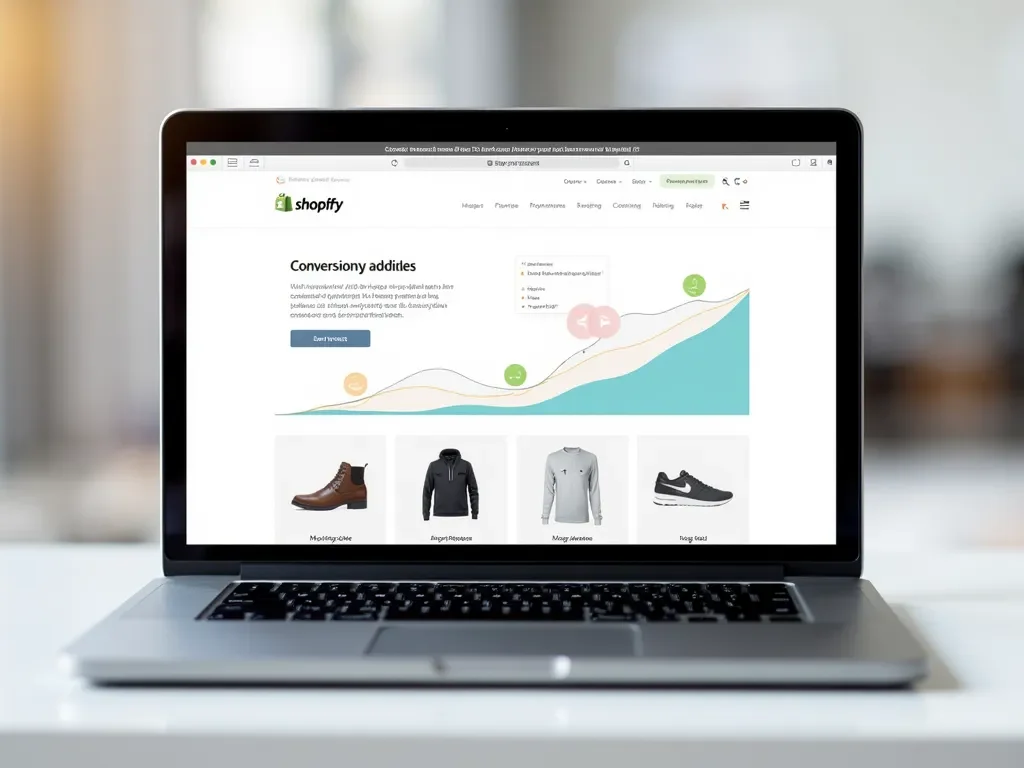
Why Shopify Speed Optimization Isn’t Enough — and What to Focus on Instead

In 2025, Shopify store owners still chase faster load times — but is speed optimization enough? While website speed is important, many stores fail to convert visitors because they ignore other essential elements like user experience (UX), mobile design, SEO, and trust signals. This article explains why you need a complete growth strategy beyond just improving Shopify speed.


⚡ The Truth About Shopify Speed Optimization

Yes, a fast website matters. No one likes waiting more than two seconds for a page to load. Tools like Google PageSpeed Insights or GTmetrix highlight how speed affects user engagement.

But speed is just one part of a bigger picture. You could have a lightning-fast website that still doesn’t convert — because of poor layout, weak product images, or confusing checkout flows.


🧠 What Actually Makes a Shopify Store Successful

Success on Shopify depends on how well your store connects with your customers. After speed optimization, you should focus on these core areas:

1. User Experience (UX)

A smooth experience keeps visitors longer. Use clear product pages, easy navigation, and attractive visuals.
👉 Example: Add smart filters, sticky carts, and clear call-to-action buttons to make browsing easy.

2. Mobile Optimization

More than 70% of Shopify traffic comes from smartphones. Even if your desktop site is fast, a laggy mobile layout will hurt sales. Test on both devices to ensure full responsiveness.

3. SEO & Content Optimization

Speed doesn’t bring traffic — search visibility does. Use optimized meta titles, product descriptions, and internal links. Make sure each page targets specific keywords like Shopify website design services or Shopify SEO in 2025.

4. Visual Appeal & Branding

Your design should match your brand personality. Shoppers trust stores that look professional and consistent. Include high-quality product images, review badges, and brand colors that build recognition.

5. Conversion Rate Optimization (CRO)

Speed doesn’t guarantee conversions. You must guide users to buy. Add features like product previews, limited-time offers, and trust badges to push sales.


💬 Real Example: Why Speed Alone Failed

Imagine a clothing store that improved its load time from 4.5s to 1.2s — yet sales didn’t increase. Why?
Because users left at checkout due to missing size guides and no “Try Before You Buy” option.
Lesson: Speed got users in, but a poor buying experience pushed them out.


🔍 What to Focus on After Speed Optimization

1. Shopify SEO

  • Optimize meta titles and descriptions for every page.
  • Use structured data and schema for rich results.
  • Add internal links to related products or guides.

Internal Link Example:

2. Analytics & User Behavior

Use tools like Hotjar and Microsoft Clarity to track clicks, scrolls, and drop-off points. These insights reveal what actually needs fixing — not just what’s slow.

3. Trust & Security

Add SSL, clean checkout flows, and visible refund policies. Shoppers only buy from stores that feel safe.

4. Content Marketing

Publish articles that educate buyers — such as “Shopify Design Trends 2025” or “Best Free Tools for Online Stores”.
Fresh content helps rank your Shopify site higher in Google.


🌐 External Resources


❓ FAQs

1. Is Shopify speed optimization still important in 2025?
Yes — it’s essential, but only as part of a complete optimization plan that includes UX and SEO.

2. How can I check if my Shopify site loads fast?
Use free tools like Google PageSpeed Insights or GTmetrix to analyze performance.

3. What’s the best way to improve conversions?
Enhance design, simplify checkout, and add trust badges.

4. Does SEO affect Shopify store speed?
Indirectly — better SEO structures can help browsers load pages efficiently.

5. Can MrWebApp help with Shopify optimization?
Yes, MrWebApp offers full Shopify design, SEO, and performance optimization services.


💼 Conclusion

Shopify speed optimization is a great first step — but real success comes from improving user experience, branding, SEO, and conversion strategy. A fast store gets clicks, but a smart store makes sales.

👉 Want a Shopify website that actually grows your business?
Visit mrwebapp.com to start your project today.

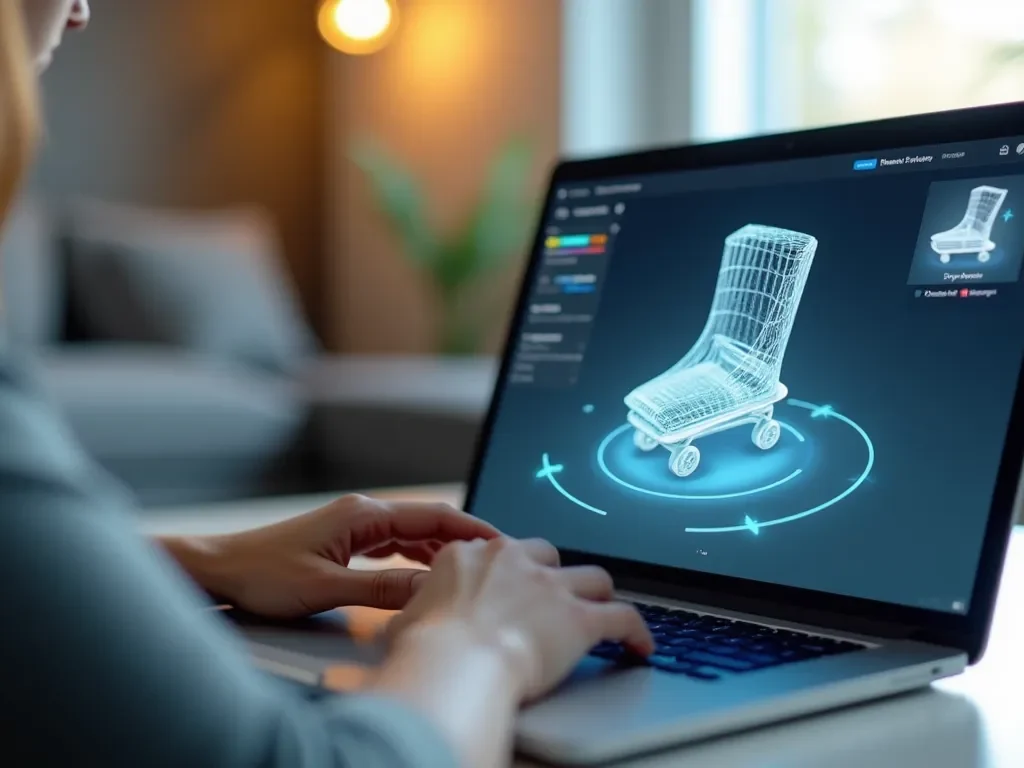
eCommerce shopper using a smart preview tool to reduce product returns in 2025

Why Product Returns Are So High in 2025 — and the Smart Preview Tool That Prevents Them

Online shopping has become faster, easier, and more convenient than ever before — but one problem still frustrates both sellers and buyers: high product return rates.
In 2025, product returns have reached record levels, cutting into profits and hurting customer trust. The question is: why are returns increasing, and how can smart preview tools stop them?


What’s Really Driving Product Returns in 2025

Even with advanced product descriptions and professional photography, shoppers often receive something that feels different from what they expected. Some of the biggest causes include:

  1. Inaccurate Product Images: Many customers realize the color, texture, or size is different from what they saw online.
  2. Fit and Size Problems: Especially in fashion and furniture, it’s hard to imagine true proportions.
  3. Poor Product Details: Missing information like material quality, real-use examples, or customer context.
  4. Impulse Purchases: Discounts encourage buyers to act fast without checking full details.
  5. Complicated Return Policies: When customers can easily return items, they buy more — and send more back.

A report by Shopify shows that around 20–30% of all eCommerce orders are returned, compared to just 9% in physical stores.


The Rising Cost of Returns

For online stores, every returned order means:

  • Extra shipping costs
  • Restocking labor and packaging waste
  • Refund delays that reduce customer loyalty

Even big brands like Amazon and Walmart are redesigning their return systems to minimize environmental and financial impact.

In 2025, businesses are looking for smarter ways to reduce returns — and technology is leading the way.


The Smart Preview Tool: A Modern Fix

A Smart Preview Tool is a digital feature that lets customers interact visually with products before buying.
It bridges the gap between online and in-person shopping by showing real-life product details through 3D previews, AR (augmented reality), or virtual placement.

💡 How It Works

  • 3D Product Models: Let customers rotate, zoom, and view every angle.
  • AR View: Place the item in a real room using a smartphone camera (e.g., furniture or décor).
  • Real-Use Simulation: Preview items on a model or through upload tools (for fashion and eyewear).

This gives buyers a true sense of fit, proportion, and style before clicking “Buy Now.”


Why Smart Preview Tools Reduce Returns

  1. Realistic Expectations
    Customers know exactly what they’ll receive, reducing surprises when the product arrives.
  2. Higher Buyer Confidence
    Visual previews help buyers feel secure in their choice, leading to fewer “just-in-case” purchases.
  3. Improved Product Understanding
    When users interact with a product online, they absorb more information — leading to better buying decisions.
  4. Less Return Fraud
    When buyers understand what they’re getting, accidental or false returns drop significantly.

Example: Smart Preview in Action

A home décor store using a Smart Preview tool noticed a 40% drop in returns within three months. Customers could see how lamps, sofas, or shelves looked inside their rooms before ordering.

Similarly, fashion stores offering a virtual try-on feature reduced size-related returns by over 50%.

This isn’t just about visuals — it’s about building trust.


Internal and External Resources


The Future of Smarter Shopping

As online markets expand, visual trust is becoming the new currency of eCommerce.
Retailers who invest in visual try-on and smart preview tools not only reduce return rates but also increase conversions and repeat customers.

In 2025, success depends on clarity — when customers see clearly, they buy confidently.


FAQs

1. What is a Smart Preview Tool?
It’s a digital system that lets customers interact with or visualize a product before buying it.

2. How do smart previews reduce returns?
They help customers understand product size, color, and features more clearly before purchase.

3. Are smart preview tools expensive to set up?
Costs vary, but most businesses see quick returns through higher conversions and fewer refunds.

4. Can I add a smart preview tool to my Shopify or WordPress site?
Yes, many plugins and integrations make it simple to add visual previews.

5. Does this work for all products?
Almost! It’s ideal for fashion, furniture, electronics, and any product where visuals matter.


Final Thoughts

High return rates don’t have to be part of eCommerce.
With the help of smart preview tools, businesses can improve customer satisfaction, save costs, and create a shopping experience people trust.

👉 Explore more solutions at MrWebApp.com — your partner in smarter, faster digital growth.

A woman trying sunglasses online using a visual try-on tool on her phone

Why 90% of eCommerce Visitors Don’t Buy — and the Visual Try-On Solution That Fixes It

Running an online store isn’t just about getting traffic — it’s about turning visitors into buyers. But here’s the truth: around 90% of online shoppers leave without buying anything.

Why? Because most websites still miss one key thing — the feeling of trying before buying.
That’s where visual try-on technology comes in and changes everything.


1. The Main Reason People Don’t Buy Online

When people shop in physical stores, they touch, hold, and try products before paying.
Online, that trust is missing.

Most visitors hesitate because they can’t be sure:

  • Will it look good on me?
  • Is the color right?
  • What if it doesn’t fit?

Without confidence, they leave — even if they liked the product.


2. The Psychology Behind Online Shopping Doubt

Humans buy with emotions first and logic later.
When shoppers can’t see how something fits their life, they delay the decision.

That’s why many people add items to their cart… and then abandon it.

Simple truth: when the product feels real, sales happen faster.


3. What Is a Visual Try-On Solution?

A visual try-on solution uses your phone or webcam to show how a product would look on you — just like trying clothes in a fitting room, but online.

You can test:

  • Sunglasses on your face
  • Lipstick shades on your skin tone
  • Shoes or watches on your hands or feet
  • Even home décor in your room with AR (Augmented Reality)

This feature builds confidence instantly. People don’t have to imagine — they can see it.


4. How It Boosts Sales and Trust

Adding visual try-on tools does more than make your site look cool — it makes buyers trust your products.

Here’s what stores have noticed:

  • Conversion rates grow by 30–40% after adding try-on features
  • Return rates drop because customers choose more carefully
  • Visitors stay longer on the website

When people can see the product on themselves, the question changes from “Should I buy this?” to “When should I buy this?”


5. Example: Fashion and Beauty Brands Using It

Top brands already use visual try-ons:

  • L’Oréal lets customers test makeup online before ordering
  • Warby Parker allows users to try glasses using their phone camera
  • Nike uses AR fitting for shoes

These brands have one thing in common — they make shopping feel personal.


6. How Small eCommerce Stores Can Use It Too

You don’t need a big budget to start.
Platforms like Shopify, Wix, and WordPress now offer visual try-on plugins and apps.

With these, you can add:

  • AR product previews
  • Face or body mapping for fashion
  • Room preview tools for furniture or décor

🔗 Internal Links:

External Tools:

A woman trying sunglasses online using a visual try-on tool on her phone

7. Benefits for Store Owners

Here’s how visual try-on tech helps your eCommerce store:
✅ Fewer returns — customers pick what truly fits
✅ Higher sales — people buy faster with confidence
✅ Longer engagement — shoppers spend more time exploring
✅ Brand trust — customers feel connected to your store


8. Future of Online Shopping — Try Before You Buy

By 2026, most successful online stores will include visual try-on or AR tools as standard.
It’s not just a trend — it’s becoming a must.

People expect interactive shopping. The sooner your website offers it, the faster you’ll build trust and grow sales.


💡 Quick Tips to Add Visual Try-On to Your Store

  1. Choose a plugin that fits your platform (Shopify, Wix, or WordPress).
  2. Start with top-selling products — like sunglasses, watches, or makeup.
  3. Add clean, bright product photos with clear angles.
  4. Optimize every try-on image with alt text and keywords for SEO.
  5. Test the feature on mobile — most buyers shop from phones.

🧠 FAQs

1. Does visual try-on really increase sales?
Yes, brands using visual try-on report up to 40% more conversions.

2. Is it hard to set up?
No, most eCommerce platforms offer plugins or ready apps — you don’t need coding.

3. Can small stores afford it?
Yes, affordable options are available for every platform.

4. Does it work on mobile?
Absolutely. In fact, most try-ons are designed for mobile users.


🔚 Conclusion

Most eCommerce stores lose buyers because people can’t see how products look on them.
Adding a visual try-on solution builds instant trust, reduces returns, and helps you sell faster.

If you want to upgrade your online store with modern tools that attract real buyers, explore:
👉 Free Online eCommerce Tools by MrWebApp

Start turning visitors into happy customers — one try-on at a time

IT professionals collaborating on AI and cybersecurity projects for 2026

Future of IT Jobs 2026: Which Roles Will Be in High Demand?

Technology is evolving faster than ever — and so is the job market. As we move toward 2026, new technologies like AI, blockchain, and quantum computing are reshaping what employers need. The future of IT jobs 2026 looks promising for skilled professionals who can adapt, innovate, and work remotely across global teams.

Whether you’re starting your tech career or upgrading your skills, here’s a complete look at the roles that will define the IT landscape in the next few years.


1. Artificial Intelligence (AI) and Machine Learning Engineers

AI continues to revolutionize every industry — from healthcare to finance and education. By 2026, AI engineers and machine learning specialists will be among the most in-demand professionals.

Companies need experts who can build smart algorithms, train AI models, and develop predictive systems that make data-driven decisions.

Common tools: TensorFlow, PyTorch, and Scikit-learn.

🔗 Learn more about AI development on Google Cloud or Microsoft AI programs.


2. Cybersecurity Experts and Ethical Hackers

As digital systems grow, so do cyber threats. The demand for cybersecurity analysts, ethical hackers, and network defenders will skyrocket in 2026.

Businesses are increasingly hiring remote security experts to monitor networks, identify vulnerabilities, and protect sensitive data.

Certifications that boost your career:

  • Certified Ethical Hacker (CEH)
  • CompTIA Security+
  • CISSP (Certified Information Systems Security Professional)

3. Cloud Engineers and DevOps Specialists

The global shift to remote work and digital platforms means cloud computing is now essential. Cloud engineers skilled in AWS, Azure, and Google Cloud will continue to dominate hiring trends.

DevOps roles — those who can automate deployments using Docker, Kubernetes, and CI/CD pipelines — will remain among the top IT jobs in demand for 2026.

🔗 Internal Link: Explore Cloud Hosting Services by MrWebApp.


4. Data Scientists and Data Analysts

In 2026, businesses will rely even more on data-driven insights. Data scientists will play a central role in translating raw data into business intelligence.

Top skills include Python, SQL, Power BI, and R.
Remote analysts will be key in helping organizations predict trends, manage risks, and personalize customer experiences.


5. Blockchain and Web3 Developers

Blockchain technology has matured beyond cryptocurrency. Web3 developers now create decentralized apps (dApps), NFT marketplaces, and digital identity systems.

By 2026, companies will seek Solidity and Rust developers to build secure, transparent, and scalable blockchain solutions.

💡 Check Ethereum Developer Resources for hands-on blockchain guides.


6. Software Engineers and Full-Stack Developers

Despite AI automation, software engineers remain the foundation of the tech ecosystem. Developers skilled in both front-end and back-end technologies are in high demand.

Key technologies for 2026:

  • Frontend: React.js, Vue.js, Next.js
  • Backend: Node.js, Django, Laravel
  • Mobile: Flutter, React Native

🔗 Internal Link: Website Development Services at MrWebApp.


7. UI/UX Designers and Product Developers

User experience will continue to define digital success. By 2026, companies will invest more in UI/UX designers who understand accessibility, performance, and human-centered design.

Familiarity with tools like Figma, Adobe XD, and Canva Pro will remain essential.

📍 Internal Link: Learn About Our UI/UX Design Services.


8. Automation and Low-Code Platform Developers

Businesses are adopting low-code and no-code tools to build apps faster. Professionals who understand workflow automation tools like Zapier, Airtable, and Bubble will find many remote opportunities.

This hybrid skill set merges tech expertise with process management — a major advantage in global IT teams.


9. Cloud Security and Compliance Specialists

As companies store more data in the cloud, cloud security engineers and compliance officers will become essential.

These roles involve protecting cloud infrastructure, ensuring regulatory compliance (GDPR, ISO 27001), and integrating AI-based threat detection systems.

🌐 External Link: IBM Cloud Security Resources.


10. IT Project Managers and Business Analysts

Technology projects require structured leadership. By 2026, IT project managers and business analysts will bridge the gap between developers and clients.

Knowledge of Agile, Scrum, and Kanban frameworks will make these roles even more valuable.


🧠 FAQs

1. What IT jobs will be most in demand in 2026?
AI engineers, cybersecurity experts, and cloud specialists will lead the IT job market in 2026.

2. Will automation reduce IT jobs?
No. Automation will shift the focus toward high-skill roles such as AI integration, data analysis, and system architecture.

3. Are blockchain careers still relevant in 2026?
Yes — blockchain continues to expand beyond crypto into identity, healthcare, and digital assets.

4. What skills should I learn for future IT jobs?
Cloud computing, AI/ML, cybersecurity, and full-stack development are top priorities.

5. Can I work remotely in these IT roles?
Absolutely. Most modern IT roles — from web development to data analysis — are remote-friendly in 2026.


💼 Conclusion

The future of IT jobs in 2026 belongs to those who continuously learn and adapt. Whether you’re exploring AI, blockchain, or web development, building a future-ready skill set will secure your place in the digital world.

Explore cutting-edge web development, cloud hosting, and AI solutions at MrWebApp.com — your trusted digital partner for modern business success.

AI integration on Shopify websites in 2025

How to Integrate AI on Shopify Websites in 2025

Artificial Intelligence (AI) is reshaping how eCommerce operates, and AI integration on Shopify websites in 2025 is becoming essential for online success. From personalized shopping experiences to automated customer support, AI is empowering Shopify store owners to boost engagement, sales, and efficiency.

In this comprehensive guide, we’ll explore the benefits of AI for Shopify, top integration tools, step-by-step methods, and practical strategies to future-proof your eCommerce business.


Why AI Integration on Shopify Matters in 2025

The eCommerce market is more competitive than ever, and businesses need smarter ways to stand out. AI integration on Shopify websites allows store owners to analyze data, automate repetitive tasks, and offer customers a highly personalized experience.

Shopify’s AI ecosystem in 2025 supports tools like Shopify Magic, which uses machine learning to optimize product descriptions, recommend products, and even predict trends.

External resource: Learn more about Shopify Magic.


Benefits of AI Integration on Shopify Websites

1. Personalized Shopping Experiences

AI algorithms analyze customer behavior and suggest products that match user preferences. This increases conversion rates and customer satisfaction.

2. Smarter Product Recommendations

Integrating AI tools like Nosto or LimeSpot on Shopify can automatically display dynamic product recommendations based on browsing patterns.

3. Chatbots and Automated Support

AI-powered chatbots can handle FAQs, order tracking, and customer queries 24/7 — reducing workload while enhancing user experience.

4. Enhanced Inventory Management

AI tools forecast demand, optimize stock levels, and reduce waste. This automation helps maintain efficiency, especially for large inventories.

5. Predictive Analytics

With AI, Shopify merchants can analyze buying trends and forecast which products will perform best in upcoming seasons.

Internal resource: See how automation works at mrwebapp.com/website-development-services.


Tools for AI Integration on Shopify

1. Shopify Magic

Shopify Magic is an in-built AI feature that assists with content creation, inventory suggestions, and analytics.

2. ChatGPT Integration

Shopify store owners can embed OpenAI-powered chatbots to provide conversational experiences directly on product or checkout pages.

External link: Learn more about OpenAI’s ChatGPT API.

3. ReConvert

AI-based upselling and post-purchase optimization app designed to increase your average order value automatically.

4. Clerk.io

An intelligent search and recommendation system that improves navigation and product discovery on Shopify stores.

Internal link: Discover related automation tools at mrwebapp.com/free-online-tools.


Step-by-Step: How to Integrate AI on Your Shopify Website

Step 1: Identify Your Goals

Decide whether you want to improve product recommendations, automate support, or enhance analytics. Clear goals help select the right AI tools.

Step 2: Choose the Right App

Visit the Shopify App Store and search for AI-powered apps. Choose one that aligns with your store’s niche.

Step 3: Install and Configure

After installation, connect your AI app with product catalogs, inventory, or customer data for smooth synchronization.

Step 4: Train Your AI System

Feed your AI with product data, customer behavior insights, and previous orders to refine recommendations and accuracy.

Step 5: Analyze and Optimize

Monitor performance metrics regularly — such as conversion rates, click-through rates, and sales lift — to fine-tune the AI model.


AI-Powered Marketing Strategies for Shopify Stores

1. Dynamic Email Campaigns

AI analyzes user behavior and sends personalized emails at the perfect time, improving open and conversion rates.

2. Smart Pricing Optimization

AI tools can automatically adjust prices based on competition, demand, and inventory — maximizing profitability.

3. Visual Search and AR Integration

In 2025, AI is merging with Augmented Reality (AR) to let users virtually “try” products. It’s a must-have feature for fashion and home décor stores.

Internal link: Learn about performance tools at mrwebapp.com/image-to-text-free-online-tool.


SEO and AI: A Powerful Duo

AI isn’t just improving user experience — it’s transforming SEO. Tools like SurferSEO and HubSpot AI analyze content performance, competitor insights, and keyword opportunities. By integrating these with your Shopify website, you can consistently achieve higher search rankings.

External link: Check out HubSpot’s AI SEO Tools.


Common Mistakes to Avoid in AI Integration

  1. Ignoring data privacy regulations.
  2. Installing too many AI apps without integration consistency.
  3. Neglecting manual testing after automation.
  4. Focusing only on visuals instead of customer data optimization.

FAQs

1. Can small Shopify stores use AI integration?
Yes! Many affordable AI tools are available that scale according to your store size.

2. Do I need coding skills to integrate AI on Shopify?
No, most AI apps are plug-and-play and require no coding knowledge.

3. Is AI safe for handling customer data?
Yes, as long as you use trusted apps that comply with Shopify’s privacy standards.

4. Which AI tool is best for product recommendations?
Nosto and Clerk.io are among the most effective options for dynamic product suggestions.

5. How often should I optimize my AI settings?
Review AI performance monthly to ensure your Shopify store adapts to new data and trends.


Conclusion

AI integration on Shopify websites in 2025 is not just a trend — it’s a transformation. From predictive analytics to smart marketing, AI empowers businesses to create smoother, faster, and more intelligent eCommerce experiences.

If you’re planning to launch or upgrade your Shopify store, explore professional AI-powered website development services at mrwebapp.com and stay ahead in the evolving digital market.

Shopify Design Trends 2025 – Modern eCommerce Design

Shopify Website Design Trends 2025–2026

The eCommerce world is in constant evolution, and Shopify stores must adapt to stay ahead. As we step into 2025–2026, design trends are shifting in response to user expectations, technological innovations, and performance demands. In this article, we explore Shopify website design trends 2025 you must know—so your store remains modern, optimized, and competitive.


1. AI-Driven Personalization & Dynamic Content

In 2025, personalization goes beyond “Hello, [Name]” greetings. AI will dynamically reshape content, product layouts, offers, and visuals based on user behavior and intent. Shopify merchants are increasingly using AI to tailor product carousels, recommend bundles, and change page layouts in real-time.

Example: showing user-centric hero banners based on browsing history.
(Also see: Top Shopify Development Trends 2025 about headless and AI features) Ecomheroes


2. Headless Commerce & Decoupled Frontends

Headless architecture (separating frontend design from backend commerce logic) gives designers full control while Shopify handles product, cart, and checkout logic. This flexibility enables richer animations, microinteractions, and faster loading.

Understanding headless approach: it lets frontend updates happen without backend interference. Wikipedia


3. Mobile-First & Performance-First Design

With the majority of Shopify traffic coming via mobile devices, mobile-first design is non-negotiable. Every layout, UI element, and interaction must be built with speed and responsiveness in mind.
Also, performance optimization—lazy loading, optimized images, minimal JS—will decide whether a visitor stays or bounces.


4. Immersive Visuals: AR / 3D / Video Integration

Interactive visuals are rising. Embedding 3D product models, AR previews, or short background videos creates depth and helps shoppers visualize products better.
GemPages notes that immersive design is among the top trends shaping eCommerce in 2025. GemPages


5. Minimalist Yet Expressive Aesthetics

Clean interfaces remain important, but pure minimalism is evolving. Designers are blending simplicity with expressive elements—like bold typography, accent animations, and micro-interactions—to add personality without clutter.
Also emphasized in Graphic Design Trends 2025: balance between minimal and ornamental design. Shopify


6. Voice Commerce & Conversational Interfaces

Voice search and conversational UX are becoming more mainstream. Shopify stores will embed voice assistants, chatbots, and audio-first navigation to streamline purchase decisions, especially for mobile users.


7. Sustainable & Ethical Design

More brands are choosing “lighter” design (fewer heavy animations, optimized assets) to lower the digital carbon footprint. Transparency, eco-friendly UI cues, and trust signals (certifications, sustainable badges) are growing in importance.


8. Accessibility & Inclusive Design

Designing for all users (visual impairment, motor disabilities) is no longer optional. Shopify sites that follow accessibility standards (ARIA labels, keyboard navigation, color contrast) will outperform those that don’t.


9. Microinteractions & Motion Subtleties

From button hover effects to cart animations, subtle motion cues guide user attention and increase engagement when used sparingly.
Research shows dynamic animations, when used appropriately, enhance user experience and reduce cognitive load. arXiv


10. Social Commerce & Embedded Shopping

Shoppers increasingly purchase directly from social posts, livestreams, or embedded Instagram shops. Shopify stores will lean into social commerce integrations and visual “shoppable” content.

Shopify’s trend report confirms social commerce is accelerating. Shopify.com


  • Explore how we convert Figma to Shopify designs via Figma to Shopify service.
  • See our Shopify Website Development page for real projects and pricing.
  • For performance, check our Website Speed Optimization Tool on mrwebapp.com


FAQs

Q1: Will headless Shopify replace traditional themes entirely in 2026?
Not entirely—traditional themes will still serve many stores. But headless setups will dominate for feature-rich, scalable stores.

Q2: Do 3D/AR elements slow down page load?
They can if not optimized. Use compressed models, lazy-loading, and fallback images to balance visuals and performance.

Q3: How much does AI personalization cost for small stores?
Some Shopify apps now offer AI features at affordable tiers. Start with basic personalization and scale gradually.

Q4: Is voice commerce meaningful now?
Voice commerce is emerging. Including voice search and conversational UI early can give you a competitive edge.

Q5: How can I test if my design is accessible?
Use tools like Lighthouse audits, WAVE, and a11y simulators to check color contrast, keyboard navigation, alt texts, and ARIA roles.


Conclusion

Shopify website design in 2025–2026 will push toward faster, more immersive, and more personalized experiences. The winners will be those who combine performance, user-centric design, and ethical practices.
By adopting trends like headless commerce, AI personalization, AR integration, and sustainable design, your Shopify store will not just look modern—it will deliver efficient, meaningful experiences that convert.

Let MR WebApp help you implement these trends in your Shopify project. 💡
Go to our official page

Wix vs Shopify comparison for online clothing stores USA & UK

Wix vs Shopify for Online Clothing Stores: Which Sells More?

When starting an online clothing store in the USA or UK, two platforms often stand out: Wix and Shopify. Both offer unique advantages, but which one actually helps you sell more products and build a strong clothing brand online? In this detailed comparison, we’ll break down their features, pricing, SEO potential, design flexibility, and sales performance — and why partnering with a professional development company like MR WebApp can make all the difference.


Ease of Use: Wix vs Shopify

  • Wix is beginner-friendly, offering drag-and-drop design, customizable templates, and flexible layouts. Clothing brands can design stunning storefronts without coding.
  • Shopify, on the other hand, is built for eCommerce first. Its dashboard is straightforward but geared more towards selling than designing.

👉 If you’re just starting out, Wix provides creative freedom. For those scaling fast, Shopify simplifies operations with built-in eCommerce tools.


Design & Customization

  • Wix: Clothing stores need to showcase products in a visually engaging way. Wix excels with design flexibility, animations, and branding options. Check out our Wix Website Development services to see how you can create a high-performing clothing store that looks professional.
  • Shopify: Shopify has sleek, ready-to-use eCommerce templates. However, customization often requires premium themes or apps, which adds to costs.

If brand aesthetics matter as much as sales, Wix wins in customization.


Sales Features & Performance

  • Shopify: Designed for selling, it offers advanced inventory management, abandoned cart recovery, and integration with major marketplaces. For scaling clothing stores, Shopify’s features are hard to beat.
  • Wix: While it provides essential tools, you may need third-party apps for advanced eCommerce features. However, Wix shines when paired with marketing integrations and creative campaigns.

SEO & Marketing

Search engine visibility can make or break your clothing store.

  • Wix has improved its SEO tools significantly. With MR WebApp’s custom mobile app development, you can integrate eCommerce and marketing tools into one seamless experience.
  • Shopify provides strong SEO but is sometimes less flexible with URL structures.

Both platforms allow you to grow traffic, but success depends on proper optimization strategies.


Cost Comparison

  • Wix Plans (eCommerce): Lower upfront cost, good for startups testing their clothing brand.
  • Shopify Plans: Slightly more expensive but includes advanced selling features.

Ultimately, your choice depends on whether you want lower initial costs (Wix) or long-term scalability (Shopify).


Case for MR WebApp

Choosing between Wix and Shopify is important, but how you build and optimize your store matters even more. MR WebApp specializes in creating clothing stores that not only look professional but also rank higher and sell more. Whether you need help with speeding up a Wix website, building a one-page Wix portfolio, or migrating from Wix to WordPress, our team ensures your brand stays ahead in the fashion eCommerce race.

📧 Reach out today: info@mrwebapp.com

Using these insights along with MR WebApp’s expertise ensures a smarter decision for your store.


Final Verdict: Which Sells More?

  • Shopify: Better for large-scale, inventory-heavy clothing brands focused on advanced selling.
  • Wix: Better for creative clothing stores that value brand storytelling, design, and affordable startup costs.

💡 The real winning formula is pairing the right platform with expert development and marketing strategies. That’s where MR WebApp helps clothing store owners in the USA and UK stand out.


FAQs

Q1: Is Wix or Shopify better for small clothing startups?
👉 Wix is usually more cost-effective and design-friendly for startups testing the market.

Q2: Which platform helps clothing stores sell more in the long run?
👉 Shopify is better for scaling due to advanced eCommerce features, though Wix can compete with the right marketing setup.

Q3: Can I migrate from Wix to Shopify later?
👉 Yes, migration is possible. MR WebApp has helped clients smoothly transfer stores while keeping SEO intact.

Q4: How much does it cost to hire MR WebApp for my clothing store website?
👉 Costs depend on your requirements. Email us at info@mrwebapp.com for a quote.

Q5: Does MR WebApp provide marketing services too?
👉 Yes, alongside development, we help optimize your store for SEO, performance, and user experience.

Secure your website development project from hackers in 2025 with MR WebApp

How to Secure Your Website Development Project from Hackers?

Launching a website is exciting, but one of the biggest challenges many businesses face is keeping that website safe from hackers. Security is not something you add after development — it must be part of your project from day one. In this guide, you’ll learn practical steps to protect your website development project from cyber threats and ensure your investment remains secure.


Why Website Security Matters

Every day, thousands of websites get hacked. Some lose valuable customer data, while others get blacklisted by Google. For businesses, this can mean lost trust, damaged reputation, and even legal trouble. If you’re investing in a professional website, you need to make sure hackers don’t get easy access.

Website security is not just a technical task — it’s a business requirement. Protecting your digital presence means protecting your customers, your brand, and your revenue.


Step 1: Choose a Secure Hosting Provider

Your hosting provider is the foundation of your website. A weak hosting environment can leave your project open to attacks, no matter how good your website code is.

Look for:

  • SSL certificates included
  • Regular backups
  • Firewalls and malware scanning
  • 24/7 monitoring

A good host doesn’t just give you storage space — it gives you protection.


Step 2: Use Strong Authentication

Weak passwords are one of the biggest reasons hackers get access. Make sure your development team uses strong passwords and two-factor authentication (2FA).

Tips for authentication:

  • Passwords should be at least 12 characters long.
  • Use a mix of letters, numbers, and special symbols.
  • Change admin passwords every 60–90 days.
  • Enable 2FA wherever possible.

This adds a second security layer, making it much harder for hackers to break in.


Step 3: Keep Software Updated

Outdated CMS, plugins, or themes are like open doors for hackers. Developers often install tools during the project, but if those tools are not updated, they become risky.

  • Update your CMS (WordPress, Shopify, etc.) regularly.
  • Remove unused plugins and themes.
  • Apply security patches immediately.

Updates may seem boring, but they close the gaps hackers love to use.


Step 4: Secure Your Codebase

During development, the code itself needs to be written securely. Hackers often exploit poor coding practices to inject malicious scripts.

Secure coding practices include:

  • Validating user inputs
  • Sanitizing data
  • Using prepared statements to avoid SQL injection
  • Hiding error messages that reveal system details

A clean, secure codebase is your first defense against many types of attacks.


Step 5: Encrypt Data

Any data your website collects — like emails, phone numbers, or payment details — should always be encrypted.

Use:

  • SSL/TLS certificates (HTTPS)
  • Encrypted databases
  • Secure APIs for third-party integrations

When your users see the padlock in their browser, they know your site is safe.


Step 6: Regular Security Testing

Don’t wait for a hacker to test your site. Instead, conduct your own security audits.

Options include:

  • Penetration testing
  • Vulnerability scans
  • Security plugins and monitoring tools

Regular testing helps you identify weaknesses before hackers do.


Step 7: Backup Everything

Even with the best security, there’s always a small risk. That’s why backups are essential.

Set up:

  • Daily automated backups
  • Cloud storage for backup copies
  • Easy restoration options

Backups give you peace of mind. If anything goes wrong, you can recover your site in minutes.


Step 8: Train Your Team

Your website security is only as strong as the people who manage it. Many breaches happen because someone clicked a malicious link or shared credentials carelessly.

  • Train your staff on phishing attacks.
  • Limit access to sensitive areas.
  • Give admin rights only to trusted people.

When everyone understands security basics, your project becomes harder to attack.


Step 9: Monitor Your Website

Security is not a one-time setup. Continuous monitoring is essential.

Use tools that:

  • Track suspicious login attempts
  • Block IPs with repeated failed logins
  • Alert you about file changes
  • Detect malware instantly

Early detection is key — the faster you respond, the less damage hackers can do.

https://owasp.org/ (Open Web Application Security Project)

Figma Website Development

WordPress Website Development


Final Thoughts

Hackers are always looking for weak websites, but you don’t have to be their victim. By planning security from the start of your website development project, you can protect your business and your customers.

From strong hosting and secure coding to regular testing and team training, these steps make your website stronger every day.

Security is not a cost — it’s an investment in your brand’s future.

Hiring a Website Development Company in US? Why MR WebApp is the Smarter Choice

Hiring a Website Development Company in US? Why MR WebApp is the Smarter Choice

Introduction

In today’s digital economy, your website is not just a digital brochure — it’s the engine of your business growth. For companies in the United States, choosing the right website development partner can be the difference between online success and wasted opportunities.

Many businesses consider large DIY platforms like Wix or Shopify, or even generic freelance developers, but these options often lead to limitations in customization, scalability, and SEO. That’s where MR WebApp stands out. As a global provider of website development and mobile application development services, MR WebApp helps businesses in the US design, build, and scale websites that actually convert.

This article explains why MR WebApp is the smarter choice when hiring a website development company in the US.


1. The Challenges of Hiring a Website Development Company in the US

Hiring a development partner in the United States comes with its own set of challenges:

  • High cost of agencies – Many US-based agencies charge premium fees, often beyond the budget of startups and small businesses.
  • Freelancer risks – While affordable, freelancers can disappear midway or fail to deliver quality.
  • DIY limitations – Platforms like Wix and Squarespace are easy to start with but lack the power needed for scaling.

Businesses need a partner who combines affordability, reliability, and expertise. MR WebApp bridges that gap.


2. Why MR WebApp is the Smarter Choice

MR WebApp is more than just a development company — it’s a strategic partner for digital growth. Here’s why:

  • Custom development tailored to your brand.
  • Affordable packages compared to high-cost US agencies.
  • Full-stack expertise in WordPress, Shopify, custom PHP, and mobile apps.
  • SEO-friendly development for ranking on Google.
  • 24/7 support for clients across different time zones.

Internal link: Learn more about our WordPress Website Development with MR WebApp.


3. Cost-Effectiveness: A Global Team for US Businesses

Most US-based agencies quote upwards of $10,000 for a professional website. MR WebApp delivers the same — or better — quality at a fraction of the cost because of its optimized global team structure.

This doesn’t mean compromising quality. Instead, clients get affordable, world-class development backed by experienced designers, developers, and marketers.


4. Customization and Flexibility

Unlike DIY platforms where you are stuck with templates, MR WebApp offers:

  • Full customization.
  • Unique branding and design.
  • Tailor-made features like booking systems, e-commerce stores, and CRM integrations.

Internal link: Learn how we help businesses with Shopify Website Development with MR WebApp.


5. SEO-Friendly Websites

In the US, competition is tough. Without SEO, even the best-looking website fails.

Wix/DIY SEO Limitations

  • Basic tools only.
  • Slower performance.
  • Limited control over technical SEO.

MR WebApp SEO Approach

  • Built-in SEO optimization (titles, schema, sitemaps).
  • Optimized Core Web Vitals for Google ranking.
  • Content strategy aligned with US market trends.

Internal link: See how we optimize designs through Figma to WordPress with MR WebApp.


6. Website Performance and Mobile Optimization

MR WebApp builds websites that are:

  • Fast-loading (passing Google PageSpeed standards).
  • Mobile-first, ensuring strong user experience.
  • Scalable for future updates.

This ensures better engagement and higher conversion rates, especially in the mobile-driven US market.


7. Case Studies: US Businesses Choosing MR WebApp

  • E-commerce store in California – Migrated from Wix to Shopify with MR WebApp, leading to 45% faster load times and a 30% sales increase.
  • Startup in New York – Built a custom WordPress site with MR WebApp and saw organic traffic double in just 4 months.
  • Agency in Texas – Needed custom integrations that DIY platforms couldn’t handle. MR WebApp delivered a full-stack solution.

8. Beyond Websites: Mobile App Development

Many US businesses need more than just a website. MR WebApp also provides:

  • Android and iOS app development.
  • Hybrid and native solutions.
  • Seamless integration with websites.

This makes MR WebApp a one-stop partner for digital transformation.


External References


FAQs

Q1: Why should I hire MR WebApp instead of a US-based agency?
Because MR WebApp offers the same quality at affordable costs, plus added expertise in custom development and SEO.

Q2: Can MR WebApp redesign my current website?
Yes. We can redesign or migrate your website to WordPress, Shopify, or a custom platform.

Q3: Is MR WebApp reliable for long-term support?
Absolutely. We provide ongoing maintenance, updates, and digital marketing support.

Q4: Does MR WebApp also provide e-commerce solutions?
Yes, we specialize in Shopify, WooCommerce, and custom e-commerce platforms.

Q5: How do I get started with MR WebApp in the US?
Visit mrwebapp.com, request a free consultation, and our team will guide you step by step.


Conclusion

Hiring a website development company in the US is a critical decision. While local agencies and DIY platforms have their place, MR WebApp provides the smarter alternative: affordable, customizable, SEO-friendly, and backed by a global support team.

With MR WebApp, you’re not just getting a website. You’re getting a long-term digital partner who understands the American market and is committed to your growth.