Emerging industries for 2026 investment growth

10 Future Industries Worth a $100M Investment by 2026

Table of Contents

Introduction

The next few years will bring big shifts. Some industries will explode. If you invest wisely today, you can capture serious growth by 2026. In this article, you’ll learn 10 high-potential industries that could be cross 100 Million Dollars.

We’re not just guessing. These are based on technology trends, global demand, and opportunity for innovation. If you plan to start or invest, focus on these industries.

1. AI-Powered Healthcare & Diagnostics

Healthcare is changing fast. AI can read scans, detect disease early, and personalize treatment. Diagnostics that once took days can happen in minutes with smart tools.

Why it’s worth $100M+:

  • Global health systems need faster, smarter detection.
  • Aging populations demand advanced care.
  • Investors already fund AI health startups heavily.

Opportunities inside this space:

  • Smart imaging analysis
  • Predictive disease models
  • AI-driven drug discovery
  • Remote diagnostic tools for rural areas

Challenges to watch: data privacy, regulation, and accuracy. But with proper partnerships and compliance, the upside is huge.

2. Clean Energy & Green Hydrogen

The world must reduce carbon emissions fast. Clean energy is not optional anymore. Green hydrogen is becoming a key clean energy source.

Why it’s a $100M industry soon:

  • Governments & corporations are investing heavily in green power.
  • Storage solutions are needed for intermittent energy.
  • Technology is improving cost-effectiveness rapidly.

Key zones for growth:

  • Hydrogen production plants
  • Electrolyzers powered by renewables
  • Carbon capture & storage tied with hydrogen production
  • Grid-scale energy storage

Risk areas: large upfront capital, regulation, permitting. But returns could last decades.

3. Autonomous & Electric Mobility Solutions

Transportation is shifting. Electric Vehicles are gaining ground. Autonomous driving is no longer sci-fi.

Why massive investment is coming:

  • Cities want cleaner, safer mobility.
  • Ride-sharing, delivery drones, and logistics vehicles need autonomy.
  • Battery costs are dropping fast.

Areas to watch:

  • Self-driving fleet software
  • Electric heavy-duty vehicles (trucks, buses)
  • AI-powered traffic routing and logistics platforms
  • Drone deliveries and autonomous delivery robots

Challenges: regulation, safety, battery supply chain. But if built well, returns may far exceed $100 million by 2026.
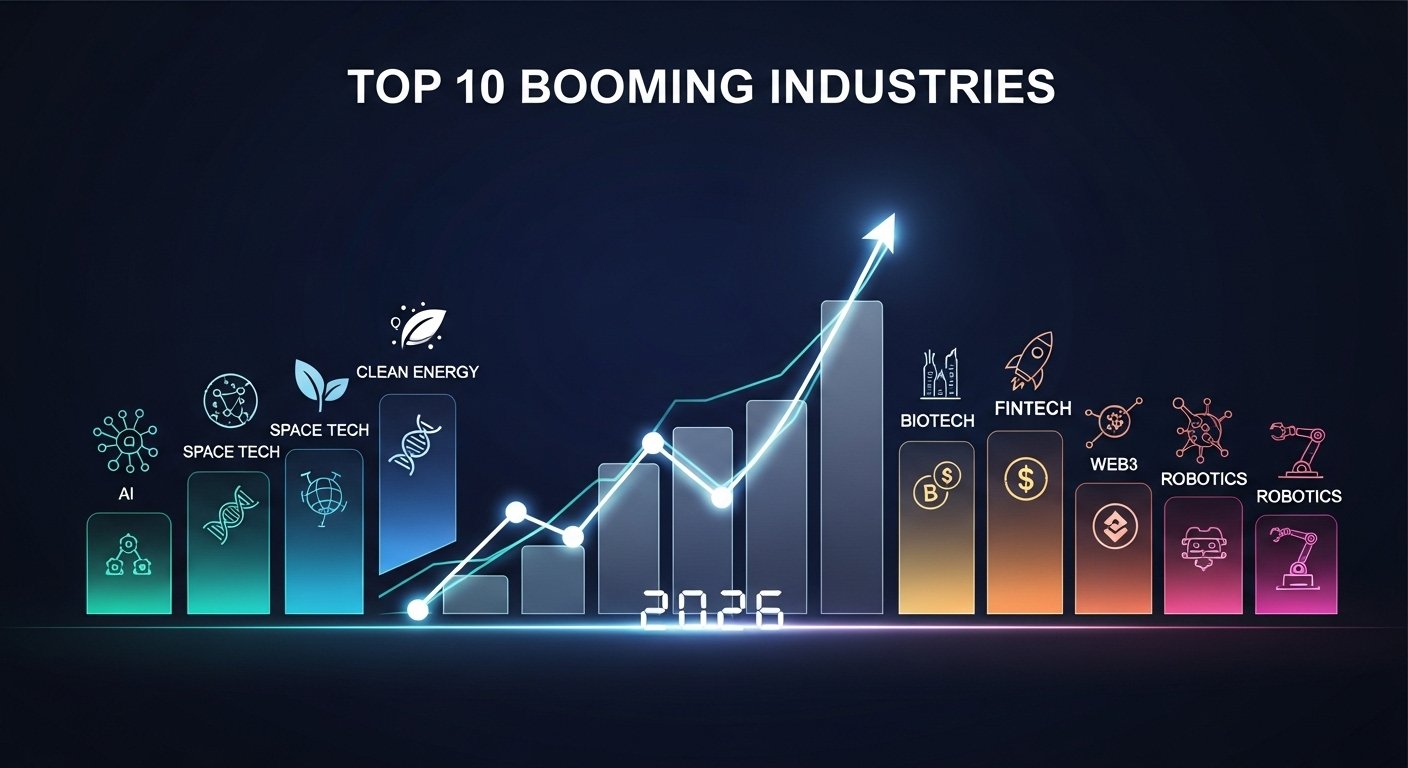
A futuristic city skyline with digital holograms representing different industries — AI, robotics, renewable energy, biotech, and fintech — glowing with investment growth visuals. Modern, clean, optimistic 2026 theme with bright colors and high-tech look.
Projected global growth of emerging industries by 2026.

4. Space Technologies & Satellite Services

Space is no longer just a dream for governments. Private companies are launching satellites, providing broadband, and exploring new technologies above Earth.

Why it’s ready for major investment:

  • Satellite internet needs will grow with on-earth connectivity demands.
  • Data-from-space services (e.g. imagery, climate monitoring) are rising.
  • Rideshare launch services are growing rapidly.

High-potential areas:

  • Small satellite constellations for broadband
  • Remote sensing & Earth monitoring platforms
  • Space logistics (launch-as-a-service)
  • Space-debris cleanup and orbital infrastructure

Barriers: Very high cost, technical risk, regulatory hurdles. Still, strong innovation and investment are pushing the industry forward.

5. Virtual & Augmented Reality Platforms

Augmented Reality (AR) and Virtual Reality (VR) entered public imagination years ago. In 2026, they’re ready to become practical business tools.

Why investment will surge:

  • Training, education, and remote collaboration tools need immersive environments.
  • Retail and real estate brands want “try before you buy” virtual demos.
  • Medical and therapy-based AR/VR applications are gaining traction.

Growth paths include:

  • Immersive education / training modules
  • Virtual showrooms for eCommerce brands
  • Therapy and mental health support with VR
  • AR shopping tools (preview products on your head or room)

Limitations: hardware cost, device adoption rate, user comfort. But as devices become cheaper, software platforms supporting them may reach $100M valuations.

6. Biotechnology & Synthetic Biology

Biotech is evolving fast. Replacing chemicals, fuels, and materials with biology-based alternatives is gaining momentum.

Why it’s future-proof:

  • Synthetic biology can create new materials, bio-fuels, or farmed meat.
  • Genetic engineering and cell-based therapies are becoming viable.
  • Personalized medicine based on biology rather than software only.

Segments to watch:

  • Lab-grown protein and food tech
  • Engineered organisms for sustainable materials
  • Gene-editing therapies
  • Bio-manufacturing of chemicals and fuels

Investment risk: regulation, safety testing, ethical concerns. Yet the growth potential is massive if done with care.

7. Cybersecurity & Privacy Infrastructure

As digital transformation spreads, threats grow too. Security is no longer “nice to have.” It’s essential.

Why it’s a huge opportunity:

  • Companies hold more data than ever.
  • AI-driven systems create new attack surfaces.
  • National infrastructure and financial systems depend on strong security.

Potential sub-areas:

  • AI security & threat detection
  • Zero-trust infrastructure
  • Privacy-preserving machine learning
  • Secure communication tools

If you build tools that keep data safe, you build trust — and that trust is worth serious money.

8. Smart Agriculture & Food Tech

Global demand for food and sustainable farming is rising. Traditional farming faces limits from land, water, and climate change.

Why investment matters:

  • Technology can boost yields while lowering environmental damage.
  • Precision farming, crop sensors, and AI-powered irrigation are becoming mainstream.
  • Lab-grown food and vertical farming require software + hardware platforms.

High-potential areas:

  • AI-powered farm analytics
  • Robotics for harvesting and crop care
  • Lab-grown protein or clean-meat production tools
  • Vertical farms in cities

Risks: regulatory & infrastructure costs. Yet food tech can see billion-dollar success stories soon.

9. Personalized & Predictive Education Tech

Education needs personalization. One-size-fits-all learning is no longer enough.

Why this will draw $100M investment:

  • AI can tailor lessons to each student’s pace and style.
  • Platforms can predict learning gaps and adapt content in real time.
  • Remote or hybrid learning blends still need strong tech.

Innovation zones include:

  • AI learning coaches
  • Adaptive courseware and content generators
  • Certification-on-demand systems
  • Real-world skills training via virtual labs

Challenges: regulation, accreditation, and content standards. But startup innovation in EdTech is growing fast.

10. Advanced FinTech & Embedded Finance

Finance is changing under your fingertips. Embedded finance — giving financial tools built into non-financial platforms — is on the rise.

Here’s why it may hit $100M valuation quickly:

  • Apps and platforms want to offer loans, wallets, payments in their own UX.
  • AI-driven credit scoring, risk analysis, and automated compliance tools are growing fast.
  • Digital banking infrastructure inside mobile apps, eCommerce platforms, and marketplaces.

Innovations to watch:

  • Buy-Now-Pay-Later for niche markets
  • Crypto-aware fintech tools for regulation-safe banking
  • Micro-investing inside social / community platforms
  • API-first finance services for other software businesses

Risks: regulation, security, and competition. Growth is rising quickly worldwide.

What These Industries Need to Succeed

Each of these 10 sectors requires strong foundations:

  • Bold leadership and vision
  • Talented teams with cross-discipline skills
  • Investment in R&D, compliance, and regulation
  • Global thinking with local partnerships
  • Agile product development and fast iteration

To grow here, you need skill and support — not just money. These industries don’t scale by luck.

How to Participate & Invest Smartly

If you are a startup founder or investor, here’s how to make a smart move:

  1. Study the problem deeply.
  2. Build a small prototype or pilot in your target market.
  3. Test with real users and measure impact.
  4. Secure local or regional partnerships for scale.
  5. Plan your runway for at least 18–24 months.
  6. Be ready to pivot — tech may evolve suddenly.
  7. Prioritize ethics, compliance, and sustainability.

With careful planning, $100M in value is not just possible. It’s within reach.

Why Mr WebApp is Excited!

Mr WebApp, we love seeing big ideas grow. We help businesses and founders build digital solutions for fast-growing industries. We help founders with design, tech, and business planning.

If you’re thinking of launching a startup in any of these areas, let’s talk. We can help you build the MVP, design the product, or scale the tech — with local insight and global ambition.

Final Thought

The future belongs to people who bet on innovation. These ten industries are growing fast and full of potential.

If you move now, build with vision, and stay agile — you might be part of the next big success story.

Let’s build tomorrow together.

👉 Contact MrWebApp today if you want help building in any of these industries.
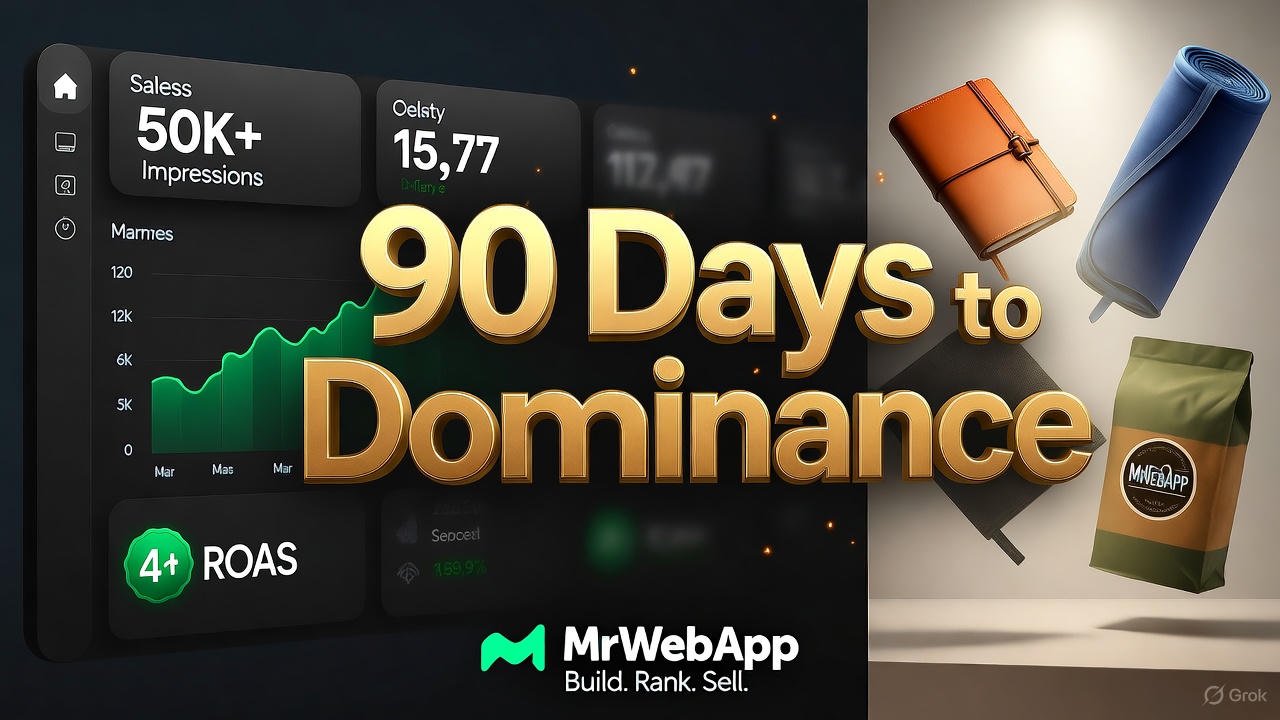
MrWebApp 90-Day Digital Dominance Blueprint: Build, Rank, Sell in 3 Months

3 Month Digital Marketing Plan

Build, Rank, Sell — Any Niche, Any Brand

Every brand wants more traffic, sales, and freedom. We make it happen in 90 days. No luck. Just systems. This is the same plan we use for every client. Read it. Use it. Or hire us. Your choice.


Who We Are

We are Mr WebApp, based in Lahore. 18 people. 400+ stores built since 2019. We know Marketing, SEO, and ads inside out. We turn small shops into big brands.


Phase 1: Launch in 9 Days (Days 1–9)

We go live fast. Most agencies take 6–8 weeks. We do it in 9 working days.

Day 1 – Send Your Stuff

Send logos, photos, and prices. We give you a shared board and a quick video.

Day 2 – Domain & Hosting

We buy your domain. We set up fast hosting. SSL included.

Days 3–4 – Pick the Design

We send 2 designs. You choose one. We fix it in 48 hours.

Days 5–7 – Build the Store

  • Hero banner with trust icons
  • Smart product grids
  • Zoom + video on product pages
  • 10% cart pop-up
  • One-click checkout (Stripe + PayPal)

All pages load in under 2 seconds.

Day 8 – Categories & Chat

We add filters. We set up a smart chatbot. It answers FAQs and collects emails.

Day 9 – Test & Launch

We check everything. We fix bugs. Your store goes live. Tracking starts instantly.

Result: A pro store in 9 days.


Phase 2: Traffic & Sales (Days 10–99)

A store without visitors is useless. Our $576/month plan brings real buyers.

SEO & Content

  • Week 1: Find 30 top keywords
  • Weeks 2–12: 4 long blogs + 8 short ones
  • Daily: 1 Reel, 1 TikTok, 1 Pinterest pin, 1 Facebook, 1 Instagram
  • Backlinks: 20+ from real sites

By Day 90: 25,000 free visits from Google.

Paid Ads

  • Google Shopping (4× return)
  • Facebook lookalike ads
  • TikTok viral-style videos

By Day 90: 40,000 views, 800 clicks, $12K–$18K in sales.

Community

  • VIP WhatsApp list
  • Weekly emails
  • Repost customer photos

Clear Pricing

One-Time Store Cost

  • Custom Store: $490
  • Domain (1 year): $12
  • Hosting (1 year): $42
  • Total: $544
  • Discount: -$45
  • You Pay: $499

Yearly Renewal

  • Domain + Hosting: $42/year

3-Month Marketing

  • SEO + Content: $180/month
  • Ads (management + budget): $288/month
  • Total per month: $568
  • 3 months: $1,404

Easy Payment

  1. 50% now
  2. 30% on design
  3. 20% on launch

Pay all upfront? Get 2 extra months free ($1,152 value).


Free Tools (Yours Forever)


Real Results

  1. Afnoor Perfumes – $31,400 in month 3
  2. Markhor Blades – 14,000 followers in 90 days
  3. Rahwaniofficial.com – 1,110 orders in first quarter

All started from zero.


Why Choose Us?

  • Live in 9 days (not 8 weeks)
  • 50,000+ impressions guaranteed
  • 4× ad return or we refund
  • 90 posts + 12 blogs in 3 months
  • Unlimited changes
  • 8 free tools

After 90 Days

You get:

  • Full training video
  • Live dashboard (sales, traffic, profit)
  • 90-day content plan
  • Option to continue at $499/month

Most clients stay. The money keeps coming.


Take Action Now

  1. WhatsApp: +92 300 7118710 – Say “90-DAY PLAN”
  2. Email: info@mrwebapp.com – Attach your catalog
  3. Reply “BLUEPRINT” – Get a free audit

We take only 5 brands per month. November slots are filling fast.

Don’t wait. Your growth starts today.

Get Website in One Day 2025 with Wix Shopify Webflow

The 2025 Guide to Get Website in One Day With Wix, Shopify, or Webflow

Tired of spending weeks on a website that never launches? Small businesses often delay going online due to complex setups and high costs. In 2025, that’s no longer an excuse. At Mr WebApp, we help founders like you launch fast without the hassle. This guide shows how to Get Website in One Day 2025 using Wix for simple sites, Shopify for eCommerce, or Webflow for custom designs. No coding needed. Let’s make it happen.

Mr WebApp, based in Lahore. Specializes in quick digital solutions. We know time is money for startups and shop owners. So, pick your platform and follow these steps.

Why Get Website in One Day 2025 Matters Now

Speed wins in 2025. Google’s updates favor fast-loading sites. Mobile traffic hits 70% of searches. Delays cost sales. Our guide cuts setup to hours.

Choose based on needs. Wix suits portfolios. Shopify powers stores. Webflow handles advanced looks. All work on day one.

Step-by-Step: Get Website in One Day 2025 with Wix

Wix shines for beginners. Its drag-and-drop editor launches sites fast. Start with a template in minutes.

Sign up free. Pick a category like “business.” Choose a design. Add your logo and text. Connect a domain. Publish live.

Wix’s AI builder speeds it up. It suggests layouts in 2025 updates. Test on mobile. Go online by noon.

For tips, see Wix. Great for quick starts.

Step-by-Step: Get Website in One Day 2025 with Shopify

Shopify focuses on sales. Ideal if you sell products. Its themes load in under an hour.

Create an account. Select a free theme. Add inventory via CSV import. Set up payments. Launch your store.

2025’s AI setup generates product pages automatically. Customize colors. Add a blog. You’re ready to sell.

Shopify integrates with apps for shipping. Check Shopify for eCommerce guides.

Step-by-Step: Get Website in One Day 2025 with Webflow

Webflow offers control without code. Perfect for unique brands. Build visually on day one.

Start a project. Choose a blank canvas or template. Drag elements like headers. Style with CSS-like tools. Export or host.

New in 2025: AI-assisted layouts suggest responsive designs. Add interactions. Connect CMS. Publish instantly.

Webflow excels in animations. Visit Webflow for tutorials.

Compare Platforms to Get Website in One Day 2025

Wix: Easiest for non-tech users. 800+ templates. Free plan available.

Shopify: Best for sales. 150+ themes. Starts at $29/month.

Webflow: Most flexible. Custom code access. Free starter plan.

All support one-day launches. Pick by goal: simple (Wix), sales (Shopify), design (Webflow).

Common Mistakes When You Get Website in One Day 2025

Skip mobile checks. Fix it with previews.

Ignore SEO basics. Add titles and descriptions early.

Over-customize. Stick to templates first.

Avoid these. Launch strong. See mrwebapp.com/services for help.

Tools to Speed Up Get Website in One Day 2025

Use Canva for logos. Unsplash for images. Google Fonts for text.

Wix has built-in AI. Shopify offers theme editors. Webflow’s visual tools shine.

Combine them. Finish faster. Explore mrwebapp.com for extras.

Image Placeholder

Get Website in One Day 2025 before and after transformation
Launch your site in one day with Wix, Shopify, or Webflow.

Tips for Launch After Get Website in One Day 2025

Drive traffic. Share on social media. Run Google Ads.

Track analytics. Use built-in tools. Tweak based on data.

Update content. Add blogs weekly. This keeps visitors coming.

Success follows action. Visit mrwebapp.com/blog for more.

FAQs

How long to really Get Website in One Day 2025? Hours if you follow steps. Beginners take 4-6 hours.

Which platform for beginners to Get Website in One Day 2025? Wix. Its editor is intuitive and forgiving.

Can I sell products to Get Website in One Day 2025? Yes, Shopify excels here. Setup store basics fast.

Is Get Website in One Day 2025 free? Free trials on all. Upgrade later as needed.

What if I need help to Get Website in One Day 2025? MrWebApp offers free consults. Contact us.

Ready to Launch at MrWebApp?

Build your site today. Visit mrwebapp.com. Let’s get you online in one day.

Why Choose MrWebApp for Webflow vs Shopify Templates 2025.

Why Choose MrWebApp for Webflow vs Shopify Templates 2025

Speed matters. Innovation too. We make complex simple. No stress. Just wins. Our team creates daily. For education, travel, healthcare, real estate, restaurants, factories, eCommerce. All thrive with us.

Our goal? Top digital brand by 2026. Join us now. See the difference.

What Makes a Template Convert in 2025?

Let’s dive in. What drives conversions? Speed comes first. Pages load under two seconds. Else, bounce rates climb. Google notes a one-second delay cuts conversions seven percent. Mobile dominates. Over seventy percent of traffic is phones. So, templates must adapt fast.

Trust is key. Clean designs build it. Add reviews. Badges. Clear CTAs. These spark action. Shopify packs these. Webflow lets you craft custom.

SEO helps too. Fast sites rank higher. Meta tags boost visibility. Both platforms support this. But Shopify’s tools edge out.

Ease seals the deal. Shoppers want simple. One-click buys. Smooth carts. Shopify optimizes this. Webflow needs tweaks.

In short, top templates blend speed, trust, ease. Now, let’s compare.

Deep Dive: Webflow Templates for eCommerce

Webflow rocks design. No coding needed. Drag and drop ease. In 2025, over six thousand templates exist. About sixty for eCommerce. All paid. From fifty to three hundred dollars.

Why pick Webflow? Total freedom. Control every pixel. Unlike rigid themes. This creates unique looks. Brands pop. So, buyers stay longer.

Take Zolina. Clean. For skincare shops. Loads fast. Works on all devices. Customize easy. No code skills. It boosts engagement. Because navigation is simple. Visuals catch eyes.

Or Toknic. For headphones. Bold images. Quick filters. Shoppers find items fast. This lifts cart adds.

Hyperion suits tech startups. Animations grab attention. But stay light. No lag. CMS handles three thousand products. Great for small shops.

Saasy fits SaaS. Also eCommerce. Isometric art. Icons stand out. Speed stays high. Trust signals like testimonials boost conversions.

Data shows it. Webflow sites get twenty percent more engagement. Why? Custom paths. Easy A/B testing. Tweak buttons. See what sells.

But limits hit. Only fifty variants per product. Shopify wins there. Checkout? Custom. Needs extra setup. Not instant.

Still, design-first brands love Webflow. Education. Travel. Restaurants. Templates adapt well.

Try their free trial. Test load times. Use Google PageSpeed. For insights, visit https://www.figma.com.

In 2025, Webflow adds AI. Auto-optimizes images. Smart layouts. This keeps conversions strong.

Webflow templates convert through beauty. They hook visitors. Keep them scrolling. Then buying.

Deep Dive: Shopify Templates for eCommerce

Now, Shopify. The eCommerce champ. Over five million stores use it. Templates? Two hundred forty-nine total. Thirteen free. Others cost one hundred to five hundred dollars.

Shopify excels at speed. Pick a theme. Tweak colors. Launch fast. No design skills needed.

Impulse leads. Cuts bounce rates. Boosts sales. How? Smooth journeys. Mobile-first. Thumb-friendly buttons.

Dawn is free. Loads in one second. Clean. Great for beginners. Add promo bars easy.

Booster packs tools. Over forty. Timers. Stock alerts. Create urgency. Users buy now. Claims up to two hundred seventy-seven percent lift. Wild, right?

Electro fits big catalogs. Popups. Badges. Cross-sells. Google PageSpeed loves it.

Flex offers power. Deep tweaks. But simple. For fashion. Or gadgets.

Prestige suits luxury. Cosmetics shine. Storytelling builds desire. Then closes sales.

Data proves it. Shopify checkouts hit three percent conversions. Higher than most. Why? Optimized flows. One-page carts. Recovery built in.

In 2025, updates shine. Two thousand variants per product. Huge for factories. Or real estate.

Apps add more. Six thousand options. Loyalty programs. Live chat. All build trust.

Limits? Less design freedom. Themes feel similar. Big changes need code.

But sales-first shops pick Shopify. Restaurants. Health brands. eCommerce pros.

Test it. Fourteen-day trial. No card. Swap themes fast. Find your fit.

Shopify templates convert through smarts. They guide buyers. Step by step. To checkout.

For trends, see https://www.shopify.com.

Head-to-Head: Key Differences in 2025

Let’s compare. Webflow vs Shopify. For conversions.

Design freedom? Webflow wins. Thousands of templates. Total control. Shopify? Fewer options. Structured. Good for quick tests. Less unique.

Speed? Both deliver. Shopify edges mobile. Webflow depends on tweaks. Can lag if heavy.

Products? Shopify unlimited. Webflow caps at three thousand. Variants? Shopify’s two thousand beats Webflow’s fifty.

Checkout? Shopify shines. High conversions. Webflow’s custom. Needs work.

Apps? Shopify’s six thousand dwarf Webflow. Marketing? Shopify automates. Webflow integrates. Like Mailchimp. But manual.

Pricing? Webflow plans from fourteen dollars. eCommerce add-on twenty-nine. Shopify basic twenty-nine. No fees with their payments.

Scalability? Shopify for big shops. Webflow for niche.

Conversions? Shopify averages four percent. Webflow varies. But custom designs lift engagement twenty percent.

Choose by goals. Shopify for volume. Webflow for wow.

Learn more at https://webflow.com.

Trends evolve fast. In 2025, AI leads. Webflow auto-generates layouts. Shopify adds smart blocks. Both keep templates fresh.

Mobile-first grows. Shopify’s Zest is touch-ready. Webflow’s Saasy adapts quick.

Sustainability matters. Eco-badges. Green themes. Both support. Boosts sales ten percent.

Video grabs eyes. Embeds are easy. Time on site rises. So do conversions.

Localization helps. Auto-detect language. Shopify built-in. Webflow via apps.

Minimalism wins. Clean lines. Fast loads. Themes like Dawn or Zolina nail it. Bounce drops twelve percent.

Voice search rises. SEO tweaks needed. Both handle well.

Trends favor speed, smarts. Pick templates that adapt.

Case Studies: Real Wins in Action

Real proof matters. Let’s look.

Boba Blinks. Used Shopify. Booster theme. Mobile focus. Conversions up thirty percent. Why? Seamless flow. Fun brand vibe.

Peer Health. Picked Webflow. Interactive designs. Gen Z loved it. Traffic doubled. Sales followed.

Daniel Wellington. Shopify’s Taiga. Storytelling shines. Speed sells. Revenue jumped.

Skincare brand. Webflow’s Zolina. Custom visuals. Engagement soared. Twenty-five percent more carts.

Food shop. Shopify’s Impulse. Quick journeys. Bounce down fifteen percent. Orders up.

Right template. Right platform. Big wins.

Click for marketing tips & more.

Which One Wins for Your Business?

It depends. Small startup? Need unique? Pick Webflow. Higher engagement.

High volume? eCommerce core? Shopify. Scales easy. Optimized flows.

Healthcare? Clean trust. Webflow.

Travel? Dynamic pages. Both work.

Restaurants? Menus fast. Shopify.

Factories? Big inventory. Shopify.

Test both. Track with Google Analytics. Find your fit.

Our Process for Webflow vs Shopify Templates 2025

Here’s how we roll. Simple steps. No details needed. Just clarity.

  • Understand Your Goals
  • Research User Needs
  • Sketch Initial Ideas
  • Build Wireframes
  • Design Visual Elements
  • Create Prototypes
  • Test User Feedback
  • Refine Final Changes
  • Deliver Live Template
  • Provide Ongoing Support

This keeps things smooth. Trust grows here.

Timeline for Webflow vs Shopify Templates 2025

We move fast. Phases are clear. So, you stay informed.

  • Initial Client Meeting
  • Research and Planning
  • Design Kickoff
  • Prototype Creation
  • Testing Phase
  • Client Sign-Off
  • Template Delivery
  • Post-Launch Review
  • Support Period

Timelines match your needs. Results follow quickly.

Tools and Technologies We Use

We pick top tools. For high-performing templates.

  • Webflow
  • Shopify
  • Figma
  • Adobe XD
  • Google Analytics

These ensure quality. Efficiency shines through.

Explore related projects for more ideas.

Team Roles in Our Process

Our crew is sharp. Each role delivers.

  • Project Manager
  • UX Designer
  • UI Designer
  • Developer
  • QA Tester

They work tight. Results prove it.

Schedules and Updates

We keep you close. Schedules are simple.

  • Weekly Progress Updates
  • Feedback Calls
  • Milestone Check-Ins
  • Adjustment Meetings

This builds confidence. You’re always in the loop.

Pricing for Webflow vs Shopify Templates 2025

Affordable ranges fit all. Budgets stay safe.

  • Basic Package: $200–$500
  • Standard Package: $500–$1,500
  • Premium Package: $1,500–$3,000

No upfront costs. Start free. Pay later.

Special Offers You Can’t Ignore

Our offers rock. Free starts lead the way.

  • Free Template Kickstart
  • Free User Research Report
  • Free Growth Strategy Plan
  • Free Prototype Build
  • Free SEO for Templates
  • Free Marketing Visuals
  • 50% Off Custom Features
  • Free Post-Launch Check
  • Pay-from-Profits Model

These boost sales. Innovation at its best.

Check free tools for growth tips.

In-Article Image

  • Placeholder: Team collaborating on a Webflow vs Shopify Templates 2025 project.
  • Alt Text: MrWebApp Webflow vs Shopify Templates 2025 team process.
  • Caption: Our team brings your Webflow vs Shopify Templates 2025 to life.
  • Description: This image shows MrWebApp’s team working on Webflow vs Shopify Templates 2025 projects. It ensures a smooth process.

FAQs

How much do Webflow vs Shopify Templates 2025 cost? Ranges start at $200. We start free. Pay when earning.

How long to build Webflow vs Shopify Templates 2025? Weeks to months. We match your pace. Fast results.

What tools do you use for Webflow vs Shopify Templates 2025? Webflow, Shopify, Figma, XD. Top-notch results.

Do you boost engagement and conversions? Yes. Designs lift both. Free growth plan included.

What if my template doesn’t work? We refine it. Free checks post-launch. Success guaranteed.

Ready for Webflow vs Shopify Templates 2025 That Grow Sales?

Launch your store now. Visit https://mrwebapp.com. Or WhatsApp +92 300 7118710. Let’s chat. Growth starts today.

Our process is solid, bhai. You won’t regret it. Like Musk, we aim high. We deliver fast.

Contact us. Info@mrwebapp.com. Social: Facebook, Instagram, Pinterest, LinkedIn.

Performance & Security Update by MrWebApp

Continuous Website Maintenance — Keep Your Website Secure, Fast, and Growing

Is your website slowing down? Or maybe it sometimes crashes without warning? That means it needs a full Performance & Security Update.

Most business owners ignore this part until something breaks. Then they panic when customers leave or payments fail. You don’t have to face that. At MrWebApp, we make your site quick, stable, and secure every single day. And yes, you can start free and pay later — when your website starts earning.

What a Performance & Security Update Actually Means

Think of it like a full health check for your website. We fix the slow parts, remove the bugs, tighten the doors, and make it run smooth as butter.

A Performance & Security Update improves speed, stability, and protection from attacks. It’s not a one-time patch — it’s a system that keeps your digital business strong.

Our goal is simple: a website that loads in seconds and stays safe all the time.

Why You Need This Update Now

Most websites lose 30–40% of visitors if they load slowly. And even one security issue can break trust completely.

That’s why speed and safety are not extras anymore. They are your brand’s foundation. When people feel safe, they stay longer, buy more, and share your site confidently.

At MrWebApp, we mix performance and protection in one simple plan — so you don’t have to hire two teams or pay twice.

Our Process for Your Performance & Security Update

We don’t keep secrets. Here’s how we do it — step by step, clean and clear.

  1. Understand your goals
  2. Audit your current website
  3. Create an update strategy
  4. Prepare full backup and rollback plan
  5. Improve loading speed and caching
  6. Upgrade hosting and compression layers
  7. Secure data and forms
  8. Add firewalls and malware protection
  9. Test everything on desktop and mobile
  10. Launch and monitor performance

Each step is focused on one thing: make your site fast and safe. Our process is simple, bhai — no confusion, no waste.

Timeline — How Long It Takes

We divide the update into short, clear phases so you can track progress easily.

  • Phase 1: Kick-off meeting and website audit
  • Phase 2: Plan and approval
  • Phase 3: Implementation
  • Phase 4: Testing and fixes
  • Phase 5: Launch and monitoring

Most small sites finish within one to two weeks. For complex sites or eCommerce stores, it can take up to four weeks. You’ll always know what’s happening because we send progress updates every few days.

Tools and Technologies We Use

We use tools that are trusted globally. They are easy to maintain, reliable, and future-proof.

  • Google Lighthouse and GTmetrix for speed testing
  • Cloudflare CDN for faster delivery
  • SSL and HTTPS for secure access
  • Firewall and malware protection plugins
  • Redis and caching systems for performance
  • Uptime and error monitors for stability

These tools keep your site strong, safe, and quick — 24/7.

Team Roles You’ll Work With

Your Performance & Security Update isn’t done by one person. You’ll get a small, smart team handling every part with care.

  • Performance Engineer: Handles speed and caching
  • Security Engineer: Protects against hacks
  • Web Developer: Fixes code and structure
  • QA Expert: Tests everything before launch
  • Project Manager: Keeps you updated
  • Support Specialist: Monitors site after completion

Everyone knows their job — so you get professional results without confusion.

Schedules and Communication

You’ll never wonder what’s happening. We set up clear schedules from day one.

  • Weekly updates
  • Feedback calls
  • Live progress reports
  • Post-launch checks

If something urgent appears, our support team jumps in instantly.

Pricing Range

We keep pricing honest and flexible. Here are the usual ranges for Performance & Security Update projects:

  • Small business sites: $200 – $600
  • Medium or eCommerce sites: $600 – $1,500
  • Large or complex systems: $1,500 – $4,000

Exact pricing depends on your website’s condition and size. We discuss it after the audit — no hidden fees, no surprises.

Our Exclusive Offers

We don’t just sell updates. We start growth journeys. That’s why our offers are designed to help you move faster — even before paying.

  • Free Service Kickstart — we begin a basic update at zero cost
  • Free Audit Report — get a full report before any payment
  • Free Growth Plan — learn how speed and safety increase sales
  • Free Post-Launch Check — we test again after your site goes live
  • Free SEO Boost — optimize visuals and technical elements
  • 50% Off Custom Features after your website starts earning
  • Pay-from-Profits Model — pay a share when results come in

As Ahmad Bin Obaid says:

“We don’t sell services. We start your business for free, push growth, and you pay when earning.”

That’s not a slogan — it’s how we work every single day.

Why Our Process Works So Well

Speed and security go hand in hand. When your site runs fast, visitors trust you more. When it’s secure, they feel safe to buy or share data.

Here’s why our method works:

  • We track real performance numbers, not just scores
  • We use global best practices, but keep pricing local
  • We offer ongoing checks so your site stays optimized
  • We focus on results — more traffic, more leads, more sales

And yes, everything is handled in simple language. No tech talk, no confusion.

The Real Value for You

You don’t just get a faster website. You get peace of mind.

Imagine , no error messages, no hacking alerts — just smooth business every day. That’s what our Performance & Security Update gives you.

You also save money because you don’t need separate speed and security experts. Our combined system keeps things efficient and affordable.

Industries We Support

Our service fits almost any business type:

  • E-commerce brands who want faster checkouts
  • Education platforms needing stable logins
  • Real estate firms showing property listings
  • Restaurants managing online menus
  • Healthcare and clinics securing patient data
  • Startups and agencies needing reliable dashboards

Wherever you are — in Pakistan, UAE, UK, or USA — we can help you grow.

Why MrWebApp Is the Right Choice

Because we think like business people, not just developers. We understand your pain points:

  • You want results, not reports.
  • You want clear steps, not long meetings.
  • You want proof before payment.

Our model fits all three. Start free, test the results, then pay only when you see growth.

We call it smart partnership.

Our Promise

When you choose MrWebApp, you get:

  • A faster, safer website
  • Transparent pricing
  • Regular communication
  • Real performance reports
  • Free audits and post-checks
  • Support after completion

We treat your project like our own business — because your growth proves our skill.

Simple Example of Impact

One of our recent clients had a WooCommerce store that took 11 seconds to load. After our update, it loaded in 2.8 seconds and security rating jumped to A+. Their daily sales increased by 37%.

Results like that are not magic. They are the result of a focused Performance & Security Update done right.

FAQ

1. How much does a Performance & Security Update cost? It starts around $200 and depends on your site’s size and condition. You’ll get a full quote after the audit.

2. How long does it take? Most projects take one to four weeks depending on content and complexity.

3. What tools or technologies do you use? We use caching systems, CDN, SSL, security plugins, and speed testing tools.

4. Can you also help with engagement and conversions? Yes. A faster site means better SEO, higher trust, and more conversions.

5. What if something goes wrong after the update? We include a rollback plan and free post-launch support. You’re never left alone.

Thanks for reading!

Performance & Security Update that protects your business and grows your sales? Let’s make your website faster, safer, and stress-free today.

👉 Visit https://mrwebapp.com or 📱 WhatsApp us at +92 300 7118710

No upfront payment. No long waiting. Just results — quick, safe, and real.

MrWebApp — Smart Solutions. Real Growth.

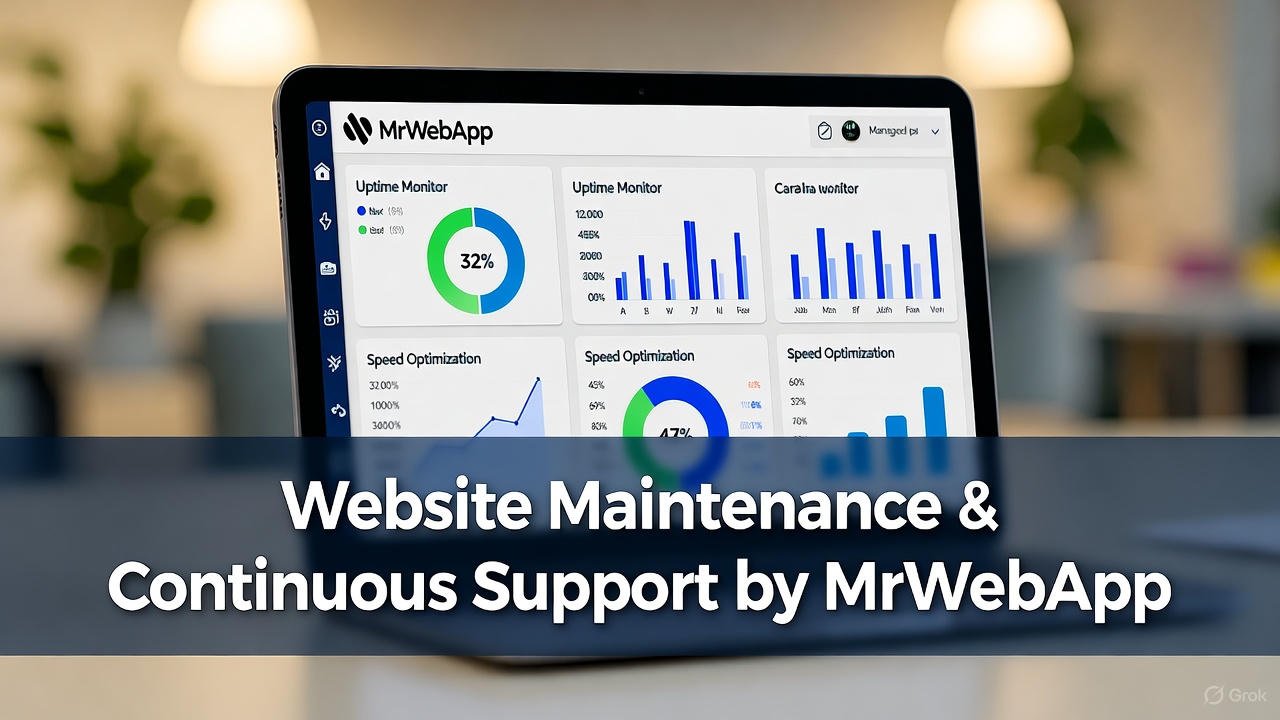
Website Maintenance & Continuous Support by MrWebApp

Website Maintenance & Continuous Support by MrWebApp

Keep Your Website Alive, Fast, and Working for You

Most businesses stop after launch. The site goes live, the project closes, and everyone disappears. That’s not how we work at MrWebApp. We stay with you — keeping your website secure, updated, and growing. Because a site isn’t a trophy, bhai. It’s a living system that needs care every week.

Your business deserves results, not dead pixels. We keep your website fast, easy to find, and better every day.. It can be a small website or a large online store. We keep it smooth, fast, and ranking well.

Why Maintenance Matters

Websites break, plugins expire, and Google updates its rules. Without maintenance, your site slows down and your sales drop. So, our job is simple: keep everything running, safe, and profitable. We monitor, update, improve, and report — so you can focus on business.

And yes, you start free. You pay only when your site begins to perform.

Our Process for Continuous Growth

Every maintenance plan follows a clear, no-stress process. Each step builds trust and delivers visible results.

1. Initial Health Check

We check your site for problems. That includes speed, security, broken links, old code, and missing SEO tags.

2. Backup & Security Setup

We set up automated backups and add strong security firewalls. If a hacker even blinks, we catch it first.

3. Performance Optimization

We reduce load time, compress images, and clean the code. Your site starts loading in seconds — not minutes.

4. Content & SEO Updates

We refresh old pages, add keywords, and improve titles. Fresh content means better ranking and more clicks.

5. Technical Fixes

From plugin conflicts to script errors, we handle it all. No tech stress, no developer chase.

6. Analytics & Reporting

We track your growth and share monthly reports. You see real numbers — traffic, conversions, and keyword reach.

7. Regular Design Improvements

Design trends change fast. We tweak layouts, improve visuals, and keep the brand modern.

8. Continuous Promotion

We connect your site to social media, Google tools, and marketing channels. Everything works together to drive visitors.

Timeline

We keep it structured and clear.

  • Day 1-3: Audit and fixes
  • Week 1-2: Performance and security setup
  • Month 1: SEO, content, and speed improvements
  • Ongoing: Monitoring, reports, and new updates every month

No delays, no mystery.

Tools & Technologies We Use

We use tools that keep your website sharp:

  • Google Analytics & Search Console for tracking
  • Yoast SEO & Rank Math for optimization
  • Cloudflare & SiteGround Security for protection
  • Ahrefs & SEMrush for backlink reports
  • WordPress, Shopify, Wix, Webflow — whichever you use
  • AI tools for content, keyword, and technical insights

Everything we use is proven, fast, and trusted by global brands.

Team Roles

Each project gets a dedicated crew:

  • Project Manager — keeps the flow smooth
  • SEO Expert — drives organic traffic
  • Developer — handles fixes and updates
  • Designer — improves visuals and layouts
  • Content Writer — adds fresh words that sell
  • Social Media Person — connects everything together

You always know who’s doing what.

Pricing

We keep pricing simple. Most maintenance plans range from $200 to $1,500 per month, based on your site’s size and needs. No hidden costs. No hourly billing drama. And yes — you start free and pay only when your website shows growth.

Special Offers

Because we believe in value first, we include:

  • Free SEO Audit
  • Free Performance Optimization
  • Free Growth Plan Report
  • Free Social Media Integration
  • Free Blog Article Setup
  • Free Backlink Support
  • 50 % Off Custom Design Tweaks (after results)
  • Pay-From-Profits Model — pay when you start earning

Why MrWebApp?

Most agencies stop at delivery. We don’t. Our job is not just to build your site — it’s to make it perform. We want your site to bring traffic, leads, and real sales.

Our clients reach over 100K impressions each year. We update your SEO, add new content, make your site faster, and connect it to your marketing.

This full-circle support turns your website into a business engine. No excuses. Only results.

Value That Brings Clients Back

We don’t sell maintenance; we build partnerships. Every task — from a small plugin update to a complete SEO overhaul — helps you grow. You’ll see smoother speed, higher rankings, and more customers on WhatsApp.

And because we start free, there’s no risk. We only win when you do.

Example of Our Maintenance Workflow

  1. Audit your site and fix basic errors.
  2. Update your CMS, plugins, and database.
  3. Improve on-page SEO with better keywords.
  4. Add backlinks from trusted websites.
  5. Write and post one fresh article monthly.
  6. Connect with Facebook, Instagram, and LinkedIn.
  7. Review analytics and adjust strategy.
  8. Share monthly growth report.

Each step keeps your site active and profitable.

Continuous Integration With Marketing

We also sync your website with:

  • Email tools
  • CRMs
  • Payment gateways
  • AI chatbots
  • POS systems

So, your website and marketing tools share the same data. No manual work, no double entries, no delays.

What You Get Every Month

  • Fast-loading website
  • Regular updates
  • Strong security
  • SEO growth
  • Analytics reports
  • Social integration
  • Real results

Everything managed by experts who actually care about your business.

Our Mission

“We help businesses grow online with smart, creative, and high-performing digital solutions.”

That’s not just a line — it’s our daily process. We build your system, grow it, and maintain it until it becomes a profit machine.

Frequently Asked Questions

Q1: How much does website maintenance cost? Most plans start at $200 per month. You pay only when you see results.

Q2: What’s included in maintenance? Security, updates, SEO, content, design tweaks, and performance checks.

Q3: How often do you update a site? Every week. Some updates are daily if your traffic or sales are high.

Q4: Do you manage SEO and content too? Yes. We handle on-page, off-page, backlinks, and articles every month.

Q5: What if I’m not happy with the results? You don’t pay. Our model is “start free, pay after results.” No risk.

Let’s Keep Your Website Alive

Your site deserves more than a launch. It deserves ongoing growth, faster results, and constant support. Let’s make it happen.

👉 Ready for website maintenance that actually works? Visit https://mrwebapp.com or WhatsApp +92 300 7118710 now.

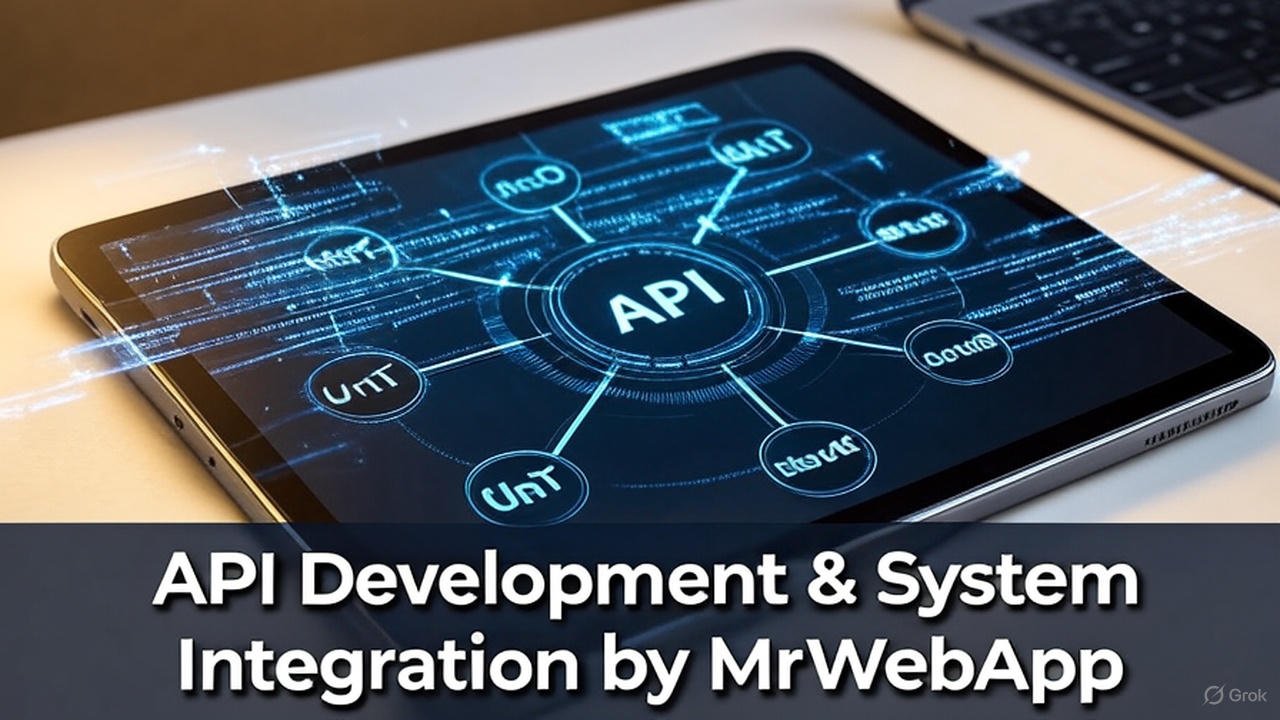
API Development & System Integration by MrWebApp.

API Development & System Integration by MrWebApp: Smart Systems. Real Growth.

Introduction

Are you struggling to connect your software, apps, or business tools together?
Many small businesses lose hours doing manual work because their systems don’t talk to each other.
That’s where API Development & System Integration comes in — and trust me, bhai, it’s a total gamechanger.

At MrWebApp, we don’t just build APIs. Instead, we connect your tools, CRMs, apps, and payment systems — even AI tools. For example, we can link your POS with your Shopify store. Plus, we connect AI tools like ChatGPT or Gemini, so everything runs fast and smooth.

If you’re tired of extra work or messy data, then let’s fix it today. Get your systems synced — start free and pay later.


Why API Integration Is a Big Deal

Think of an API like a “middleman” between your apps.
It’s the reason your website can talk to your CRM. Moreover, it connects WhatsApp and payments — so everything updates instantly.
When done right, your business runs automatically — 24/7 — without you touching a thing.

And when it’s done by MrWebApp, it’s done smartly. Because our APIs aren’t just code — they’re business systems that scale your work, save hours, and grow your income.


Our API Development & System Integration Process

We keep things super simple — no technical chaos, just results.
Here’s how our team makes it happen step-by-step:

1. Understand Your Systems

First, we map out all your tools, platforms, and apps — from CRM to POS, or even AI chatbots.

2. Design Smart Flow

Then we define how data should move automatically between them — clean, fast, and error-free.

3. API Development

After that, we build new APIs or customize existing ones for your apps, dashboards, or SaaS products.

4. System Integration

Next, we link your website, apps, POS, and tools into one smooth system.

5. Testing & Security Setup

In this phase, we ensure everything runs smoothly — secure, stable, and bug-free.

6. Launch & Support

Finally, we deploy it live and offer full support. If something breaks, we fix it — no stress.

Our process is solid, bhai. It’s built for speed, reliability, and long-term growth.


Tools & Technologies We Use

We integrate and develop APIs for almost everything modern businesses use.
From AI to POS — everything connects perfectly when handled by our team.

  • AI APIs: OpenAI, Gemini, HuggingFace, Stability AI
  • SaaS APIs: Notion, Slack, Trello, Asana, Zapier, Make
  • POS APIs: Foodics, Square, Shopify POS, Vend
  • Payment APIs: Stripe, PayPal, PayFast, JazzCash
  • CRM & Marketing APIs: HubSpot, ActiveCampaign, WhatsApp Cloud API
  • Custom Web/App APIs: REST, GraphQL, Webhooks

With MrWebApp, you don’t need to worry. We make all your tools connect easily and smoothly.


Timeline & Project Phases

We know your time matters, so we keep things fast and organized.

  • Phase 1: First Meeting (Goal understanding)
  • Phase 2: System Map & Sign-Off
  • Phase 3: Development & Testing
  • Phase 4: Integration Launch
  • Phase 5: Post-Launch Support

These steps make your project easy to follow. As a result, you always know what’s happening.


Team Roles

Here’s who’s working behind the scenes on your system:

  • API Developer
  • System Architect
  • Integration Engineer
  • QA Tester
  • Project Manager
  • Business Strategist

Together, our team ensures your integration launches faster and with zero stress.


Pricing Range

Our pricing is simple and clear. Most projects cost between $300 and $5,000, based on size and tools.

Also, you start free — pay only when earning. That’s our promise.


Special Offers for API Projects

We don’t just sell — we help you grow your business with real results. Here’s what you get upfront:

  • Free System Audit — we check your current tools and workflows
  • Free Integration Blueprint — see how your tools can connect
  • Free AI Consultation — explore how AI APIs can automate your work
  • Free Launch Support — we help you go live
  • Pay-from-Profits Model — pay only after your business starts earning

This isn’t a trick — it’s our model. Because if your system doesn’t grow your business, we don’t deserve to get paid.


Why Businesses Trust MrWebApp

There are many reasons clients love working with us.
First, we integrate faster and simpler than any agency you’ve met.
Second, we’ve connected systems for eCommerce, healthcare, education, real estate, and restaurants.
Third, our solutions cut manual work by up to 70%.
Finally, we build automation that runs while you sleep.

Our focus is simple: you grow, we grow.

So, stop wasting time switching tabs and juggling tools — and get your systems working for you today.


Value Section: The “Smart System Advantage”

Here’s why MrWebApp’s process delivers great value:

  • Seamless automation
  • Real-time data flow
  • Error-free sync
  • Increased efficiency
  • Lower operating cost

When all your systems work together — your business finally scales.
It’s not just smart — it’s freedom.


FAQs

1. How much does API development cost?
Usually between $300 and $5,000 — depends on your setup and tools.

2. How long does it take to integrate systems?
Most projects go live within 2–4 weeks.

3. Do you handle AI APIs too?
Yes — we integrate AI tools like ChatGPT, Gemini, and custom AI dashboards.

4. Can you connect my POS or accounting software?
Absolutely — we’ve integrated Foodics, Shopify POS, QuickBooks, and more.

5. What if my system breaks later?
We offer free post-launch checks and lifetime support plans.


Ready to Automate Your Business?

Let’s make your systems work for you, not against you.

🚀 Launch your API development project today!
Visit 👉 https://mrwebapp.com
Or message us on WhatsApp → +92 300 7118710

Start free. Pay later. Build smarter.

Because at MrWebApp, we don’t just code —
We connect your business to the future.

IT professionals collaborating on AI and cybersecurity projects for 2026

Future of IT Jobs 2026: Which Roles Will Be in High Demand?

Technology is evolving faster than ever — and so is the job market. As we move toward 2026, new technologies like AI, blockchain, and quantum computing are reshaping what employers need. The future of IT jobs 2026 looks promising for skilled professionals who can adapt, innovate, and work remotely across global teams.

Whether you’re starting your tech career or upgrading your skills, here’s a complete look at the roles that will define the IT landscape in the next few years.


1. Artificial Intelligence (AI) and Machine Learning Engineers

AI continues to revolutionize every industry — from healthcare to finance and education. By 2026, AI engineers and machine learning specialists will be among the most in-demand professionals.

Companies need experts who can build smart algorithms, train AI models, and develop predictive systems that make data-driven decisions.

Common tools: TensorFlow, PyTorch, and Scikit-learn.

🔗 Learn more about AI development on Google Cloud or Microsoft AI programs.


2. Cybersecurity Experts and Ethical Hackers

As digital systems grow, so do cyber threats. The demand for cybersecurity analysts, ethical hackers, and network defenders will skyrocket in 2026.

Businesses are increasingly hiring remote security experts to monitor networks, identify vulnerabilities, and protect sensitive data.

Certifications that boost your career:

  • Certified Ethical Hacker (CEH)
  • CompTIA Security+
  • CISSP (Certified Information Systems Security Professional)

3. Cloud Engineers and DevOps Specialists

The global shift to remote work and digital platforms means cloud computing is now essential. Cloud engineers skilled in AWS, Azure, and Google Cloud will continue to dominate hiring trends.

DevOps roles — those who can automate deployments using Docker, Kubernetes, and CI/CD pipelines — will remain among the top IT jobs in demand for 2026.

🔗 Internal Link: Explore Cloud Hosting Services by MrWebApp.


4. Data Scientists and Data Analysts

In 2026, businesses will rely even more on data-driven insights. Data scientists will play a central role in translating raw data into business intelligence.

Top skills include Python, SQL, Power BI, and R.
Remote analysts will be key in helping organizations predict trends, manage risks, and personalize customer experiences.


5. Blockchain and Web3 Developers

Blockchain technology has matured beyond cryptocurrency. Web3 developers now create decentralized apps (dApps), NFT marketplaces, and digital identity systems.

By 2026, companies will seek Solidity and Rust developers to build secure, transparent, and scalable blockchain solutions.

💡 Check Ethereum Developer Resources for hands-on blockchain guides.


6. Software Engineers and Full-Stack Developers

Despite AI automation, software engineers remain the foundation of the tech ecosystem. Developers skilled in both front-end and back-end technologies are in high demand.

Key technologies for 2026:

  • Frontend: React.js, Vue.js, Next.js
  • Backend: Node.js, Django, Laravel
  • Mobile: Flutter, React Native

🔗 Internal Link: Website Development Services at MrWebApp.


7. UI/UX Designers and Product Developers

User experience will continue to define digital success. By 2026, companies will invest more in UI/UX designers who understand accessibility, performance, and human-centered design.

Familiarity with tools like Figma, Adobe XD, and Canva Pro will remain essential.

📍 Internal Link: Learn About Our UI/UX Design Services.


8. Automation and Low-Code Platform Developers

Businesses are adopting low-code and no-code tools to build apps faster. Professionals who understand workflow automation tools like Zapier, Airtable, and Bubble will find many remote opportunities.

This hybrid skill set merges tech expertise with process management — a major advantage in global IT teams.


9. Cloud Security and Compliance Specialists

As companies store more data in the cloud, cloud security engineers and compliance officers will become essential.

These roles involve protecting cloud infrastructure, ensuring regulatory compliance (GDPR, ISO 27001), and integrating AI-based threat detection systems.

🌐 External Link: IBM Cloud Security Resources.


10. IT Project Managers and Business Analysts

Technology projects require structured leadership. By 2026, IT project managers and business analysts will bridge the gap between developers and clients.

Knowledge of Agile, Scrum, and Kanban frameworks will make these roles even more valuable.


🧠 FAQs

1. What IT jobs will be most in demand in 2026?
AI engineers, cybersecurity experts, and cloud specialists will lead the IT job market in 2026.

2. Will automation reduce IT jobs?
No. Automation will shift the focus toward high-skill roles such as AI integration, data analysis, and system architecture.

3. Are blockchain careers still relevant in 2026?
Yes — blockchain continues to expand beyond crypto into identity, healthcare, and digital assets.

4. What skills should I learn for future IT jobs?
Cloud computing, AI/ML, cybersecurity, and full-stack development are top priorities.

5. Can I work remotely in these IT roles?
Absolutely. Most modern IT roles — from web development to data analysis — are remote-friendly in 2026.


💼 Conclusion

The future of IT jobs in 2026 belongs to those who continuously learn and adapt. Whether you’re exploring AI, blockchain, or web development, building a future-ready skill set will secure your place in the digital world.

Explore cutting-edge web development, cloud hosting, and AI solutions at MrWebApp.com — your trusted digital partner for modern business success.

Figma UI/UX design vs alternatives like Adobe XD and Webflow in 2025

Is Figma the Best Choice for UI/UX Development, or Are There Better Alternatives?

UI/UX design is the backbone of modern digital products. Whether it’s a website, mobile app, or SaaS platform, the first interaction a user has is with the design—and that first impression determines everything. In recent years, Figma has become the most popular UI/UX design tool, used by freelancers, agencies, and enterprises alike. But the question remains: Is Figma the best choice in 2025, or do better alternatives exist?


  1. Cloud-Based Collaboration
    Unlike older tools that required heavy installation, Figma is browser-based and allows real-time collaboration. Teams across the globe can work together without versioning issues.
  2. Cross-Platform Flexibility
    Figma works seamlessly on Windows, macOS, Linux, and even in browsers. Designers don’t need high-end systems to get started.
  3. Free Plan for Beginners
    Figma’s free plan has always been attractive for startups and solo designers. It provides enough functionality to launch professional projects without upfront costs.
  4. Plugins and Community Resources
    The Figma community offers free templates, icons, and plugins that speed up the design process.

Limitations of Figma

While Figma is powerful, it’s not perfect.

  • Performance with Heavy Projects – Large enterprise projects with thousands of frames can slow down performance.
  • Internet Dependency – Although Figma introduced offline mode, it’s still not as smooth as Sketch or Adobe XD in offline workflows.
  • Enterprise Pricing – Figma is affordable at first, but larger teams often face high costs when scaling up.
  • Prototyping Limitations – While decent, Figma’s prototyping features are not as advanced as specialized prototyping tools.

Alternatives to Figma in 2025

If you’re exploring beyond Figma, here are the most competitive tools:

1. Adobe XD

  • Strengths: Smooth offline work, strong integration with Adobe Creative Cloud.
  • Weaknesses: Slower updates compared to Figma, declining popularity.

2. Sketch

  • Strengths: Excellent for macOS users, lightweight and efficient.
  • Weaknesses: macOS-only, limited real-time collaboration.

3. Webflow (for Designers who want Development Control)

  • Strengths: Combines design + development, export directly to responsive websites.
  • Weaknesses: Steeper learning curve for designers who don’t code.

4. Canva (for Non-Designers)

  • Strengths: Easy-to-use drag-and-drop UI, great for marketers or small business owners.
  • Weaknesses: Not a professional-grade UI/UX tool.

5. Penpot (Open-Source Alternative)

  • Strengths: Free and open-source, growing fast among developers and designers.
  • Weaknesses: Still lacks some polish compared to Figma.

When to Stick with Figma

  • If your team works remotely and requires real-time collaboration.
  • If you need a single tool for wireframing, UI design, and basic prototyping.
  • If you want access to a large community and resource library.

When to Consider an Alternative

  • If you need offline-first workflows (Adobe XD or Sketch).
  • If you want to design and directly build websites (Webflow).
  • If you want a fully free, open-source solution (Penpot).

MR WebApp’s Expert Take

At MR WebApp, we’ve worked with multiple design tools across projects in the US, UK, and Europe. While Figma remains the most efficient and versatile tool for UI/UX in 2025, we sometimes combine it with Webflow for faster development handoffs or Adobe XD for offline-heavy enterprise teams.

👉 If you’re a business owner or startup in America looking for custom website design, pairing Figma + MR WebApp development services ensures your design vision is executed flawlessly.

Conclusion

So, is Figma the best choice for UI/UX development? The answer is yes—for most teams in 2025, it’s still the top pick. However, depending on your workflow, scale, and budget, alternatives like Webflow, Adobe XD, or Penpot might be a smarter choice.

At the end of the day, the best tool is the one that aligns with your business goals, design needs, and development process. If you’re serious about taking your UI/UX design to the next level, MR WebApp can help you transform Figma designs into fully functional websites tailored for the American market.


How to Compress PNG Without Losing Quality Free

How to Compress PNG Without Losing Quality Free

Introduction

When working with websites, apps, or digital projects, PNG images are often the top choice because of their high quality and transparent background support. But the challenge is that PNG files are usually larger in size, which slows down website speed and increases loading time. The good news? You can easily compress PNG without losing quality free using online tools. In this article, we’ll guide you through why compression is important and how to do it effectively.


Why Should You Compress PNG Images?

  1. Faster Website Loading – Smaller file sizes make websites load faster.
  2. Better SEO Ranking – Google rewards websites with quick load times.
  3. Saves Storage Space – Store more images without using extra memory.
  4. Easy Sharing – Reduced file size makes it easier to send files via email or chat.

Best Way to Compress PNG Without Losing Quality Free

Step 1: Choose a Reliable Tool

Use a trusted tool like the MrWebApp Image Resizer & Compressor to reduce PNG file sizes instantly.

Step 2: Upload Your PNG File

Drag and drop your file or click to upload.

Step 3: Select the Desired Size

Pick compression options like 1MB, 500KB, or 200KB depending on your needs.

Step 4: Download the Optimized PNG

Get your compressed image with the same quality, ready to use anywhere.


Features of MrWebApp’s Free PNG Compression Tool

  • 100% Free to use
  • No software installation required
  • Maintain image transparency
  • Safe and secure file handling
  • Multiple size options available

Extra Tips for PNG Optimization

  • Use Correct Dimensions – Resize images to the exact width and height you need.
  • Avoid Unnecessary Details – Keep designs simple for lighter file sizes.
  • Try Alternative Formats – Sometimes WebP or JPEG works better depending on the project.


Image Optimization (Alt, Caption, Description)

  • Alt Text: Free PNG Compression Tool by MrWebApp
  • Caption: Reduce PNG size online without losing quality
  • Description: MrWebApp offers a free online tool to compress PNG files while maintaining sharpness and transparency.

Conclusion

If you want to keep your images sharp while saving storage and boosting website speed, the solution is simple: compress PNG without losing quality free. Try the MrWebApp Image Compression Tool today and make your website faster and more efficient.

FAQs

What are PNG images and why do people use them? PNG images are popular for their high quality and ability to have transparent backgrounds, making them great for websites and apps.

Why do PNG files slow down my website? PNG files are usually large, which can make websites load slowly, but compressing them helps solve this problem.

How does MrWebApp help compress PNG files? MrWebApp offers a free tool where you upload your PNG, choose a size, and download a smaller file with the same quality.

Is it free to use MrWebApp’s PNG compression tool? Yes, MrWebApp’s PNG compression tool is 100% free and doesn’t need any software to install.

Will my PNG image still look good after compressing? Yes, MrWebApp’s tool keeps the quality and transparency of your PNG even after compressing it.

How do I use the MrWebApp compression tool? Just upload your PNG file, pick a size like 500KB, and download the optimized version ready to use.

Can I save space by compressing PNGs? Yes, compressing PNGs with MrWebApp saves storage space so you can keep more images without extra memory use.

Does MrWebApp keep my files safe? Yes, MrWebApp handles your files securely and keeps them safe during compression.

What should I do to make my PNGs even smaller? Resize your images to the right size and keep designs simple to make PNG files lighter with MrWebApp’s tool.

Are there other formats I can try instead of PNG? Yes, sometimes WebP or JPEG can work better depending on your project, and MrWebApp can guide you.