Get Website in One Day 2025 with Wix Shopify Webflow

The 2025 Guide to Get Website in One Day With Wix, Shopify, or Webflow

Tired of spending weeks on a website that never launches? Small businesses often delay going online due to complex setups and high costs. In 2025, that’s no longer an excuse. At Mr WebApp, we help founders like you launch fast without the hassle. This guide shows how to Get Website in One Day 2025 using Wix for simple sites, Shopify for eCommerce, or Webflow for custom designs. No coding needed. Let’s make it happen.

Mr WebApp, based in Lahore. Specializes in quick digital solutions. We know time is money for startups and shop owners. So, pick your platform and follow these steps.

Why Get Website in One Day 2025 Matters Now

Speed wins in 2025. Google’s updates favor fast-loading sites. Mobile traffic hits 70% of searches. Delays cost sales. Our guide cuts setup to hours.

Choose based on needs. Wix suits portfolios. Shopify powers stores. Webflow handles advanced looks. All work on day one.

Step-by-Step: Get Website in One Day 2025 with Wix

Wix shines for beginners. Its drag-and-drop editor launches sites fast. Start with a template in minutes.

Sign up free. Pick a category like “business.” Choose a design. Add your logo and text. Connect a domain. Publish live.

Wix’s AI builder speeds it up. It suggests layouts in 2025 updates. Test on mobile. Go online by noon.

For tips, see Wix. Great for quick starts.

Step-by-Step: Get Website in One Day 2025 with Shopify

Shopify focuses on sales. Ideal if you sell products. Its themes load in under an hour.

Create an account. Select a free theme. Add inventory via CSV import. Set up payments. Launch your store.

2025’s AI setup generates product pages automatically. Customize colors. Add a blog. You’re ready to sell.

Shopify integrates with apps for shipping. Check Shopify for eCommerce guides.

Step-by-Step: Get Website in One Day 2025 with Webflow

Webflow offers control without code. Perfect for unique brands. Build visually on day one.

Start a project. Choose a blank canvas or template. Drag elements like headers. Style with CSS-like tools. Export or host.

New in 2025: AI-assisted layouts suggest responsive designs. Add interactions. Connect CMS. Publish instantly.

Webflow excels in animations. Visit Webflow for tutorials.

Compare Platforms to Get Website in One Day 2025

Wix: Easiest for non-tech users. 800+ templates. Free plan available.

Shopify: Best for sales. 150+ themes. Starts at $29/month.

Webflow: Most flexible. Custom code access. Free starter plan.

All support one-day launches. Pick by goal: simple (Wix), sales (Shopify), design (Webflow).

Common Mistakes When You Get Website in One Day 2025

Skip mobile checks. Fix it with previews.

Ignore SEO basics. Add titles and descriptions early.

Over-customize. Stick to templates first.

Avoid these. Launch strong. See mrwebapp.com/services for help.

Tools to Speed Up Get Website in One Day 2025

Use Canva for logos. Unsplash for images. Google Fonts for text.

Wix has built-in AI. Shopify offers theme editors. Webflow’s visual tools shine.

Combine them. Finish faster. Explore mrwebapp.com for extras.

Image Placeholder
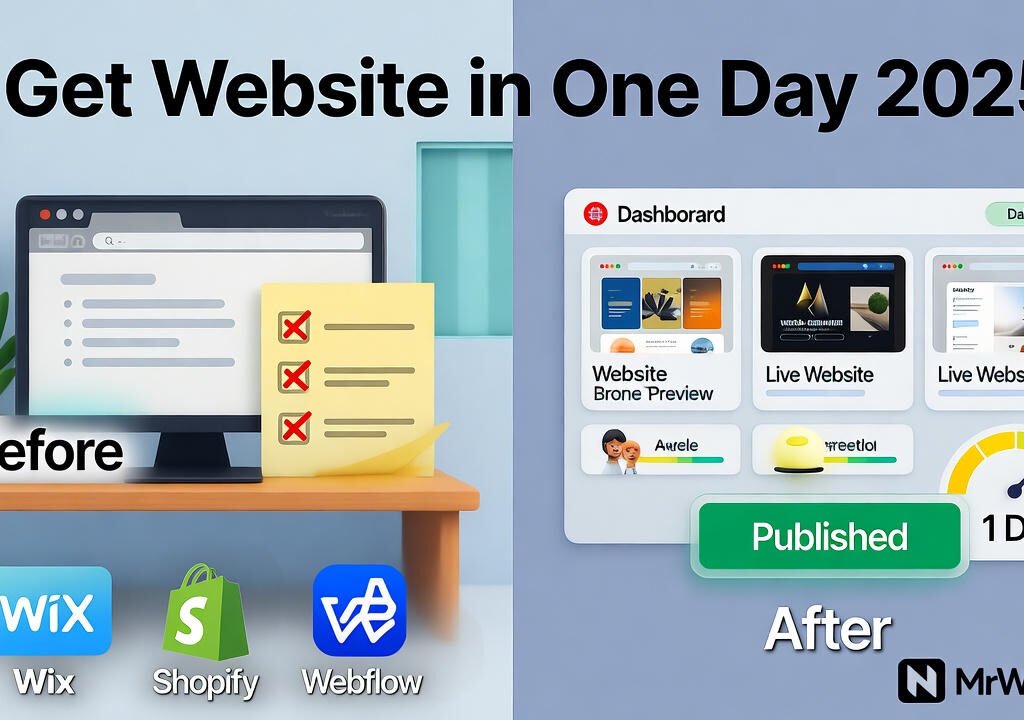
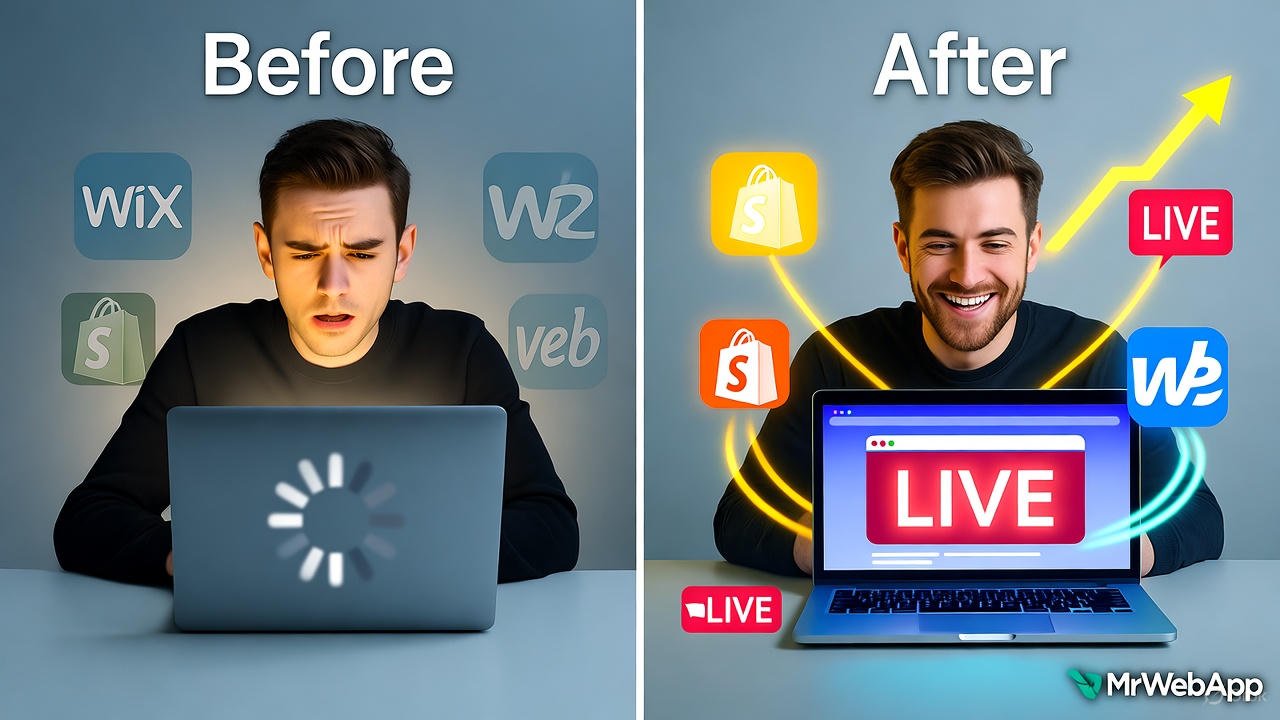
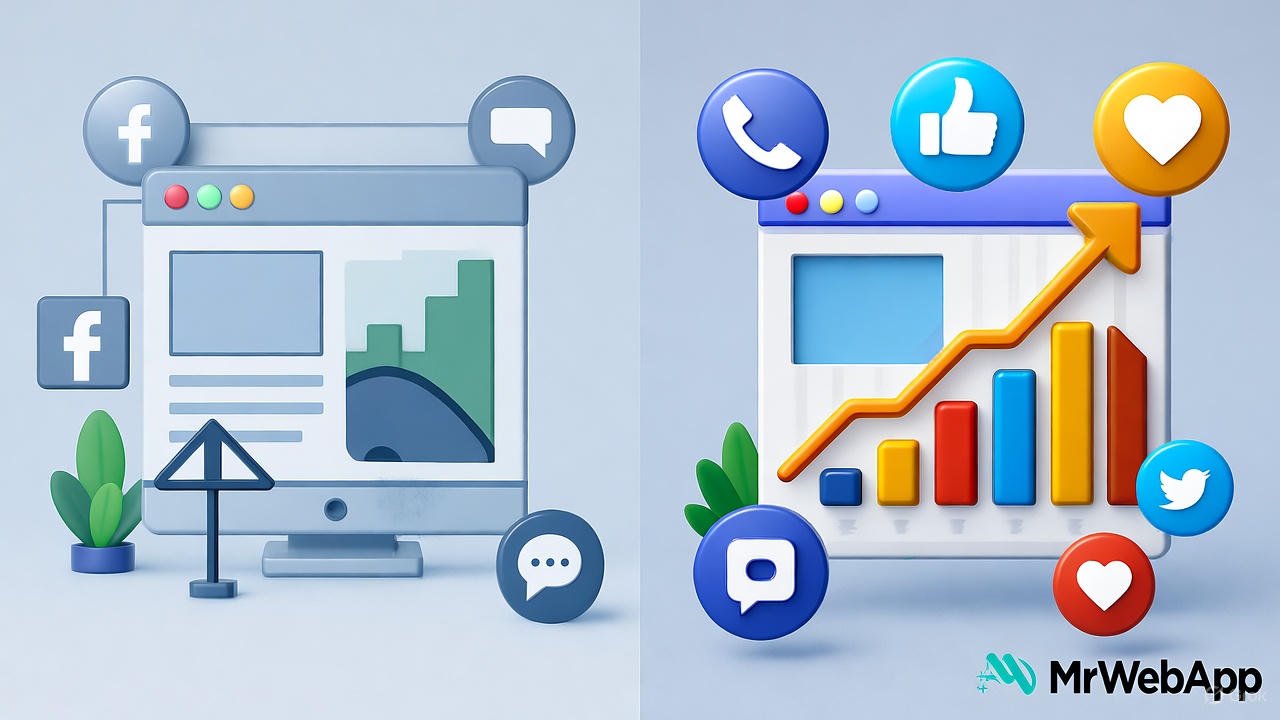
Get Website in One Day 2025 before and after transformation
Launch your site in one day with Wix, Shopify, or Webflow.

Tips for Launch After Get Website in One Day 2025

Drive traffic. Share on social media. Run Google Ads.

Track analytics. Use built-in tools. Tweak based on data.

Update content. Add blogs weekly. This keeps visitors coming.

Success follows action. Visit mrwebapp.com/blog for more.

FAQs

How long to really Get Website in One Day 2025? Hours if you follow steps. Beginners take 4-6 hours.

Which platform for beginners to Get Website in One Day 2025? Wix. Its editor is intuitive and forgiving.

Can I sell products to Get Website in One Day 2025? Yes, Shopify excels here. Setup store basics fast.

Is Get Website in One Day 2025 free? Free trials on all. Upgrade later as needed.

What if I need help to Get Website in One Day 2025? MrWebApp offers free consults. Contact us.

Ready to Launch at MrWebApp?

Build your site today. Visit mrwebapp.com. Let’s get you online in one day.
Poor Online Visibility before and after improvement

Poor Online Visibility? 5 Quick Fixes That Actually Work in 2025

Feeling invisible online? Many small businesses struggle to stand out in today’s crowded digital space. By October 2025, competition has intensified, and outdated strategies no longer cut it. At Mr WebApp, we’ve seen this firsthand and crafted solutions that deliver. This article gives you five easy fixes for Poor Online Visibility 5 Quick Fixes 2025 quickly. Let’s get started.

Based in Lahore, Mr WebApp, helps businesses thrive online. Our team focuses on practical strategies and insights. So, whether you run a shop or offer services, these tips fit your needs.

Optimize Your Website for Poor Online Visibility

Speed matters. A slow site pushes visitors away. First, check loading times with tools like Google PageSpeed. Then compress images and use a content delivery network.

Mobile use dominates in 2025. Ensure your site looks great on phones. This tweak boosts rankings and keeps users engaged. Visit mrwebapp.com/services for more web tips.

Do Local SEO to Fix Poor Online Visibility

Local searches give traffic. Claim your Google Business Profile today. Add your address, hours, and photos. Next, encourage customers to leave reviews.

Consistency helps. List your business on local directories. This step puts you on the map. Check Wikipedia for SEO basics.

Boost Content with Poor Online Visibility

Fresh content attracts visitors. Post blogs or videos weekly. Focus on topics your audience cares about. Then share them on social media.

Keywords matter too. Use tools like Ahrefs to find terms. This draws search engines to your site. Explore mrwebapp.com/blog for ideas.

Use Social Media Smartly for Poor Online Visibility

Social platforms amplify reach. Pick two channels, like Instagram or LinkedIn. Post regularly with engaging visuals. Then respond to comments fast.

Ads work well in 2025. Try a small budget on Facebook Ads. This targets your audience effectively. See HubSpot for social tips.

Backlinks build authority. Reach out to local blogs for guest posts. Offer value, not just links. Then track results with Google Search Console.

Image Placeholder

Poor Online Visibility before and after transformation
  • Alt Text: Poor Online Visibility 5 Quick Fixes 2025 graphic
  • Caption: Boost visibility with 5 quick fixes in 2025
  • Description: This image shows a graphic for Poor Online Visibility 5 Quick Fixes 2025. Highlighting strategies to improve online presence.

Measure and Adjust Your Poor Online Visibility

Track progress. Use Google Analytics to see traffic. Check which fixes work best. Then adjust your efforts accordingly.

Stay current. Trends shift fast in 2025. So, test new tools monthly. This keeps you ahead. See Shopify for analytics advice.

Real Success Stories with Poor Online Visibility

A cafe doubled visits. They optimized their site and claimed their profile. Customers found them easily. Growth followed.

A freelancer gained clients. Fresh blogs and backlinks did the trick. This shows these fixes work. Real results inspire.

FAQs

Why is my online visibility so low? It might be a slow site or weak SEO. Try our fixes to see changes.

How fast do these fixes work? Some show results in weeks. Others, like backlinks, take a month.

Do I need tech skills for this? No, our steps are simple. We guide you free.

Can small businesses use these? Yes, they’re designed for small teams like yours.

What if I need more help? Contact us. We offer free support anytime.

Take Action Today with MrWebApp

Ready to shine online? Visit mrwebapp.com now. Let’s boost your visibility together. Start with one fix today!

Mobile UX Fixes for Wix eCommerce by MrWebApp

Why Mobile Users Hate Your Wix eCommerce Website — Mobile UX Fixes for 2025

Make your Wix store faster, cleaner, and more mobile-friendly this year

Many online stores lose sales. Mobile visitors leave too fast. They tap on a product, wait too long, or can’t find the “Buy Now” button. The truth is, mobile users have no patience.

If your Wix eCommerce website looks good on desktop but feels slow or confusing on a phone — you’re losing money.

MrWebApp fixes mobile UX issues. Your store loads fast, looks clean, and helps more people buy

Let’s explore why mobile users hate some Wix stores — and how you can fix every problem in 2025.

🚫 Common Reasons Mobile Users Leave Your Wix Store

1. The Website Loads Too Slowly

When your page takes longer than three seconds to load, users start leaving. Many Wix websites have large images, unused scripts, or animations that slow them down.

Fix it:

  • Use compressed images (under 200 KB).
  • Avoid too many GIFs and videos on the homepage.
  • Use Wix’s built-in speed optimization tools.
  • Test with Google PageSpeed Insights — aim for 90+.

We use smart tools for speed. Your Wix store can open in less than two seconds.

2. The Design Isn’t Mobile-Friendly

Many stores still use desktop-style designs on mobile. That means users must zoom in or scroll endlessly. Buttons are small, menus overlap, and checkout forms look messy.

Fix it:

  • Use Wix’s mobile editor to adjust every section separately.
  • Keep buttons large and centered.
  • Reduce menu levels.
  • Keep one clear call-to-action (like “Add to Cart”).

We design every Wix store mobile-first, not desktop-first. That’s how we make sure it’s easy to use on every screen.

3. The Product Pages Are Confusing

If your product pages are full of text, unclear prices, or too many options, mobile users get lost fast. They scroll once, can’t find what matters, and exit.

Fix it:

  • Show only the most important info above the fold: image, price, and “Add to Cart.”
  • Move long descriptions under a “More Info” tab.
  • Use clean product photos with plain backgrounds.
  • Add trust signs like “Free Delivery” or “Money-Back Guarantee.”

We create simple layouts where the user sees exactly what they need to buy — nothing extra.

4. Checkout Takes Too Long

A long checkout form kills sales. Mobile users don’t like typing a lot.

Fix it:

  • Use one-page checkout.
  • Enable guest checkout (no forced account).
  • Add payment icons early (Visa, PayPal, Stripe).
  • Use autofill for address and name fields.

At MrWebApp, we set up checkout pages that finish in less than 30 seconds.

5. Pop-ups and Banners Block the View

Pop-ups may look fine on desktop, but they ruin the mobile experience. Users try to close them but can’t find the “X” — and they quit your site.

Fix it:

  • Use fewer pop-ups on mobile.
  • Delay them until the visitor scrolls 50%.
  • Keep them small and easy to close.

We create smart pop-ups that show only when needed — not the moment your visitor lands.

6. Poor Navigation & Menu Design

Your mobile menu should help users find products fast. If it’s long, cluttered, or hidden behind confusing icons, people leave.

Fix it:

  • Keep 5 or fewer top menu items.
  • Use icons (🛒, 🔍, ☰) but make them clear.
  • Add a sticky “Shop” or “Cart” button for faster access.

Good UX is about simplicity. The fewer steps users take, the more they buy.

How MrWebApp Fixes Mobile UX Problems

When a client comes to us, we don’t just change colors or fonts. We rebuild the experience around speed, clarity, and conversion.

Here’s our process:

Step 1: Mobile UX Audit

We test your current Wix store on different devices — Android, iPhone, tablets. We look for:

  • Slow pages
  • Poor spacing
  • Hidden buttons
  • Cluttered layouts

Then we share a report with screenshots and suggestions.

Step 2: Design Cleanup

Our design team removes the extra noise. We fix colors, spacing, and structure so the design looks clean and easy. We keep the focus on your main products and call-to-action.

Step 3: Speed Optimization

We compress images, remove unused scripts, and enable caching. We also optimize font loading and animations. The goal is simple — open every page in under two seconds.

Step 4: Better Product Layouts

We redesign your product pages for mobile. Each page gets:

  • A large image
  • A short product title
  • A clear price
  • A single “Buy” or “Add to Cart” button

We also improve filters and sorting tools for faster browsing.

Step 5: Checkout Fix

We simplify the checkout to make it fast. Auto-fill, guest checkout, and fewer form fields mean less friction. Your customers complete purchases faster and with fewer errors.

Step 6: Testing, Reporting & Security

We test the new mobile design with tools and real users. We check loading times, button clicks, and form submissions. You receive a before-and-after report showing performance gains.

🕒 Time & Process Overview

Here’s how long a full Mobile UX Fix for Wix eCommerce project takes:

Audit: Check your store and make a report — 1–2 days

Redesign: Fix layout, colors, and spacing — 2–3 days

Optimize: Boost speed and loading time — 1–2 days

Testing: Try it on all devices — 1–2 days

Final Review: Deliver and launch — 1 day

⏱️ Total time: 7–10 working days

👥 Our Team

Each project is handled by a small, expert team:

  • UX Designer: Simplifies layout for mobile.
  • Developer: Fixes performance and integrations.
  • SEO Specialist: Keeps mobile speed SEO-friendly.
  • Tester: Ensures everything works before launch.

We focus on clean work, fast delivery, and long-term support.

Pricing

PackageBest ForPriceTimeline
Basic FixSmall stores, few pages$300–$5005–7 days
Advanced FixMid-size stores with checkout optimization$700–$9007–10 days
Full UX OverhaulComplete redesign and speed upgrade$1,000–$1,500+10–14 days

Our Mobile UX Fix packages are simple and flexible.

Pages open in under 2 seconds

People stay longer on your site

More sales and conversions

Higher SEO ranking

Happier customers

You can also add:

  • SEO optimization
  • Mobile speed tracking
  • Monthly maintenance

🧾 Requirements to Start

Before we begin, we’ll need:

  • Access to your Wix dashboard
  • Product or service details
  • Logo and brand colors
  • Payment method preferences
  • Any design references (optional)

If you don’t have all this yet, don’t worry — we help set it up for you.

📈 Expected Results

After your Mobile UX Fix, you’ll notice:

Faster loading time (under 2 seconds)

Lower bounce rate

Higher sales and conversions

Better mobile SEO ranking

Improved customer satisfaction

Your website won’t just look good — it will feel easy to use and trustworthy.

Why Choose MrWebApp

We’ve helped hundreds of Wix users improve their eCommerce websites. Our goal is not just to fix problems — it’s to help you sell more.

We care about real results:

  • More traffic
  • More orders
  • Fewer cart abandons

With our experience in Wix, SEO, and UI design, we make your store ready for 2025 standards.

Ready to Fix Your Wix Store for Mobile Users?

Don’t let mobile visitors leave your site again. Your products deserve to be seen — and bought.

👉 Contact us on WhatsApp to get your Wix Mobile UX Audit today. We’ll review your store, share fixes, and make your site mobile-perfect within days. https://wa.me/+923100078066/

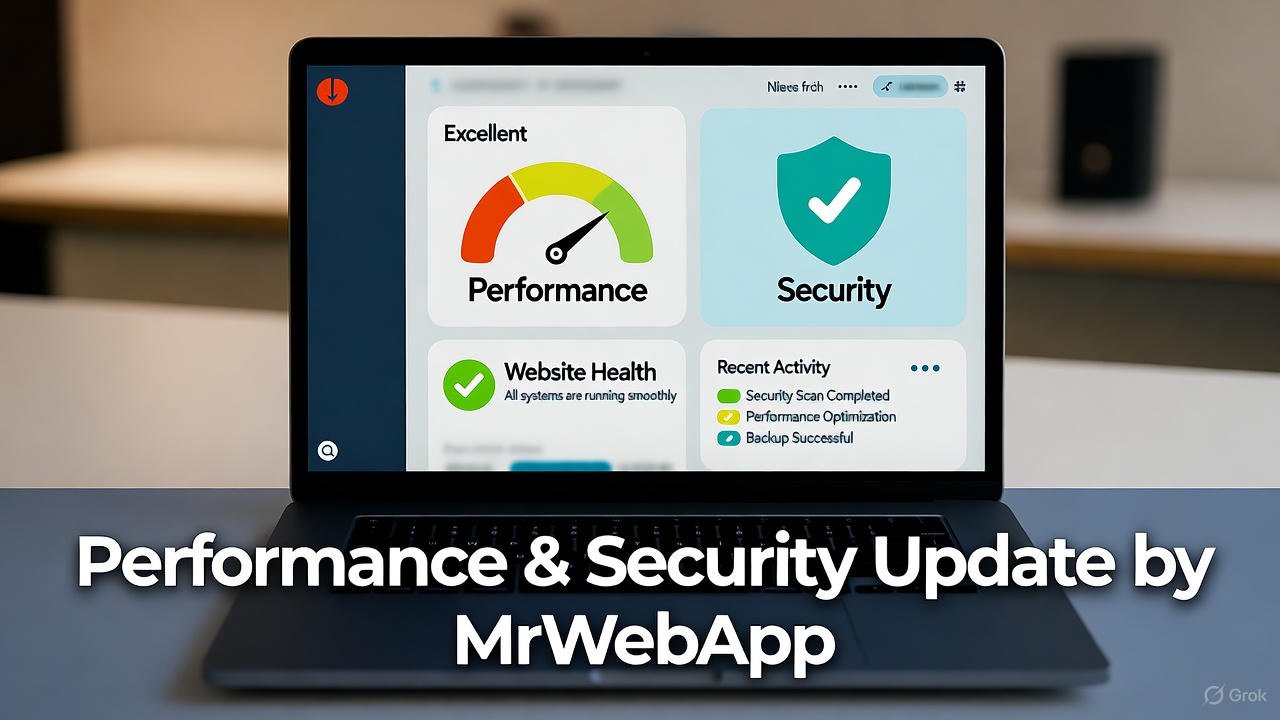
Performance & Security Update by MrWebApp

Continuous Website Maintenance — Keep Your Website Secure, Fast, and Growing

Is your website slowing down? Or maybe it sometimes crashes without warning? That means it needs a full Performance & Security Update.

Most business owners ignore this part until something breaks. Then they panic when customers leave or payments fail. You don’t have to face that. At MrWebApp, we make your site quick, stable, and secure every single day. And yes, you can start free and pay later — when your website starts earning.

What a Performance & Security Update Actually Means

Think of it like a full health check for your website. We fix the slow parts, remove the bugs, tighten the doors, and make it run smooth as butter.

A Performance & Security Update improves speed, stability, and protection from attacks. It’s not a one-time patch — it’s a system that keeps your digital business strong.

Our goal is simple: a website that loads in seconds and stays safe all the time.

Why You Need This Update Now

Most websites lose 30–40% of visitors if they load slowly. And even one security issue can break trust completely.

That’s why speed and safety are not extras anymore. They are your brand’s foundation. When people feel safe, they stay longer, buy more, and share your site confidently.

At MrWebApp, we mix performance and protection in one simple plan — so you don’t have to hire two teams or pay twice.

Our Process for Your Performance & Security Update

We don’t keep secrets. Here’s how we do it — step by step, clean and clear.

  1. Understand your goals
  2. Audit your current website
  3. Create an update strategy
  4. Prepare full backup and rollback plan
  5. Improve loading speed and caching
  6. Upgrade hosting and compression layers
  7. Secure data and forms
  8. Add firewalls and malware protection
  9. Test everything on desktop and mobile
  10. Launch and monitor performance

Each step is focused on one thing: make your site fast and safe. Our process is simple, bhai — no confusion, no waste.

Timeline — How Long It Takes

We divide the update into short, clear phases so you can track progress easily.

  • Phase 1: Kick-off meeting and website audit
  • Phase 2: Plan and approval
  • Phase 3: Implementation
  • Phase 4: Testing and fixes
  • Phase 5: Launch and monitoring

Most small sites finish within one to two weeks. For complex sites or eCommerce stores, it can take up to four weeks. You’ll always know what’s happening because we send progress updates every few days.

Tools and Technologies We Use

We use tools that are trusted globally. They are easy to maintain, reliable, and future-proof.

  • Google Lighthouse and GTmetrix for speed testing
  • Cloudflare CDN for faster delivery
  • SSL and HTTPS for secure access
  • Firewall and malware protection plugins
  • Redis and caching systems for performance
  • Uptime and error monitors for stability

These tools keep your site strong, safe, and quick — 24/7.

Team Roles You’ll Work With

Your Performance & Security Update isn’t done by one person. You’ll get a small, smart team handling every part with care.

  • Performance Engineer: Handles speed and caching
  • Security Engineer: Protects against hacks
  • Web Developer: Fixes code and structure
  • QA Expert: Tests everything before launch
  • Project Manager: Keeps you updated
  • Support Specialist: Monitors site after completion

Everyone knows their job — so you get professional results without confusion.

Schedules and Communication

You’ll never wonder what’s happening. We set up clear schedules from day one.

  • Weekly updates
  • Feedback calls
  • Live progress reports
  • Post-launch checks

If something urgent appears, our support team jumps in instantly.

Pricing Range

We keep pricing honest and flexible. Here are the usual ranges for Performance & Security Update projects:

  • Small business sites: $200 – $600
  • Medium or eCommerce sites: $600 – $1,500
  • Large or complex systems: $1,500 – $4,000

Exact pricing depends on your website’s condition and size. We discuss it after the audit — no hidden fees, no surprises.

Our Exclusive Offers

We don’t just sell updates. We start growth journeys. That’s why our offers are designed to help you move faster — even before paying.

  • Free Service Kickstart — we begin a basic update at zero cost
  • Free Audit Report — get a full report before any payment
  • Free Growth Plan — learn how speed and safety increase sales
  • Free Post-Launch Check — we test again after your site goes live
  • Free SEO Boost — optimize visuals and technical elements
  • 50% Off Custom Features after your website starts earning
  • Pay-from-Profits Model — pay a share when results come in

As Ahmad Bin Obaid says:

“We don’t sell services. We start your business for free, push growth, and you pay when earning.”

That’s not a slogan — it’s how we work every single day.

Why Our Process Works So Well

Speed and security go hand in hand. When your site runs fast, visitors trust you more. When it’s secure, they feel safe to buy or share data.

Here’s why our method works:

  • We track real performance numbers, not just scores
  • We use global best practices, but keep pricing local
  • We offer ongoing checks so your site stays optimized
  • We focus on results — more traffic, more leads, more sales

And yes, everything is handled in simple language. No tech talk, no confusion.

The Real Value for You

You don’t just get a faster website. You get peace of mind.

Imagine , no error messages, no hacking alerts — just smooth business every day. That’s what our Performance & Security Update gives you.

You also save money because you don’t need separate speed and security experts. Our combined system keeps things efficient and affordable.

Industries We Support

Our service fits almost any business type:

  • E-commerce brands who want faster checkouts
  • Education platforms needing stable logins
  • Real estate firms showing property listings
  • Restaurants managing online menus
  • Healthcare and clinics securing patient data
  • Startups and agencies needing reliable dashboards

Wherever you are — in Pakistan, UAE, UK, or USA — we can help you grow.

Why MrWebApp Is the Right Choice

Because we think like business people, not just developers. We understand your pain points:

  • You want results, not reports.
  • You want clear steps, not long meetings.
  • You want proof before payment.

Our model fits all three. Start free, test the results, then pay only when you see growth.

We call it smart partnership.

Our Promise

When you choose MrWebApp, you get:

  • A faster, safer website
  • Transparent pricing
  • Regular communication
  • Real performance reports
  • Free audits and post-checks
  • Support after completion

We treat your project like our own business — because your growth proves our skill.

Simple Example of Impact

One of our recent clients had a WooCommerce store that took 11 seconds to load. After our update, it loaded in 2.8 seconds and security rating jumped to A+. Their daily sales increased by 37%.

Results like that are not magic. They are the result of a focused Performance & Security Update done right.

FAQ

1. How much does a Performance & Security Update cost? It starts around $200 and depends on your site’s size and condition. You’ll get a full quote after the audit.

2. How long does it take? Most projects take one to four weeks depending on content and complexity.

3. What tools or technologies do you use? We use caching systems, CDN, SSL, security plugins, and speed testing tools.

4. Can you also help with engagement and conversions? Yes. A faster site means better SEO, higher trust, and more conversions.

5. What if something goes wrong after the update? We include a rollback plan and free post-launch support. You’re never left alone.

Thanks for reading!

Performance & Security Update that protects your business and grows your sales? Let’s make your website faster, safer, and stress-free today.

👉 Visit https://mrwebapp.com or 📱 WhatsApp us at +92 300 7118710

No upfront payment. No long waiting. Just results — quick, safe, and real.

MrWebApp — Smart Solutions. Real Growth.

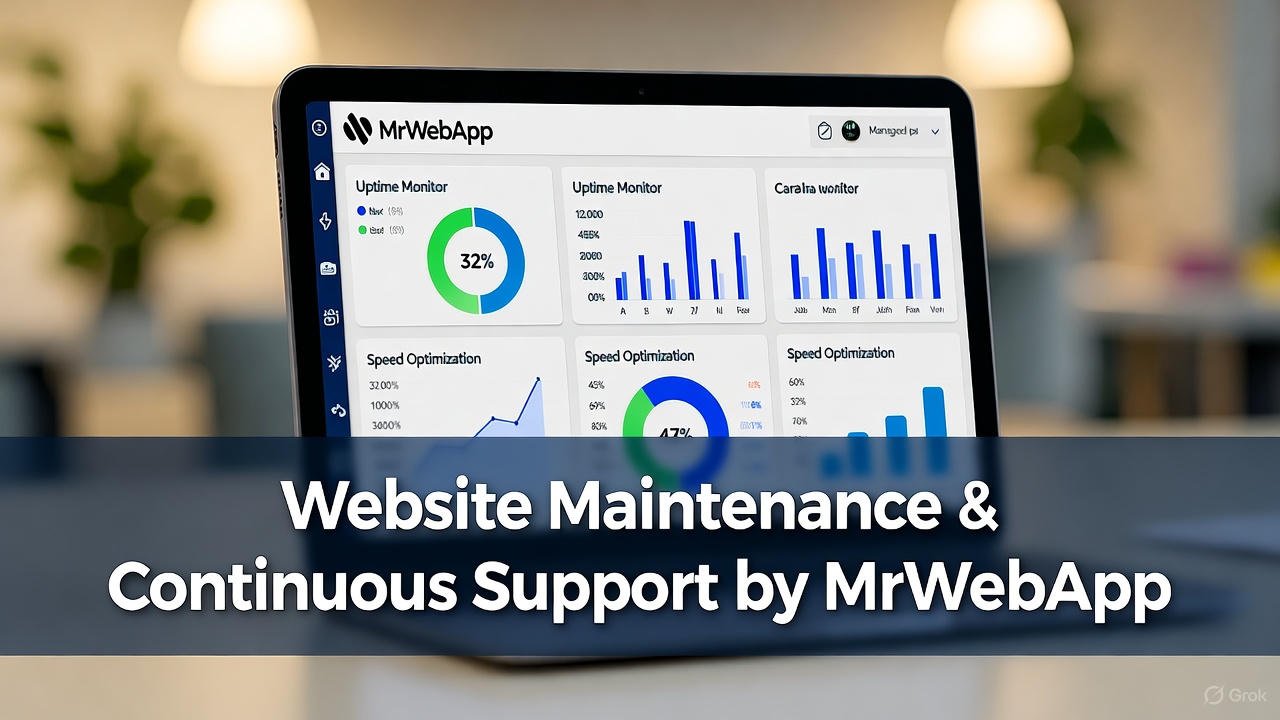
Website Maintenance & Continuous Support by MrWebApp

Website Maintenance & Continuous Support by MrWebApp

Keep Your Website Alive, Fast, and Working for You

Most businesses stop after launch. The site goes live, the project closes, and everyone disappears. That’s not how we work at MrWebApp. We stay with you — keeping your website secure, updated, and growing. Because a site isn’t a trophy, bhai. It’s a living system that needs care every week.

Your business deserves results, not dead pixels. We keep your website fast, easy to find, and better every day.. It can be a small website or a large online store. We keep it smooth, fast, and ranking well.

Why Maintenance Matters

Websites break, plugins expire, and Google updates its rules. Without maintenance, your site slows down and your sales drop. So, our job is simple: keep everything running, safe, and profitable. We monitor, update, improve, and report — so you can focus on business.

And yes, you start free. You pay only when your site begins to perform.

Our Process for Continuous Growth

Every maintenance plan follows a clear, no-stress process. Each step builds trust and delivers visible results.

1. Initial Health Check

We check your site for problems. That includes speed, security, broken links, old code, and missing SEO tags.

2. Backup & Security Setup

We set up automated backups and add strong security firewalls. If a hacker even blinks, we catch it first.

3. Performance Optimization

We reduce load time, compress images, and clean the code. Your site starts loading in seconds — not minutes.

4. Content & SEO Updates

We refresh old pages, add keywords, and improve titles. Fresh content means better ranking and more clicks.

5. Technical Fixes

From plugin conflicts to script errors, we handle it all. No tech stress, no developer chase.

6. Analytics & Reporting

We track your growth and share monthly reports. You see real numbers — traffic, conversions, and keyword reach.

7. Regular Design Improvements

Design trends change fast. We tweak layouts, improve visuals, and keep the brand modern.

8. Continuous Promotion

We connect your site to social media, Google tools, and marketing channels. Everything works together to drive visitors.

Timeline

We keep it structured and clear.

  • Day 1-3: Audit and fixes
  • Week 1-2: Performance and security setup
  • Month 1: SEO, content, and speed improvements
  • Ongoing: Monitoring, reports, and new updates every month

No delays, no mystery.

Tools & Technologies We Use

We use tools that keep your website sharp:

  • Google Analytics & Search Console for tracking
  • Yoast SEO & Rank Math for optimization
  • Cloudflare & SiteGround Security for protection
  • Ahrefs & SEMrush for backlink reports
  • WordPress, Shopify, Wix, Webflow — whichever you use
  • AI tools for content, keyword, and technical insights

Everything we use is proven, fast, and trusted by global brands.

Team Roles

Each project gets a dedicated crew:

  • Project Manager — keeps the flow smooth
  • SEO Expert — drives organic traffic
  • Developer — handles fixes and updates
  • Designer — improves visuals and layouts
  • Content Writer — adds fresh words that sell
  • Social Media Person — connects everything together

You always know who’s doing what.

Pricing

We keep pricing simple. Most maintenance plans range from $200 to $1,500 per month, based on your site’s size and needs. No hidden costs. No hourly billing drama. And yes — you start free and pay only when your website shows growth.

Special Offers

Because we believe in value first, we include:

  • Free SEO Audit
  • Free Performance Optimization
  • Free Growth Plan Report
  • Free Social Media Integration
  • Free Blog Article Setup
  • Free Backlink Support
  • 50 % Off Custom Design Tweaks (after results)
  • Pay-From-Profits Model — pay when you start earning

Why MrWebApp?

Most agencies stop at delivery. We don’t. Our job is not just to build your site — it’s to make it perform. We want your site to bring traffic, leads, and real sales.

Our clients reach over 100K impressions each year. We update your SEO, add new content, make your site faster, and connect it to your marketing.

This full-circle support turns your website into a business engine. No excuses. Only results.

Value That Brings Clients Back

We don’t sell maintenance; we build partnerships. Every task — from a small plugin update to a complete SEO overhaul — helps you grow. You’ll see smoother speed, higher rankings, and more customers on WhatsApp.

And because we start free, there’s no risk. We only win when you do.

Example of Our Maintenance Workflow

  1. Audit your site and fix basic errors.
  2. Update your CMS, plugins, and database.
  3. Improve on-page SEO with better keywords.
  4. Add backlinks from trusted websites.
  5. Write and post one fresh article monthly.
  6. Connect with Facebook, Instagram, and LinkedIn.
  7. Review analytics and adjust strategy.
  8. Share monthly growth report.

Each step keeps your site active and profitable.

Continuous Integration With Marketing

We also sync your website with:

  • Email tools
  • CRMs
  • Payment gateways
  • AI chatbots
  • POS systems

So, your website and marketing tools share the same data. No manual work, no double entries, no delays.

What You Get Every Month

  • Fast-loading website
  • Regular updates
  • Strong security
  • SEO growth
  • Analytics reports
  • Social integration
  • Real results

Everything managed by experts who actually care about your business.

Our Mission

“We help businesses grow online with smart, creative, and high-performing digital solutions.”

That’s not just a line — it’s our daily process. We build your system, grow it, and maintain it until it becomes a profit machine.

Frequently Asked Questions

Q1: How much does website maintenance cost? Most plans start at $200 per month. You pay only when you see results.

Q2: What’s included in maintenance? Security, updates, SEO, content, design tweaks, and performance checks.

Q3: How often do you update a site? Every week. Some updates are daily if your traffic or sales are high.

Q4: Do you manage SEO and content too? Yes. We handle on-page, off-page, backlinks, and articles every month.

Q5: What if I’m not happy with the results? You don’t pay. Our model is “start free, pay after results.” No risk.

Let’s Keep Your Website Alive

Your site deserves more than a launch. It deserves ongoing growth, faster results, and constant support. Let’s make it happen.

👉 Ready for website maintenance that actually works? Visit https://mrwebapp.com or WhatsApp +92 300 7118710 now.

API Development & System Integration by MrWebApp.

API Development & System Integration by MrWebApp: Smart Systems. Real Growth.

Introduction

Are you struggling to connect your software, apps, or business tools together?
Many small businesses lose hours doing manual work because their systems don’t talk to each other.
That’s where API Development & System Integration comes in — and trust me, bhai, it’s a total gamechanger.

At MrWebApp, we don’t just build APIs. Instead, we connect your tools, CRMs, apps, and payment systems — even AI tools. For example, we can link your POS with your Shopify store. Plus, we connect AI tools like ChatGPT or Gemini, so everything runs fast and smooth.

If you’re tired of extra work or messy data, then let’s fix it today. Get your systems synced — start free and pay later.


Why API Integration Is a Big Deal

Think of an API like a “middleman” between your apps.
It’s the reason your website can talk to your CRM. Moreover, it connects WhatsApp and payments — so everything updates instantly.
When done right, your business runs automatically — 24/7 — without you touching a thing.

And when it’s done by MrWebApp, it’s done smartly. Because our APIs aren’t just code — they’re business systems that scale your work, save hours, and grow your income.


Our API Development & System Integration Process

We keep things super simple — no technical chaos, just results.
Here’s how our team makes it happen step-by-step:

1. Understand Your Systems

First, we map out all your tools, platforms, and apps — from CRM to POS, or even AI chatbots.

2. Design Smart Flow

Then we define how data should move automatically between them — clean, fast, and error-free.

3. API Development

After that, we build new APIs or customize existing ones for your apps, dashboards, or SaaS products.

4. System Integration

Next, we link your website, apps, POS, and tools into one smooth system.

5. Testing & Security Setup

In this phase, we ensure everything runs smoothly — secure, stable, and bug-free.

6. Launch & Support

Finally, we deploy it live and offer full support. If something breaks, we fix it — no stress.

Our process is solid, bhai. It’s built for speed, reliability, and long-term growth.


Tools & Technologies We Use

We integrate and develop APIs for almost everything modern businesses use.
From AI to POS — everything connects perfectly when handled by our team.

  • AI APIs: OpenAI, Gemini, HuggingFace, Stability AI
  • SaaS APIs: Notion, Slack, Trello, Asana, Zapier, Make
  • POS APIs: Foodics, Square, Shopify POS, Vend
  • Payment APIs: Stripe, PayPal, PayFast, JazzCash
  • CRM & Marketing APIs: HubSpot, ActiveCampaign, WhatsApp Cloud API
  • Custom Web/App APIs: REST, GraphQL, Webhooks

With MrWebApp, you don’t need to worry. We make all your tools connect easily and smoothly.


Timeline & Project Phases

We know your time matters, so we keep things fast and organized.

  • Phase 1: First Meeting (Goal understanding)
  • Phase 2: System Map & Sign-Off
  • Phase 3: Development & Testing
  • Phase 4: Integration Launch
  • Phase 5: Post-Launch Support

These steps make your project easy to follow. As a result, you always know what’s happening.


Team Roles

Here’s who’s working behind the scenes on your system:

  • API Developer
  • System Architect
  • Integration Engineer
  • QA Tester
  • Project Manager
  • Business Strategist

Together, our team ensures your integration launches faster and with zero stress.


Pricing Range

Our pricing is simple and clear. Most projects cost between $300 and $5,000, based on size and tools.

Also, you start free — pay only when earning. That’s our promise.


Special Offers for API Projects

We don’t just sell — we help you grow your business with real results. Here’s what you get upfront:

  • Free System Audit — we check your current tools and workflows
  • Free Integration Blueprint — see how your tools can connect
  • Free AI Consultation — explore how AI APIs can automate your work
  • Free Launch Support — we help you go live
  • Pay-from-Profits Model — pay only after your business starts earning

This isn’t a trick — it’s our model. Because if your system doesn’t grow your business, we don’t deserve to get paid.


Why Businesses Trust MrWebApp

There are many reasons clients love working with us.
First, we integrate faster and simpler than any agency you’ve met.
Second, we’ve connected systems for eCommerce, healthcare, education, real estate, and restaurants.
Third, our solutions cut manual work by up to 70%.
Finally, we build automation that runs while you sleep.

Our focus is simple: you grow, we grow.

So, stop wasting time switching tabs and juggling tools — and get your systems working for you today.


Value Section: The “Smart System Advantage”

Here’s why MrWebApp’s process delivers great value:

  • Seamless automation
  • Real-time data flow
  • Error-free sync
  • Increased efficiency
  • Lower operating cost

When all your systems work together — your business finally scales.
It’s not just smart — it’s freedom.


FAQs

1. How much does API development cost?
Usually between $300 and $5,000 — depends on your setup and tools.

2. How long does it take to integrate systems?
Most projects go live within 2–4 weeks.

3. Do you handle AI APIs too?
Yes — we integrate AI tools like ChatGPT, Gemini, and custom AI dashboards.

4. Can you connect my POS or accounting software?
Absolutely — we’ve integrated Foodics, Shopify POS, QuickBooks, and more.

5. What if my system breaks later?
We offer free post-launch checks and lifetime support plans.


Ready to Automate Your Business?

Let’s make your systems work for you, not against you.

🚀 Launch your API development project today!
Visit 👉 https://mrwebapp.com
Or message us on WhatsApp → +92 300 7118710

Start free. Pay later. Build smarter.

Because at MrWebApp, we don’t just code —
We connect your business to the future.

IT professionals collaborating on AI and cybersecurity projects for 2026

Future of IT Jobs 2026: Which Roles Will Be in High Demand?

Technology is evolving faster than ever — and so is the job market. As we move toward 2026, new technologies like AI, blockchain, and quantum computing are reshaping what employers need. The future of IT jobs 2026 looks promising for skilled professionals who can adapt, innovate, and work remotely across global teams.

Whether you’re starting your tech career or upgrading your skills, here’s a complete look at the roles that will define the IT landscape in the next few years.


1. Artificial Intelligence (AI) and Machine Learning Engineers

AI continues to revolutionize every industry — from healthcare to finance and education. By 2026, AI engineers and machine learning specialists will be among the most in-demand professionals.

Companies need experts who can build smart algorithms, train AI models, and develop predictive systems that make data-driven decisions.

Common tools: TensorFlow, PyTorch, and Scikit-learn.

🔗 Learn more about AI development on Google Cloud or Microsoft AI programs.


2. Cybersecurity Experts and Ethical Hackers

As digital systems grow, so do cyber threats. The demand for cybersecurity analysts, ethical hackers, and network defenders will skyrocket in 2026.

Businesses are increasingly hiring remote security experts to monitor networks, identify vulnerabilities, and protect sensitive data.

Certifications that boost your career:

  • Certified Ethical Hacker (CEH)
  • CompTIA Security+
  • CISSP (Certified Information Systems Security Professional)

3. Cloud Engineers and DevOps Specialists

The global shift to remote work and digital platforms means cloud computing is now essential. Cloud engineers skilled in AWS, Azure, and Google Cloud will continue to dominate hiring trends.

DevOps roles — those who can automate deployments using Docker, Kubernetes, and CI/CD pipelines — will remain among the top IT jobs in demand for 2026.

🔗 Internal Link: Explore Cloud Hosting Services by MrWebApp.


4. Data Scientists and Data Analysts

In 2026, businesses will rely even more on data-driven insights. Data scientists will play a central role in translating raw data into business intelligence.

Top skills include Python, SQL, Power BI, and R.
Remote analysts will be key in helping organizations predict trends, manage risks, and personalize customer experiences.


5. Blockchain and Web3 Developers

Blockchain technology has matured beyond cryptocurrency. Web3 developers now create decentralized apps (dApps), NFT marketplaces, and digital identity systems.

By 2026, companies will seek Solidity and Rust developers to build secure, transparent, and scalable blockchain solutions.

💡 Check Ethereum Developer Resources for hands-on blockchain guides.


6. Software Engineers and Full-Stack Developers

Despite AI automation, software engineers remain the foundation of the tech ecosystem. Developers skilled in both front-end and back-end technologies are in high demand.

Key technologies for 2026:

  • Frontend: React.js, Vue.js, Next.js
  • Backend: Node.js, Django, Laravel
  • Mobile: Flutter, React Native

🔗 Internal Link: Website Development Services at MrWebApp.


7. UI/UX Designers and Product Developers

User experience will continue to define digital success. By 2026, companies will invest more in UI/UX designers who understand accessibility, performance, and human-centered design.

Familiarity with tools like Figma, Adobe XD, and Canva Pro will remain essential.

📍 Internal Link: Learn About Our UI/UX Design Services.


8. Automation and Low-Code Platform Developers

Businesses are adopting low-code and no-code tools to build apps faster. Professionals who understand workflow automation tools like Zapier, Airtable, and Bubble will find many remote opportunities.

This hybrid skill set merges tech expertise with process management — a major advantage in global IT teams.


9. Cloud Security and Compliance Specialists

As companies store more data in the cloud, cloud security engineers and compliance officers will become essential.

These roles involve protecting cloud infrastructure, ensuring regulatory compliance (GDPR, ISO 27001), and integrating AI-based threat detection systems.

🌐 External Link: IBM Cloud Security Resources.


10. IT Project Managers and Business Analysts

Technology projects require structured leadership. By 2026, IT project managers and business analysts will bridge the gap between developers and clients.

Knowledge of Agile, Scrum, and Kanban frameworks will make these roles even more valuable.


🧠 FAQs

1. What IT jobs will be most in demand in 2026?
AI engineers, cybersecurity experts, and cloud specialists will lead the IT job market in 2026.

2. Will automation reduce IT jobs?
No. Automation will shift the focus toward high-skill roles such as AI integration, data analysis, and system architecture.

3. Are blockchain careers still relevant in 2026?
Yes — blockchain continues to expand beyond crypto into identity, healthcare, and digital assets.

4. What skills should I learn for future IT jobs?
Cloud computing, AI/ML, cybersecurity, and full-stack development are top priorities.

5. Can I work remotely in these IT roles?
Absolutely. Most modern IT roles — from web development to data analysis — are remote-friendly in 2026.


💼 Conclusion

The future of IT jobs in 2026 belongs to those who continuously learn and adapt. Whether you’re exploring AI, blockchain, or web development, building a future-ready skill set will secure your place in the digital world.

Explore cutting-edge web development, cloud hosting, and AI solutions at MrWebApp.com — your trusted digital partner for modern business success.

Wix Website Template Customization Without Looking Generic

How to Use Wix Website Templates Without Looking Generic (2025 Guide)

How to Use Wix Website Templates Without Looking Generic (2025 Guide)

When it comes to building a professional website quickly, Wix is one of the most popular platforms worldwide. Its drag-and-drop editor and ready-made templates make website creation accessible for beginners and small businesses. However, the downside is that using templates can sometimes leave your site looking too generic.

If you want your Wix website to stand out—especially in competitive markets like the USA and UK—you need to customize your template effectively. In this guide, we’ll show you practical strategies to use Wix templates creatively, avoid the “cookie-cutter” look, and make your website truly unique.


Why Wix Templates Are a Good Starting Point

Wix offers over 900 templates across industries like e-commerce, restaurants, portfolios, and blogs. The benefits are clear:

  • Time-saving: You don’t need to design from scratch.
  • Professional structure: Templates are mobile-friendly and built with UX in mind.
  • Affordable: No need for expensive design tools.
  • Customizable: Every element can be tweaked for branding.

But here’s the catch: thousands of businesses use the same designs. Without customization, your site may fail to make a lasting impression.


Step 1: Choose the Right Template for Your Niche

The first step in avoiding a generic look is choosing a relevant template. Wix categorizes templates by industry—restaurants, fashion, services, and more. Select one that fits your goals but isn’t overly common.

For example, if you’re running a small restaurant in New York, you could begin with a food-service template and then personalize it with your menu, photos, and booking options.

Tip: Browse websites like Awwwards or Behance for design inspiration before finalizing your template.


Step 2: Customize Fonts and Colors

Most Wix users stick with the default fonts and colors, which is why many sites feel identical. To avoid this, adjust your:

  • Color palette: Match it with your brand identity. Tools like Coolors can help generate palettes.
  • Typography: Pick fonts that align with your business tone. For a law firm, clean serif fonts work; for a creative agency, bold modern fonts fit better.

By making these simple tweaks, you’ll instantly differentiate your website from template clones.


Step 3: Personalize Images and Media

Generic stock images are one of the biggest giveaways of a template site. Instead, use:

  • High-quality product photos
  • Team pictures (builds trust)
  • Custom graphics or icons

If you don’t have professional photos, platforms like Unsplash provide free high-quality images. However, always aim to mix stock visuals with original content.

For example, when showcasing your brand portfolio, you can use creative layouts similar to those in One-Page Portfolio Website in Wix Without Coding.


Step 4: Reorganize the Layout

One mistake users make is keeping the template layout exactly as it is. Instead, shuffle the order of sections, add custom blocks, or merge content areas.

For instance, instead of a standard “About Us” section at the top, you could open with a strong testimonial block or a video banner. By rearranging elements, your site will feel original even if it started with a template.

If you’re planning long-term scalability, you might even explore Migrating Your Website from Wix to WordPress for additional flexibility.


Step 5: Integrate Custom Features

Adding advanced features can make your Wix site stand out. Examples include:

  • Booking systems for service-based businesses.
  • Multilingual support (great for international clients).
  • Custom animations or hover effects.
  • App integrations like live chat, forms, and CRM tools.

With Wix Corvid (now called Velo by Wix), developers can even add custom code for unique functionality.

For advanced performance optimization, see how to Speed Up Wix Website on Mobile in 2025.


Step 6: Focus on Branding

Your brand should shine through every detail of your website. This includes:

  • Logo placement
  • Tone of voice in content
  • Branded visuals (icons, illustrations)

Instead of generic copy, write personalized headlines that resonate with your target audience. For example, “Your Trusted Local Designer in London” is more specific than “We Build Websites.”


Step 7: Improve SEO Settings

A beautifully customized site still won’t perform if it doesn’t appear on search engines. With Wix’s built-in SEO tools, you can:

  • Add meta titles and descriptions.
  • Use alt text on images.
  • Create unique slugs for each page.
  • Connect with Google Search Console for indexing.

At MR WebApp, we’ve seen that optimizing Wix templates with proper SEO strategies helps small businesses in the USA and UK outperform competitors who stick to generic setups.


When to Get Professional Help

Customizing templates may sound easy, but building a site that looks unique and performs well often requires expert help. That’s where MR WebApp comes in.

We provide tailored Wix Website Development Services and Custom Mobile App Development solutions to ensure your online presence doesn’t just blend in—it stands out.

You can also contact our team directly at info@mrwebapp.com.


FAQs

Q1: Can I change a Wix template after publishing?
Yes, but it requires redesigning your content. It’s better to choose carefully from the start.

Q2: Do all Wix templates work on mobile?
Yes. All templates are responsive, but you should still preview and adjust layouts for the best mobile experience.

Q3: How do I avoid my Wix site looking like others?
Customize fonts, colors, and layouts, and use original images instead of default stock photos.

Q4: Is Wix good for SEO if I use templates?
Absolutely. Wix templates can be fully optimized for SEO with unique titles, descriptions, and keyword strategies.

Q5: Can MR WebApp help me customize my Wix template?
Yes, our team specializes in creating unique, SEO-friendly Wix websites for businesses in the USA and UK.


Conclusion

Using a Wix template doesn’t mean your website has to look generic. By customizing fonts, colors, layouts, and media, you can create a professional online presence that reflects your brand identity. Adding unique features, optimizing for SEO, and focusing on branding ensures your site will stand out in 2025 and beyond.

If you’re serious about building a strong digital identity, partner with MR WebApp. From Wix website development to mobile app solutions, we help businesses turn templates into powerful, custom digital experiences.

Wix website loading fast on a smartphone in 2025

How to Speed Up a Wix Website for Mobile Users in 2025

Mobile performance can make or break your online presence in 2025. With most users in the USA and UK browsing websites on their phones, a slow Wix site can cost you traffic, leads, and even sales. The good news? You can significantly speed up your Wix website for mobile users with the right strategies.


Why Mobile Speed Matters in 2025

Google prioritizes mobile-first indexing, meaning your site’s mobile version directly impacts rankings. A slow site leads to higher bounce rates and fewer conversions. For small businesses, startups, and entrepreneurs, especially in competitive markets like New York or London, this can mean losing valuable clients.


Practical Steps to Speed Up a Wix Website

1. Optimize Images

Large images are the number one cause of slow loading times. Compress and resize images before uploading them. Wix automatically optimizes some files, but you can also use external tools like TinyPNG or ImageOptim for better results.

2. Enable Lazy Loading

Lazy loading ensures that images load only when users scroll to them, reducing initial load time and improving perceived speed.

3. Limit Animations and Heavy Elements

Too many videos, sliders, or parallax effects can slow down a Wix site. Keep the design clean and lightweight.

4. Use a Fast & Reliable Hosting

Wix provides hosting by default, but you should regularly monitor performance. Tools like GTmetrix and Google PageSpeed Insights help measure speed and identify bottlenecks.

5. Minimize Apps and Plugins

Extra apps add bulk. Uninstall unused or outdated apps to keep the site lean.

6. Prioritize Mobile Responsiveness

Always preview changes on mobile. Fonts, images, and buttons should load quickly and display properly on smaller screens.

7. Regular SEO Maintenance

Optimizing speed is part of SEO. If you’re serious about growth, explore advanced solutions like MR WebApp’s Shopify development services or our WordPress solutions to achieve scalable performance beyond Wix.

8. Consider a Redesign if Needed

If your current template is too heavy, moving to a lightweight design or even exploring professional development services like MR WebApp’s Figma to WordPress conversion can give you more speed and flexibility.


FAQs

1. Why is my Wix website slow on mobile?
Heavy images, animations, and too many apps are common reasons for slow mobile performance.

2. Can I really speed up Wix websites, or do I need custom development?
You can improve speed with optimizations, but custom solutions often deliver better results for long-term scalability.

3. How does website speed impact SEO in 2025?
Google’s Core Web Vitals prioritize fast, mobile-friendly sites. A faster site means higher rankings and more traffic.

4. Should small businesses in the USA and UK switch from Wix?
Not always. Wix is great for beginners, but businesses aiming for advanced SEO and scalability often migrate to platforms like WordPress or Shopify.


Final Thoughts

A fast mobile experience is no longer optional in 2025—it’s essential. By following these tips, you can reduce load times, improve user experience, and boost conversions. If your Wix site is still underperforming, consider reaching out to info@mrwebapp.com for professional help.

MR WebApp specializes in website development & mobile application development services, helping businesses in the USA and UK stay ahead with cutting-edge digital solutions.

Café owner using a Progressive Web App for online orders and menu updates

Progressive Web App for Small Cafe: Step by Step Complete Guide

A Progressive Web App (PWA) is a website that behaves like a mobile app. It can be accessed through any browser but also works offline, sends push notifications, and can be installed on a user’s home screen without going through app stores.

For cafés, PWAs can provide customers with menus, ordering options, loyalty programs, and updates — all without forcing them to download a large mobile app.


Why Should Small Cafés Consider a PWA?

  • Cost-effective – Building a native mobile app can cost thousands of dollars. A PWA is affordable and fast to launch.
  • User-friendly – Customers can quickly add it to their phone with one click.
  • Offline Access – Customers can check the menu even without internet.
  • Push Notifications – Send promotions, new offers, or coffee discounts directly to your customers.
  • Better Engagement – PWAs have higher conversion rates compared to mobile sites.

According to Google Developers (https://web.dev/what-are-pwas/), PWAs load 53% faster than regular mobile websites and help businesses retain more customers.


Step-by-Step Guide to Building a Progressive Web App for a Small Café

Step 1: Define Your Goals

Think about what features you want your café app to include. For example:

  • Digital menu
  • Online ordering
  • Loyalty program
  • Special offers & promotions

If your café is focusing on online ordering, you can connect with services like Square for Restaurants (https://squareup.com/us/en/point-of-sale/restaurants).


Step 2: Choose the Right Platform

If you don’t have coding expertise, you can hire professionals like MR WebApp’s mobile application development services to create a PWA for your café. Alternatively, you can use open-source frameworks like React PWA (https://create-react-app.dev/docs/making-a-progressive-web-app/) for building.


Step 3: Build Core Features

  1. Mobile-Friendly Design – Make sure your café’s branding, colors, and menus are responsive.
  2. Service Workers – These enable offline access and background sync.
  3. App Manifest – Defines app name, icons, theme color, and how it appears when installed.
  4. Push Notifications – Essential for promotions and loyalty reminders.
  5. SEO Optimization – Add meta descriptions, schema markup, and use tools like MR WebApp’s WordPress services.

Step 4: Test Your Progressive Web App

Testing ensures everything works smoothly:

  • Check offline functionality.
  • Install PWA on both iOS and Android.
  • Use tools like Lighthouse (built into Chrome DevTools) to audit performance.

Step 5: Launch and Promote

Once the PWA is ready:

  • Share it on your café’s website and social media.
  • Encourage customers to “Add to Home Screen.”
  • Offer a small discount or free coffee for customers who use the PWA.

And don’t forget to create content like Figma to WordPress conversions which shows how MR WebApp can adapt designs into functional websites and apps.


FAQs

1. How much does it cost to build a PWA for a small café?
A basic Progressive Web App can cost significantly less than a native app. Prices start around a few hundred dollars if you use templates, but professional development may cost more depending on features.

2. Do customers need to download a PWA from the app store?
No, that’s the beauty of it. Customers can install it directly from their browser without going through the Apple App Store or Google Play Store.

3. Can a PWA work offline for café menus?
Yes. Using service workers, your customers can access menus and even place offline orders (synced when they go online).

4. Is a PWA good for SEO?
Yes. PWAs are discoverable on search engines just like regular websites, giving your café a chance to rank for local keywords.

5. Is it better to hire a professional developer for a PWA?
If you want a branded, secure, and scalable PWA, then yes. Companies like MR WebApp specialize in mobile app development and can save you time while ensuring high quality.


Final Thoughts

A Progressive Web App is the perfect solution for small cafés that want to compete with big brands while staying within budget. By offering offline menus, loyalty programs, push notifications, and easy installation, PWAs help small cafés improve customer experience and increase repeat visits.

If you’re ready to take your café’s digital presence to the next level, MR WebApp can help you build a custom Progressive Web App tailored to your needs.