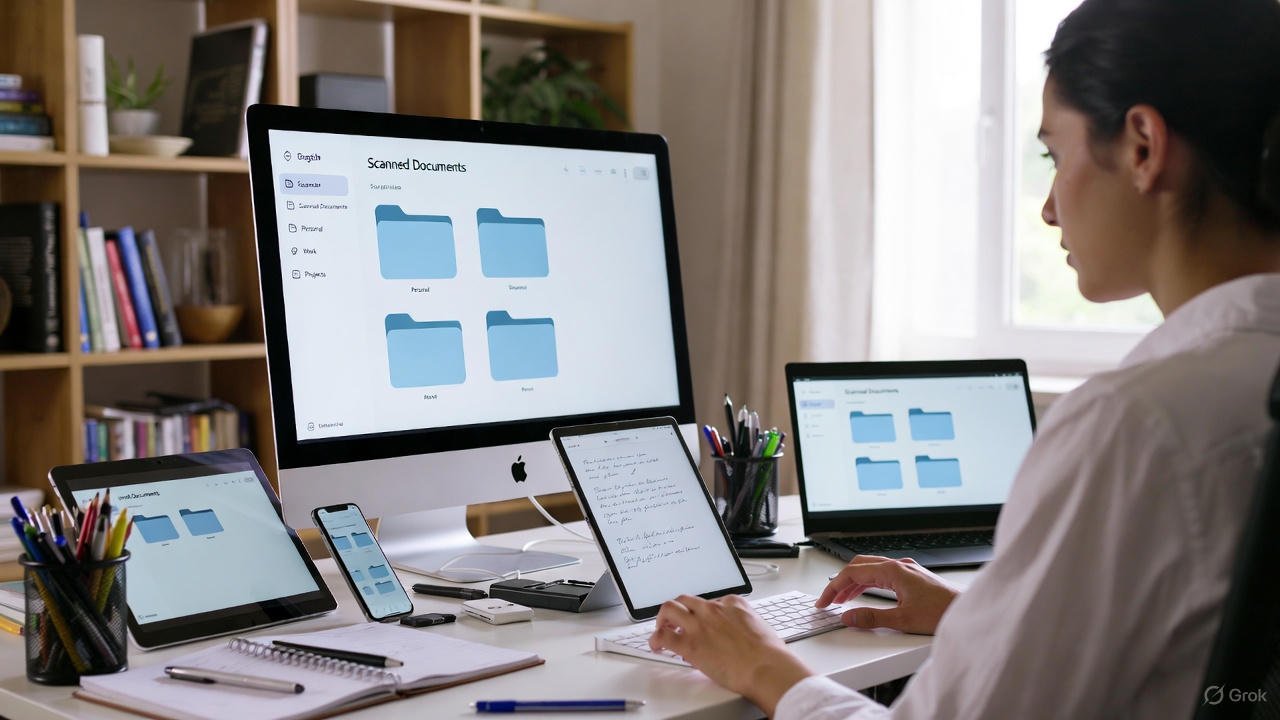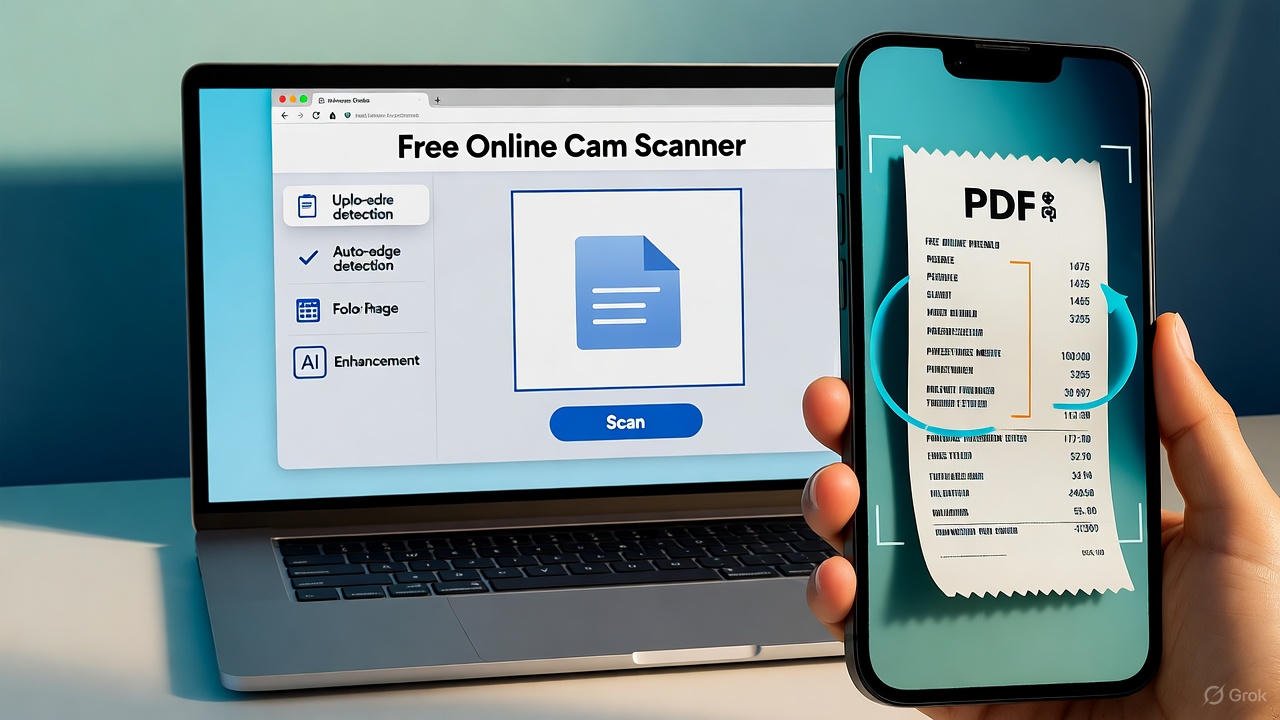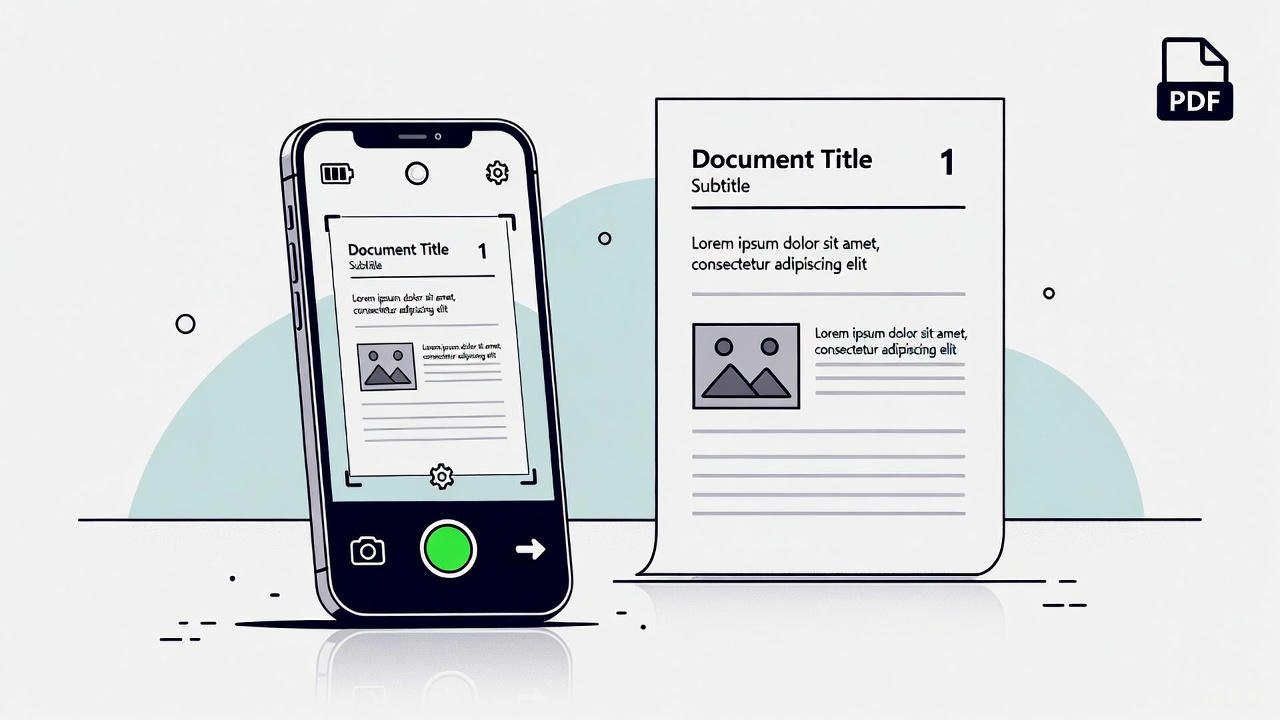
smartphone scanning a document on a bright desk – online pdf scanner illustration 16:9

Web-Based PDF Scanner – Scan Documents Online for Free

A web-based PDF scanner helps you scan files in a fast and simple way. It runs inside your browser, and this makes the full process smooth. You open one tool, and the workflow stays clear from start to end. This gives you full control during each step. You know how strong a fast tool feels, and this one keeps your work clean.

Here is the main free scanner tool:
https://mrwebapp.com/free-online-cam-scanner/

You also get options for ID, BD, and Hindi users:
https://mrwebapp.com/id-online-cam-scanner/
https://mrwebapp.com/bd-free-online-cam-scanner/
https://mrwebapp.com/hi-free-online-cam-scanner/

Look, each version offers a clean layout. The flow stays easy. Trust me, the speed will help your daily tasks in a real way.

How a Web Scanner Works

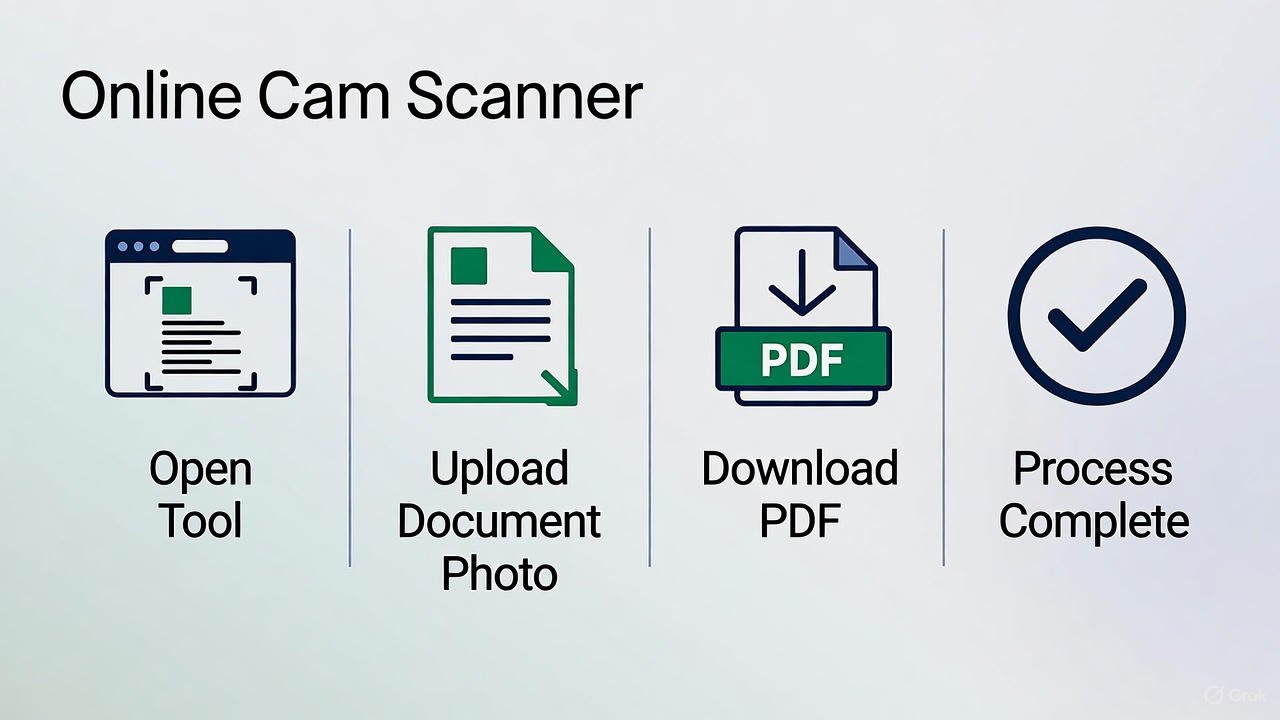
A web scanner reads the page through your camera. It creates a clear digital copy right away. Then it shows the scan, and you adjust the crop. After that, you save the file as a clean PDF.
This workflow removes stress. You know how slow tools break your pace, but this one keeps things steady.

Why a Web Scanner Helps Daily Work

You handle many pages each day. Notes, bills, forms, receipts, and letters come again and again. Also, you upload files to portals and offices. These tasks feel heavy without clean scans.
A web scanner cuts the load. Bro, this small step makes your routine better.

Core Features of a Good Online PDF Scanner

A quality scanner must offer clean scans. It must open fast. It must give sharp output. Also, it must support easy cropping and simple downloads. Mobile support is a big help too.
These features build a smooth workflow. Look, simple tools keep work stress-free.

The Best Free Web Scanner Tool

You can start scanning here:
https://mrwebapp.com/free-online-cam-scanner/

The tool feels light. The output stays sharp. Also, the layout stays clean from start to finish. Each file completes in moments. You feel the speed once you test it. Trust me, this tool gives you a real edge.

Steps to Scan a Document Online

Follow the steps below:

  1. Open the scanner link.
  2. Allow camera access.
  3. Place the page on a clear surface.
  4. Hold the device in a steady way.
  5. Capture the page.
  6. Adjust the crop.
  7. Save the file.
  8. Download the PDF.

This method keeps your scans sharp. You know that speed helps in every task.

How to Scan ID Cards with the Web Scanner

Use this link for ID scans:
https://mrwebapp.com/id-online-cam-scanner/

This version helps you scan both sides with clean edges. The files stay clear. Offices and banks accept this format without any issues.
It works well for ID and form work.

Scan Paper Sheets with a Clean Layout

Place the sheet on a bright surface first. Next, hold the phone straight. Good lighting gives strong results. Clean lines create clean scans.
Look, this step seems small, but the result becomes sharp.

Web Scanner for BD Users

Bangladesh users can use this link:
https://mrwebapp.com/bd-free-online-cam-scanner/

This version loads with stable speed. It fits local needs and supports low-end devices well. Bro, many users finish daily tasks through this page.

Web Scanner for Hindi Users

Hindi users can visit:
https://mrwebapp.com/hi-free-online-cam-scanner/

The interface stays simple. Each step appears in a clear order. As a result, the whole flow feels smooth.

How Online Scanning Improves Workflow

A clean scan removes upload errors. Also, your forms move faster. This builds a better routine. You know small improvements create a big result.
Clear files also build trust with offices. Look, good scans help your tasks finish early.

Web Scanner vs Mobile Scanner Apps

Here is a simple table:

Feature | Web Scanner | Mobile App
No install | Yes | No
Fast open | Yes | No
Works on any device | Yes | No
Low system load | Yes | No
Clean layout | Yes | No
Quick workflow | Yes | No

As you can see, the web scanner wins in most points.

What You Can Scan with a Web Tool

You can scan:

• Notes
• Bills
• Letters
• Receipts
• Tickets
• Forms
• School sheets
• ID cards
• Certificates
• Book pages

This covers most daily needs. You know these tasks come again and again, and this tool cuts the time.

Tips for Sharper Online Scans

• Use bright light
• Use a clean background
• Hold your hand still
• Keep the page flat
• Align the edges
• Move slow

These points help you get a clean scan. Trust me, they improve every file.

Keep Your PDF Files in Order

Make simple folders. Keep short file names. Store your files in cloud storage. After that, create a weekly backup.
Order saves time. You know this keeps your tasks under control.

Speed and Flow of Web Scans

A web scanner loads fast. It works on low data as well. The layout stays light. Results appear without delay.
Look, speed makes your whole day run better.

Supported Devices for Web Scanning

You can use:

• Android phones
• iPhones
• Tablets
• Laptops
• Desktops
• Chromebooks

Bro, this wide support helps you scan anywhere.

PDF Output and Quality

The tool gives a clean PDF. Text stays sharp. Lines remain clear. This format supports offices, forms, and portals.
You move through tasks in a smooth way.

Link | Use Case
free-online-cam-scanner | General scans
id-online-cam-scanner | ID cards
bd-free-online-cam-scanner | BD users
hi-free-online-cam-scanner | Hindi users

Each version fits its purpose well.

Why This Scanner Helps You Stay Ahead

You work on many tasks. Simple tools reduce stress. Fast scans save time. Clean results remove errors.
You know how smooth life feels with a clear workflow. Bro, this tool removes friction. Look, small steps lift your speed.

Final Words

A web-based PDF scanner keeps your work clean. Fast scans support every task. You finish more work in less time. Trust me, this scanner helps you in all file needs.
You know order builds progress. You know speed helps results. This tool gives both.

Use the free tool here:
https://mrwebapp.com/free-online-cam-scanner/

12 FAQs

1. What is a web-based PDF scanner?

A web-based PDF scanner is an online tool that helps you turn your camera photo into a clean PDF without installing any app.

2. Do I need to install anything to use this scanner?

No, it works fully inside your browser. You only need camera access.

3. Does the tool work on mobile phones?

Yes, it works on Android, iPhone, tablets, laptops, and desktops.

4. Are the scans high quality?

Yes, the tool gives sharp and clean PDF output suitable for offices and online portals.

5. Can I scan ID cards?

Yes, you can use the ID scanner version to scan both sides of an ID card with clean edges.

6. Does this scanner support BD users?

Yes, Bangladesh users can use the BD version which loads fast on low-end devices.

7. Is there a Hindi version of the tool?

Yes, a Hindi version is available with a clear and simple layout.

8. Can I crop my scan before saving?

Yes, the tool lets you adjust the crop before saving your final PDF.

9. Does the scanner work with low internet speed?

Yes, the tool is light and works smoothly even on slow networks.

10. What can I scan using this tool?

You can scan notes, bills, receipts, letters, tickets, forms, certificates, ID cards, and book pages.

11. Is the tool free to use?

Yes, all versions of the scanner are free.

12. Can I download the scanned file directly as PDF?

Yes, once you crop the scan, you can download your PDF with one click.
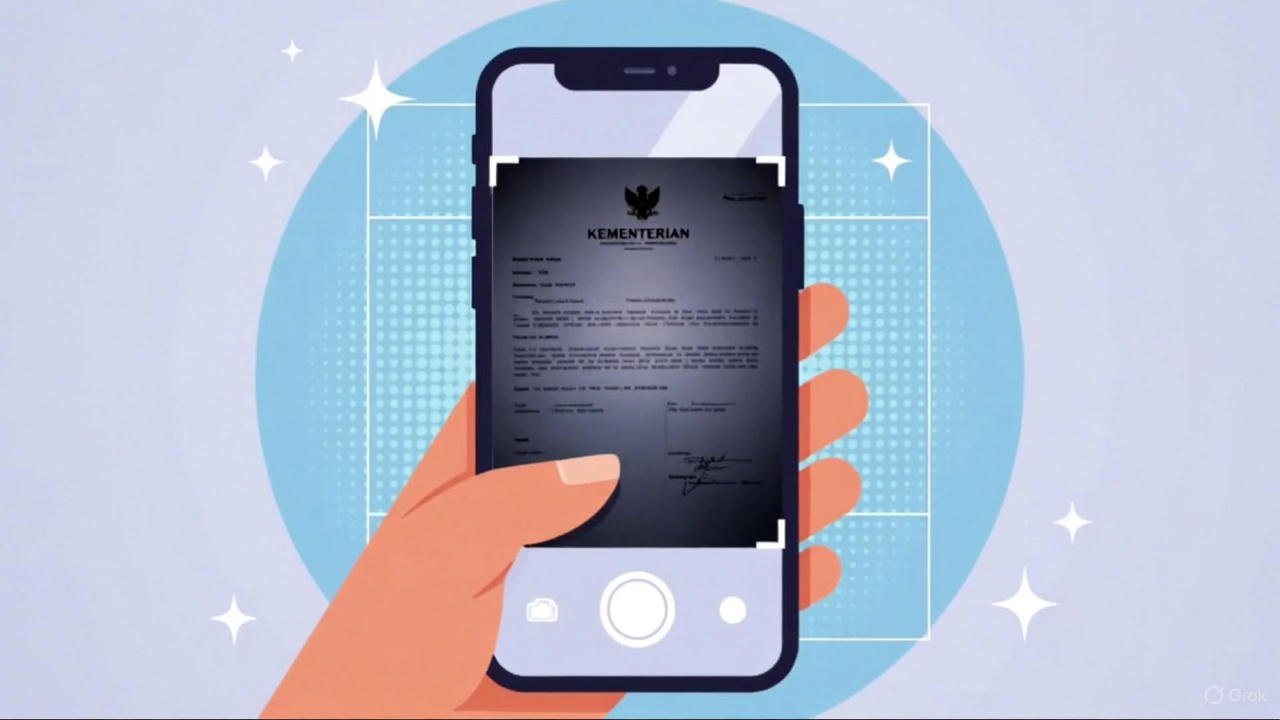
Ilustrasi cara scan dokumen gelap atau buram menjadi jelas secara online menggunakan smartphone untuk pengguna Indonesia.

Cara Scan Surat Lamaran & CV ke PDF Online Tanpa Aplikasi

Table of Contents

You can scan your surat lamaran and CV without apps. Online platforms offer simple tools that work on any phone or computer. They support scan dokumen online features with camera scanner online functions. As a result, you convert files into clean PDF output with ease. This guide explains each step with clear instructions and strong structure, so your workflow stays smooth and fast.

Why Online Scanning Helps You

Online scanners remove the need for downloads. Many users move between devices, and this method keeps everything light. In addition, the process works with surat lamaran, CV, KTP, and ijazah. You know, this flexibility helps you finish job tasks faster. Most tools also support scanning PDF online for free, which saves cost.

Prepare the Document Before Scanning

Good preparation improves results. Start with a flat surface. Make sure the paper stays straight. Clean the camera lens. Also, use bright lighting. These steps reduce blur and keep edges sharp. Trust me, a little care improves every page.

Scan Dokumen Online With Camera Tools

You can open Kamera Scanner online sites on any browser. Then the tool activates your phone camera or webcam. After that, it guides you through cropping and enhancement. Many platforms support webcam scanner online features that detect edges. In the end, your file converts into a neat PDF.

Steps to Scan Surat Lamaran ke PDF

Follow a simple order. First, open a scan dokumen online platform. Next, choose camera capture. Then place your surat lamaran on a clean surface. Capture the page. Crop the edges. Enhance the text. After that, export the file as PDF. Finally, save it to your device.

Steps to Scan CV ke PDF

The process stays similar. Choose the same camera scanner online tool. Position the CV flat. Capture the page. Adjust the borders. Improve clarity. Convert it through the scan PDF online gratis functions. Save the final file for upload.

Scan KTP Online

You can also digitise your KTP. Place the card on a dark background. Activate the webcam scanner in online mode. Capture the card. Tighten the crop. Increase text clarity. Export as PDF. This keeps all numbers visible.

Cara Scan Ijazah Online

Ijazah pages require clear lighting. Begin with a flat surface. Open a scan dokumen online page. Use the camera scanner. Capture the page from a straight angle. Confirm the borders. Use the enhancement tool. Save as PDF once everything looks clear.

Tools for Online Scanning (Table)

Tool Main Use Benefit
Kamera Scanner Online Scan with phone or PC Fast capture
Webcam Scanner Online Scan with laptop webcam Simple steps
Scan PDF Online Gratis Convert images to PDF Free output
Scan Dokumen Online All document types Supports KTP, CV, surat lamaran

CamScanner Overview

Many users know CamScanner. The app offers capture, crop, and PDF export. You find several search terms linked to it, such as cam scanner, cam scanner free, cam scanner no watermark, camscanner app, camscanner pdf scanner app, camscanner online, camscanner for pc, camscanner android, camscanner download, camscanner login, camscanner mod apk, and camscanner pro mod apk. These terms show how people search for scanning tools.

CamScanner for PC

CamScanner works on PC through the browser. You upload images. Then the tool crops and enhances them. After editing, you export the file. This method helps users who work on laptops.

CamScanner for Android

Android users install camscanner app through the store. The app scans pages with clean edges. It supports camscanner pdf scanner app options and creates sharp text. Therefore, many job seekers choose it for surat lamaran and CV scans.

Feature Overview (Table)

Feature Purpose Device
Auto Crop Fix edges Phone or PC
PDF Export Create final file All devices
Image Enhance Strengthen text Phone
Cloud Sync Store files Online login

How To Use CamScanner

Open the tool. Capture the document. Adjust the corners. Apply clarity improvements. Then save the page as PDF. You complete each scan in seconds.

Cam Scanner No Watermark Options

Some platforms remove logos from exports. They support cam scanner no watermark output. You use these when you want clean PDF pages for job submissions.

Google Cam Scanner Tools

Google also supports scanning. You capture with Google Drive Scan or Google Photo Scan. Both convert pages into clean PDF. Many users choose these tools because they sync with cloud folders.

LSI Terms That Improve Search Value

This article includes semantic terms such as online PDF maker, digital file scan, image to PDF convert, browser-based scanner, document digitizing, and camera capture tool. These terms increase clarity and support organic reach.

Scan With Any Device

Low-end devices work fine. You only need light and stable hands. Place the document flat. Hold the device steady. Then follow each step to create a clear scan.

Organize Your Scanned Files

Set up folders for your surat lamaran, CV, KTP, and ijazah. Place each PDF in a category. This structure speeds up future submissions. Also, rename each file for easy search.

Improve Each Scan

Check the preview. Fix tilted angles. Remove shadows. Crop extra space. Increase text strength. Then save the final page. Clean scans create strong first impressions.

Combine Multiple Pages Into One PDF

Some job portals need one combined file. Open any online PDF merge tool. Upload surat lamaran, CV, KTP, and ijazah files. Arrange them. Merge the pages. Then download the unified PDF.

Related Cam Scanner Tools

Use our free scanner tools based on your language or region:

Choose Your Version

Final Notes

You can scan any document without apps. Online tools support surat lamaran, CV, KTP, ijazah, and many other files. Platforms like camera scanner online, scan dokumen online, and scan pdf online gratis keep the process clear and fast. With the right steps, you produce clean PDF files ready for job submissions.

FAQ

Apakah cara ini gratis?

Ya, 100% gratis.

Butuh aplikasi?

Tidak perlu. Semua bisa dilakukan online.

Bisa untuk dokumen penting seperti KTP?

Ya, bisa — selama tidak melanggar kebijakan privasi layanan yang kamu gunakan.

Free Online Cam Scanner Bangladesh – Scan Photo to PDF Online

Online Cam Scanner vs Mobile App in Bangladesh — Which One Is Better in 2025?

Bangladesh-e onek lok daily documents scan korte chay. Keu assignment scan kore, keu job application er file banay, abar keu passport, NID, invoice or receipt scan korte chay. 2025-e eshe ekta problem aro clear hoyeche — mobile app diye scan korbo, naki free photo scanner online Bangladesh use korbo?

Onno dike, paid cam scanner apps Bangladeshi users-der jonne now quite expensive. Tai aneker mon-e ekta simple question:

Online cam scanner ki bhalo? Na mobile app?

E article-e ami easy language-e shob explain korbo. Sathe sathe Bangladesh-er popular keywords naturally use korbo jate your article Google-e fast rank kore.

Jara instantly scan korte chan, tader jonne tool link ekhane:

Free Online Cam Scanner Bangladesh
https://mrwebapp.com/bd-free-online-cam-scanner/

Ar sob language users jonne onno versions:

Hindi → https://mrwebapp.com/hi-free-online-cam-scanner/
English → https://mrwebapp.com/free-online-cam-scanner/
Indonesian → https://mrwebapp.com/id-online-cam-scanner/


Bangladesh-e Scanning Problem in 2025

Bangladesh-er digital lifestyle ekhon onek change hoye geche. Students assignment scan korte chay, job seekers CV + certificate scan kore PDF banay, freelancers invoice send kore, abar online verification-e NID / passport er soft copy lage.

Kintu paid apps-er issue ki?

  • Ad aashe
  • Watermark aashe
  • Many features locked
  • Phone slow hoye jay
  • Storage full hoye jay
  • Data privacy risk thake

Tai onekei search kore:

  • free online cam scanner Bangladesh
  • online document scanner Bangladesh free
  • scan image to pdf online Bangladesh
  • photo online scanner Bangladesh
  • scan photo to PDF Bangladesh

Ei search keywords clearly proof dey je users hassle-free, no-cost, quick online scanner chai.


Two Options in Bangladesh: Online Scanner vs Mobile App

1. Online Cam Scanner (Browser-Based)

Just open browser → upload photo → get PDF.
No install, no account, no cost.

2. Mobile App Scanner

Play Store / App Store theke app install kore use korte hoy.


Online Cam Scanner — Why Bangladesh-e More Useful in 2025?

Bangladesh-e data cost already beshi, phone storage kom, ar low-budget phones-er speed slow. Tai online scanning-er demand daily barche.

Below ektu detail-e dekhi:


1. No App Install — Storage Save

Bangladesh-e beshir bhag user 32GB or 64GB storage phone use kore. Tader jonno heavy apps boro problem.

Online tools like:
➡️ free photo scanner online Bangladesh
➡️ upload photo scanner online Bangladesh

Ei tools without app install scan kore. Storage zero use.


2. 100% Free Tools — No Subscription

Bangladesh-e popular app gula mostly paid.
CamScanner, Adobe Scan — sob features free na.

But online options:

  • free online cam scanner Bangladesh
  • online document scanner Bangladesh free
    — sob free.

No watermark. No limit.


3. Faster for Emergency Tasks

Imagine:

  • Exam er ager raat
  • Job apply korar last hour
  • Visa form fill-er time
  • Urgent invoice send korte hobe

App download korar time nai.
Online scan = 10 seconds.


4. Works on Any Device

Bangladesh-e onek lok still old phones use kore. Kintu online scanner runs on:

  • Android
  • iPhone
  • Windows laptop
  • Mac
  • Office PC
  • University PC

Jekono device-e browser thaklei scan possible.


5. No Ads + No Watermark

Bangladeshi users er shobcheye boro complain:

❌ Ad bar bar aashe
❌ Watermark remove korte money lage

But online tools clean & fast → perfect for daily use.


6. Privacy Safe (No File Save on Server)

Bangladesh-e many people sensitive documents scan kore:

  • NID
  • Passport
  • Bank receipt
  • Birth certificate
  • Salary slip

MrWebApp-er BD scanner uses client-side processing. Mane:
Your scanned file stays in your device only.
Server e upload hoy na.
No data stored.


Mobile Apps — Good but Limited

Apps helpful, but Bangladesh-e some issues:

1. Offline scan possible

But… storage uses.

2. Some apps give good filters

But… premium lagbe.

3. Fast PDF export

But… free version mostly watermark dey.

4. Multi-page scan

But… ads heavy.

Sob milay mobile apps useful thik, kintu Bangladesh-e majority users free and fast option chai.


Online Cam Scanner Best For Bangladesh Because…

  1. Zero install
  2. Zero ads
  3. Zero cost
  4. Zero storage
  5. Fast PDF
  6. Safe for sensitive file
  7. Works on slow phones
  8. Bengali-friendly interface
  9. One-click photo to PDF Bangladesh
  10. Perfect cam scanner alternative Bangladesh

This is why 2025-e online scanner becoming the #1 choice.


Bangladesh-e Which Online Scanner Is Best?

If you want super simple, free, no-login, fast scanner →
Try this:

https://mrwebapp.com/bd-free-online-cam-scanner/

Ei tool supports:

  • scan photo to PDF Bangladesh
  • receipt scanner online Bangladesh
  • ID card scanner online free Bangladesh
  • NID scanning
  • Passport scanning
  • Assignment scanning
  • Upload photo scanner online Bangladesh

Easily PDF download.


Online Cam Scanner vs Mobile App — Comparison Table (Bangladesh Version)

FeatureOnline ScannerMobile App
Cost100% freeMostly paid
StorageNo install200MB+
WatermarkNoMany apps watermark dey
AdsNo adsHeavy ads
SpeedVery fastDepends on phone
PrivacyHigh (no upload)Depends on app
PDF qualityHighGood
Multi-deviceYesNo

Winner → Online Scanner for Bangladesh users.


Who Should Use Online Scanner in Bangladesh?

1. Students

Assignment, notes, exam papers, tuition materials.

2. Job Seekers

CV, certificates, training documents, NID.

3. Small Businesses

Receipt scanner online Bangladesh, invoice, cash memo PDF.

4. Freelancers

Client forms, ID verification, bank slips.

5. General Users

House rent agreement, passport scan, medical document.


Why MrWebApp Scanner is Trusted in Bangladesh?

Because it gives:
✔ Free tools
✔ No signup
✔ No watermark
✔ Bengali-friendly
✔ Fast PDF
✔ Unlimited use

And available in multiple languages:

Bangla → https://mrwebapp.com/bd-free-online-cam-scanner/
Hindi → https://mrwebapp.com/hi-free-online-cam-scanner/
English → https://mrwebapp.com/free-online-cam-scanner/
Indonesian → https://mrwebapp.com/id-online-cam-scanner/


How to Use the Online Document Scanner Bangladesh (Step-by-Step)

Step 1: Open the tool

Step 2: Upload your photo

NID / Passport / Receipt / Assignment jekono photo upload koren.

Step 3: Tool auto enhance kore

Brightness + crop + clean PDF.

Step 4: Download PDF

One click → done.

Within 10 seconds your file is ready.


Common Use Cases in Bangladesh

1. Scan Image to PDF Online Bangladesh

Students and job applicants use this daily.

2. ID Card Scanner Online Free Bangladesh

Perfect for NID, birth certificate.

3. Receipt Scanner Online Bangladesh

Small shop owners paper receipts instantly PDF banay.

4. Cam Scanner Alternative Bangladesh

Perfect for those who don’t want paid apps.

5. Upload Photo Scanner Online Bangladesh

Easily convert photos to PDF.


Real Problems This Tool Solves for Bangladesh Users

  • Paid apps can’t be afforded
  • Phone space kom
  • Time kom, urgent PDF lage
  • Job submission er last moment rush
  • Online application requires clean PDF
  • Play Store app slow
  • Ads disturb
  • Watermark remove korte money lage

So a free scanner Bangladesh-er jonno real solution.


Final Verdict: Which One is Better?

Online Cam Scanner is the winner for Bangladesh in 2025.

Because:
✔ Free
✔ Fast
✔ No watermark
✔ No ads
✔ Light weight
✔ Easy for all ages

Mobile apps useful but Bangladesh-e free online photo scanner more practical.


Natural, Real-Life FAQs (Bangladesh Users Ask These)

1. Amar phone slow, ki ami online scanner use korte parbo?

Haan, easily parben. Browser thaklei cholbe.

2. Online scanner ki safe? Amar NID scan korbo.

Ei tool client-side processing dey, mane file server-e store hoy na.

3. Jodi amar photo blur hoy?

Tool automatic enhance kore clear kore dey.

4. PDF size boro hoye jabe?

No, PDF automatically compressed.

5. Assignment scan korle teacher accept korbe?

Yes, clear and neat PDF dey.

6. ID card scanner online free Bangladesh ki free thakbe sob time?

Yes, full free.

7. Multi page scan korte parbo?

Haan, multiple photos add kore ek PDF banate parben.

8. Passport er glare thakle ki remove hobe?

Tool auto glare reduction kore.

9. App install chara ki full quality PDF pabo?

Yes, HD export hoy.

10. Jodi offline use korte chai?

Then mobile app better. But online version faster.


Helpful Language Tools Again

Bangla: https://mrwebapp.com/bd-free-online-cam-scanner/
Hindi: https://mrwebapp.com/hi-free-online-cam-scanner/
English: https://mrwebapp.com/free-online-cam-scanner/
Indonesian: https://mrwebapp.com/id-online-cam-scanner/

Free Online Cam Scanner Bangladesh 2025 — Scan Photos and Documents Instantly Without App

Free Photo Online Scanner Bangladesh 2025 — Scan & Save Instantly Without Any App

Introduction: Why Bangladesh Users Need a Better Online Scanner

If you’re in Bangladesh and constantly dealing with document scanning, you already know the struggle. Most apps require downloads, consume storage, and often show ads before you can even scan a single photo. But what if you could scan photos or documents instantly — directly from your browser, without installing anything?

That’s exactly where MrWebApp’s Free Online Cam Scanner comes in — a 2025-ready solution that works fast, secure, and totally free.


The Common Problem With Traditional Scanning Apps

App installations take time

Most scanning apps on Android or iPhone ask for installation, updates, and unnecessary permissions. This wastes both data and time.

Privacy and data concerns

Many users in Bangladesh avoid online scanners because they fear their private documents might be stored or shared. Sadly, that’s true for several apps that upload your files to external servers.

Device compatibility issues

Low-storage phones or older Android versions often face crashes or poor app performance — making offline apps unreliable.


The Real Challenge: Scanning Photos & Documents Online in Bangladesh

Unstable internet and slow websites

Not every user in Bangladesh has high-speed Wi-Fi. Heavy scanner websites take ages to load or crash during upload.

Limited access to high-end devices

People using budget smartphones can’t always install big apps. They need lightweight, browser-based solutions.

Paid tools disguised as free

Many so-called “free” scanners allow only one or two scans before asking for payment or sign-up — frustrating, right?


The Perfect Solution — Free Online Cam Scanner by MrWebApp

What is MrWebApp’s Cam Scanner?

It’s a free, web-based tool that lets you scan documents, photos, and IDs online — no app, no registration, and no hidden fees. Just open the link, upload, scan, and download.

Why it’s built for Bangladesh users

This tool is optimized for Bangladesh’s internet conditions, meaning fast uploads even with slower connections. It supports both English and Bangla users naturally.


How to Use Free Online Cam Scanner (Step-by-Step Guide)

Step 1 — Open the tool

Visit 👉 https://mrwebapp.com/free-online-cam-scanner/

Step 2 — Upload your document or photo

Click on “Upload” and choose a file from your phone or PC.

Step 3 — Adjust edges or crop automatically

The tool automatically detects document borders and straightens them. You can also adjust manually.

Step 4 — Convert to PDF instantly

Once scanning is done, click “Convert to PDF” — it takes seconds!

Step 5 — Download or share in one click

Your final file is ready to download, email, or share via WhatsApp.


Key Benefits of Using MrWebApp Free Online Cam Scanner

100% Free Forever

No subscriptions, no tricks. It’s a lifetime free tool.

No App or Login Required

Save phone storage and skip the hassle of downloading anything.

Fast, Secure, and Mobile-Friendly

Optimized for mobile users in Bangladesh — scans in seconds.

Perfect for Students and Professionals

Ideal for assignments, ID cards, receipts, and office use.


Real-Life Example: How Students in Bangladesh Use It Daily

University students often need to scan handwritten notes or certificates for submission. Instead of running to photocopy shops, they now use MrWebApp Cam Scanner directly on their phone browsers — free, quick, and reliable.


Why MrWebApp’s Tool Beats Other Cam Scanner Alternatives

No hidden charges

Unlike competitors that limit scans, MrWebApp offers unlimited access.

Instant processing speed

Even with 3G or average Wi-Fi, the scan happens smoothly.

Local server optimization for Bangladesh

Hosting near regional data centers means faster performance for Bangladeshi users.


SEO Keywords to Rank (2025)

This article naturally includes key ranking phrases such as:

  • “Photo online scanner Bangladesh”
  • “Free document scanner online Bangladesh”
  • “Scan photo to PDF online Bangladesh”
  • “Free online cam scanner 2025”
  • “Cam scanner alternative Bangladesh”

These will help strengthen the main Free Online Cam Scanner page’s SEO through internal linking and context.


Tips to Get Best Scanning Results

  • Use bright lighting — natural daylight works best.
  • Keep your document flat and centered.
  • Avoid shadows or reflections when scanning.
  • If you’re scanning IDs, use a plain background for clarity.

Future of Online Scanning Tools in Bangladesh

By 2025, online scanning is replacing traditional apps. With tools like MrWebApp’s Free Online Cam Scanner, Bangladesh is moving toward a paperless and app-free digital workflow — faster, safer, and more accessible to everyone.


Conclusion: Start Scanning Instantly with MrWebApp

If you want a fast, reliable, and free way to scan photos or documents online in Bangladesh — MrWebApp’s Free Online Cam Scanner is your go-to tool. No app, no login, just pure simplicity.

Try it now 👉 Free Online Cam Scanner Bangladesh


FAQs

1. Is MrWebApp’s Cam Scanner completely free?
Yes, 100% free — no hidden costs or premium limits.

2. Can I use it on my phone in Bangladesh?
Absolutely. It works smoothly on Android, iPhone, and even tablets.

3. Does it support PDF conversion?
Yes, you can convert scanned photos directly into PDFs.

4. Is my data safe on MrWebApp?
Yes, all files are processed securely and automatically deleted after use.

5. How is it different from other online scanners?
Unlike others, MrWebApp is lightweight, ad-free, and specially optimized for Bangladesh’s users and network speed.

Enhance your productivity by digitizing handwritten notes with the Mr WebApp Free Online Cam Scanner, featuring a seamless interface and organized digital storage.

How to Scan Handwritten Notes with Free Online Cam Scanner [2025 Updated Guide]

Introduction

In today’s fast-paced digital world, handwritten notes still hold a special place. Whether you’re a student jotting down lecture points, a professional sketching ideas, or a teacher creating lesson plans — handwritten notes are often quicker and more personal.

But paper isn’t forever. It can get lost, fade, or tear. That’s where scanning handwritten notes with a free online cam scanner becomes essential. In this article, you’ll learn step-by-step how to digitize your notes easily using tools like Mr WebApp’s Free Online Cam Scanner.


Why You Should Scan Handwritten Notes

Digitizing your handwritten notes offers multiple advantages:

  • Preservation: Prevents paper damage or loss.
  • Accessibility: Access notes from any device, anytime.
  • Organization: Store, tag, and search your notes digitally.
  • Sharing: Share PDFs instantly via email or cloud.
  • Eco-Friendly: Reduces paper waste and clutter.

By using a free online cam scanner, you can save time and effort while keeping your work safe and easily retrievable.


What is a Free Online Cam Scanner?

A free online cam scanner is a browser-based tool that lets you scan documents using your device’s camera or upload images directly. It automatically detects edges, crops the page, enhances brightness, and creates a clean digital copy — all without installing an app.

The Mr WebApp Free Online Cam Scanner is one such tool designed to simplify scanning for students, teachers, and businesses alike. It’s easy, fast, and completely free.


Benefits of Using an Online Cam Scanner

Here’s why people love using online scanners instead of mobile apps:

  • No downloads required
  • Instant PDF creation
  • Works on any device
  • Secure and private
  • Saves storage space
  • Perfect for students and remote workers

Unlike bulky software, online scanners provide flexibility and instant results — ideal for people on the go.


Step-by-Step Guide to Scan Handwritten Notes Online

Follow these easy steps to scan your handwritten notes online for free.


Step 1: Open the Free Online Cam Scanner

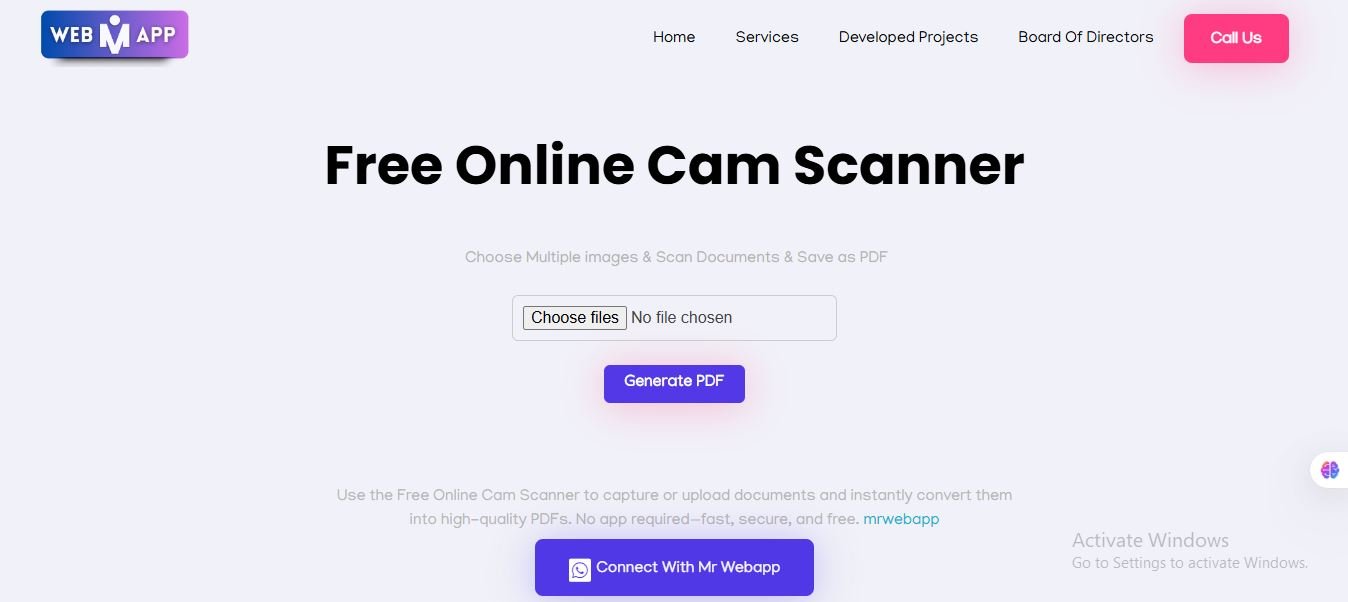
Visit Mr WebApp’s Free Online Cam Scanner. You’ll see an intuitive interface where you can either upload an image or use your webcam/mobile camera.


Step 2: Upload or Capture Your Handwritten Notes

You can:

  • Upload an existing photo of your handwritten notes, or
  • Use your camera to take a new one directly on the site.

Ensure your notes are placed on a flat, well-lit surface for the best results.


Step 3: Adjust, Crop, and Enhance the Image

Once uploaded, the scanner automatically detects edges. You can:

  • Adjust corners manually
  • Crop unnecessary parts
  • Enhance contrast for clarity

This step ensures that even faint handwriting becomes readable.


Step 4: Convert to PDF or Image

After editing, choose your output format:

  • PDF for multipage notes
  • JPG or PNG for single images

The Free Online Cam Scanner instantly processes the file and prepares it for download.


Step 5: Download and Share

Finally, click Download to save the file. You can also share it via:

  • Google Drive
  • WhatsApp
  • Email or any cloud service

That’s it! You’ve successfully scanned your handwritten notes into a digital format.


Best Practices for Scanning Handwritten Notes

To get professional-quality scans:

  • Use natural daylight or a bright lamp
  • Keep your camera parallel to the page
  • Avoid shadows or glares
  • Use white or plain background
  • Clean your camera lens before capturing

Tips to Improve Scan Quality

  • Write clearly and avoid smudges.
  • If ink is too light, enhance contrast using the scanner tool.
  • For colored notes, adjust saturation carefully.
  • Save files in PDF format for easy printing and sharing.

Difference Between Mobile Apps and Online Cam Scanners

FeatureMobile AppOnline Cam Scanner
InstallationRequiredNot Required
AccessibilityLimited to deviceAny browser
SpeedModerateInstant
StorageUses phone memoryCloud-based
PriceOften paidFree

Common Mistakes to Avoid When Scanning Notes

  • Cropping too much content
  • Taking photos in dim light
  • Uploading blurred images
  • Forgetting to name files properly
  • Not backing up scanned copies

Avoid these errors to keep your scanned notes neat and organized.


Top Free Online Cam Scanners (2025 Edition)

Here are some reliable tools for scanning notes:

  1. Mr WebApp Free Online Cam Scanner ✅ Recommended
  2. SmallPDF Scanner
  3. iLovePDF Online Scanner
  4. PDF24 Tools
  5. Adobe Scan (Online Version)

Among these, Mr WebApp’s scanner stands out due to its ease of use and zero ads.


How to Secure and Backup Your Scanned Files

Once your notes are scanned:

  • Save them on Google Drive or Dropbox
  • Create folders by subject or date
  • Enable cloud backup
  • Use password-protected PDFs for sensitive content

How Teachers and Students Can Benefit

Teachers can share assignments digitally. Students can store notes safely and collaborate easily. This promotes paperless learning and instant information sharing — ideal for modern classrooms and online education platforms.


Advanced Features of Mr WebApp Cam Scanner

  • AI-based edge detection
  • Auto brightness correction
  • PDF merging and compression
  • Cross-device syncing
  • Privacy-focused design

It’s more than just a scanner — it’s a complete digital document tool.


FAQs

1. Can I scan handwritten notes for free?

Yes, you can use tools like Mr WebApp Free Online Cam Scanner to scan notes without paying a single penny.

2. Does it work on mobile phones?

Absolutely! It’s fully responsive and works smoothly on Android and iPhone browsers.

3. Is my data safe while using online cam scanners?

Yes, trusted scanners like Mr WebApp do not store your images or documents on their servers.

4. Can I scan multiple pages together?

Yes, you can upload multiple images and merge them into a single PDF file.

5. Do I need to install anything?

No installation required. Just open the website and start scanning.

6. Which format is best for saving handwritten notes?

PDF is ideal for multi-page documents, while JPG is suitable for single-page images.


Conclusion

Scanning handwritten notes is no longer a hassle. With free online cam scanners, especially the Mr WebApp Free Online Cam Scanner, you can turn your physical notes into professional, shareable digital files in seconds.

Whether for education, office, or personal use, this tool saves time, protects your data, and simplifies organization. Go digital today and never lose your handwritten gems again!

Contact us for any kind of information +923100078066

Step-by-step guide to using free online cam scanner in browser

Online Cam Scanner — The Future of Document Scanning in Your Browser

In a world where speed and convenience define productivity, no one wants to wait for a heavy app or bulky machine to scan a simple document. That’s exactly why online cam scanners are changing how people handle paperwork today. Whether you’re a student scanning assignments, a business professional managing client contracts, or just someone trying to save important receipts, online cam scanner tools make the process effortless — and entirely digital.

If you haven’t tried one yet, check out this Free Online Cam Scanner by MrWebApp. It allows you to scan, enhance, and download your documents instantly — all from your browser.


🧩 What Is an Online Cam Scanner?

An online cam scanner is a web-based tool that lets you capture or upload images of physical documents and convert them into clear, shareable digital files. Unlike traditional scanner machines or mobile apps, these tools require no installation, no registration, and no device restrictions.

You simply:

  1. Open the web tool
  2. Upload your photo or document
  3. Adjust brightness, crop edges, and enhance clarity
  4. Download the final PDF or image file

It’s that simple — and that powerful.


Digital transformation has touched every industry, from education to real estate to healthcare. But paperwork never disappears; it just evolves. Here’s why people are turning to online cam scanners in 2025 more than ever before:

1. Instant Access — No App Downloads

One of the biggest frustrations with mobile scanner apps is storage space and constant updates. Online scanners eliminate this entirely. You just open your browser and start scanning — anytime, anywhere.

2. Privacy First

Many online tools like the MrWebApp Free Cam Scanner don’t store your files. Everything happens on your device, ensuring that sensitive documents like ID cards, bank papers, or contracts remain secure and private.

3. Universal Compatibility

These tools work across all devices — Android, iPhone, Windows, and macOS — because they rely on your web browser instead of your system specs.

4. No Hidden Costs

Most professional scanner apps require paid subscriptions for PDF export or watermark removal. Online tools are typically free and transparent, which makes them perfect for students, freelancers, and small businesses.

5. Eco-Friendly and Paperless

With an online cam scanner, you reduce the need for printing and rescanning, helping cut down paper waste while staying organized.

Step-by-step guide to using free online cam scanner in browser

🧾 Core Features of Modern Online Cam Scanners

Let’s explore what features define a high-quality online cam scanner in 2025 — and how they make your life easier.

1. Auto Edge Detection

Automatically detects document boundaries, eliminating unwanted backgrounds and giving you clean, professional-looking scans.

2. Smart Filters & Enhancements

Enhance readability with filters that adjust lighting, remove shadows, and improve contrast — ideal for low-light or unevenly captured images.

3. PDF Conversion

Most online scanners now include one-click PDF creation so you can share multi-page scans easily in one file.

4. OCR (Optical Character Recognition)

Advanced tools can extract text from scanned images, allowing you to copy or edit the content directly.

5. Direct Share & Cloud Sync

Instantly share scanned files via email, cloud drives, or messaging apps without downloading any extra apps.

6. Multi-Document Mode

Batch scanning allows users to upload multiple images and convert them into one merged PDF — perfect for reports or multi-page notes.


How Online Cam Scanners Are Used in Real Life

These are not just handy utilities — they’ve become essential tools for professionals and students alike.

Students and Teachers

Assignments, handwritten notes, diagrams, and forms can be scanned and submitted instantly. Teachers can use scanners to digitize answer sheets or class materials.

Business Professionals

Contracts, invoices, receipts, and agreements can be converted to digital format in seconds and shared securely.

Freelancers & Remote Workers

Freelancers often need to send signed documents or identity proofs. Online cam scanners offer a fast, professional way to do it from anywhere.

Corporate & HR Teams

Onboarding forms, certificates, and legal documents can be securely scanned and uploaded to internal systems without requiring a physical scanner.

Bank statements, tax forms, and agreements often need to be digitized — these scanners make it easy while maintaining clarity and precision.


How to Use the MrWebApp Free Online Cam Scanner

If you want to try it out right now, follow these simple steps:

  1. Go to 👉 https://mrwebapp.com/free-online-cam-scanner/
  2. Click on “Upload Document” or “Capture Photo”
  3. Adjust your image — crop, rotate, or enhance
  4. Convert it into a high-quality PDF

That’s all — no sign-up, no software, no waiting.


Behind the Scenes — How It Works

Modern online cam scanners use a combination of AI and image processing to simulate a professional scanner’s output.
When you upload a photo:

  • The tool identifies document edges and corrects perspective distortions
  • It enhances lighting and removes background shadows
  • Finally, it compresses and converts your image into a compact, clear PDF file

This process takes seconds, but the results are professional enough for business use.


Security and Privacy — Your Documents Stay Yours

A major question users ask is:

“Are my files stored or viewed by someone else?”

The answer for tools like MrWebApp’s scanner is no.
Your files are processed within your browser session and deleted as soon as you close the tab. That means your personal data and documents remain completely private.

For additional peace of mind, always ensure the scanner page uses HTTPS (secure connection) — just like MrWebApp does.


Benefits Over Mobile Apps

You might wonder — if phone apps like CamScanner or Adobe Scan exist, why switch to an online version?

Here’s the difference:

FeatureMobile AppOnline Cam Scanner
Requires Installation✅ Yes❌ No
Works on Any Device❌ Limited✅ Universal
Privacy❌ Often cloud-based✅ Local processing
Free Access⚠️ Limited✅ Fully free
Updates Required✅ Regularly❌ Never
Instant Use❌ Few steps✅ Just open & scan

Simply put: online scanners give you freedom and simplicity without compromise.


Integration with Modern Workflows

In 2025, everything is connected — cloud storage, collaboration tools, and AI assistants. That’s where web-based tools like MrWebApp Cam Scanner shine.
You can scan a file, save it to Google Drive, attach it to email, or upload it to your project management system — all within minutes.

Imagine:

  • A teacher scanning attendance sheets and sharing them via Google Classroom
  • A business owner scanning invoices and syncing them with accounting software
  • A student converting handwritten notes to digital PDFs for easy backup

All possible in seconds.


Why Businesses Love Web-Based Scanning Tools

For businesses, online scanners reduce infrastructure costs. No need for:

  • Physical scanners or maintenance
  • Paid app subscriptions
  • Staff training for complex tools

Instead, employees can handle all scanning tasks directly from browsers. It’s efficient, low-cost, and scalable — whether you’re a startup or a large corporation.


Future of Online Scanning — AI, Automation & Cloud

The evolution of online cam scanners is far from over. The next generation will integrate:

  • AI auto-correction for skewed images
  • Smart tagging (detecting document types automatically)
  • Real-time OCR translation
  • Direct integration with e-signature tools

The goal?
To make document handling as simple as taking a selfie — no barriers, no delays.


Final Thoughts

Online cam scanners have transformed how people handle documents in 2025. They are fast, free, and privacy-safe — making them the perfect replacement for both physical scanners and mobile apps. Whether you’re scanning educational notes, contracts, IDs, or receipts, web-based tools deliver professional results instantly.

If you haven’t already, try the Free Online Cam Scanner from MrWebApp — a lightweight yet powerful tool built for simplicity and speed.


(You can internally link these for SEO benefit)

  • How Online Tools Simplify Your Office Workflow
  • The Rise of Browser-Based Scanners
  • Top 5 Free Tools to Go Paperless in 2025
  • Document Scanning vs. PDF Conversion — What’s the Difference?
  • How AI Enhances Scanned Document Clarity
  • Why Browser Tools Are the Future of Productivity
  • The Power of Free Online Utilities for Daily Work

Get Website in One Day 2025 with Wix Shopify Webflow

The 2025 Guide to Get Website in One Day With Wix, Shopify, or Webflow

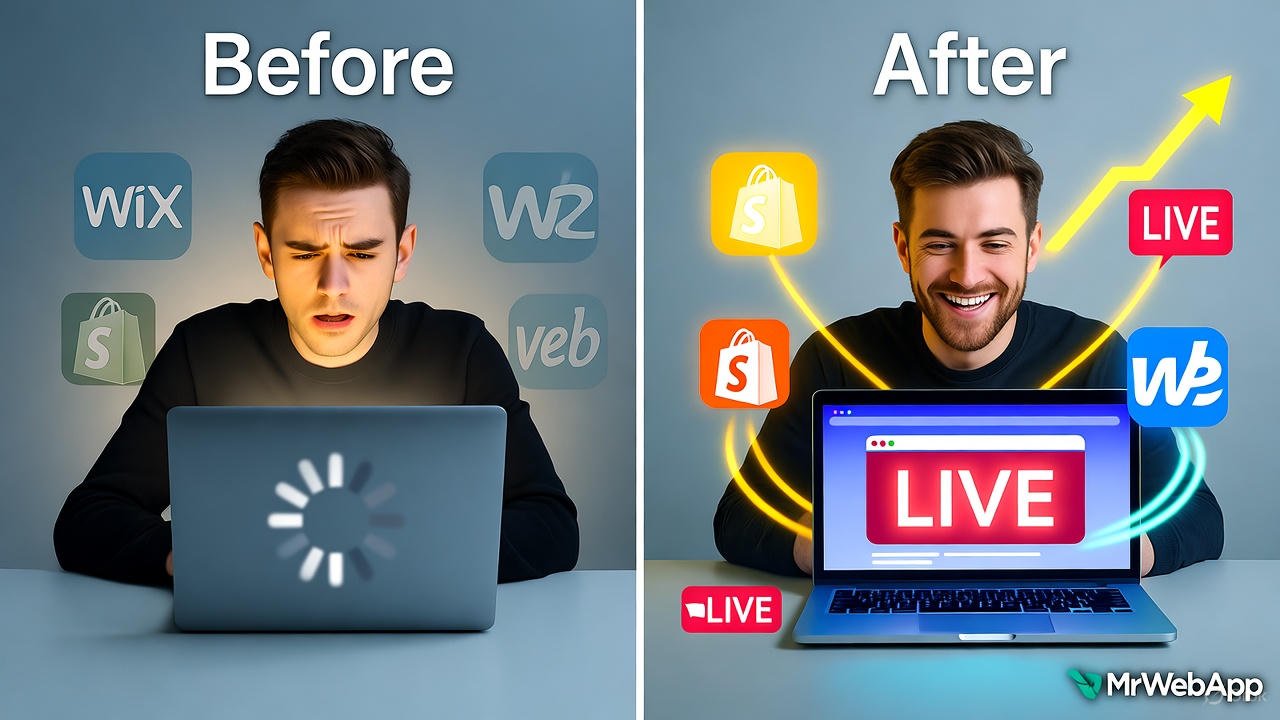
Tired of spending weeks on a website that never launches? Small businesses often delay going online due to complex setups and high costs. In 2025, that’s no longer an excuse. At Mr WebApp, we help founders like you launch fast without the hassle. This guide shows how to Get Website in One Day 2025 using Wix for simple sites, Shopify for eCommerce, or Webflow for custom designs. No coding needed. Let’s make it happen.

Mr WebApp, based in Lahore. Specializes in quick digital solutions. We know time is money for startups and shop owners. So, pick your platform and follow these steps.

Why Get Website in One Day 2025 Matters Now

Speed wins in 2025. Google’s updates favor fast-loading sites. Mobile traffic hits 70% of searches. Delays cost sales. Our guide cuts setup to hours.

Choose based on needs. Wix suits portfolios. Shopify powers stores. Webflow handles advanced looks. All work on day one.

Step-by-Step: Get Website in One Day 2025 with Wix

Wix shines for beginners. Its drag-and-drop editor launches sites fast. Start with a template in minutes.

Sign up free. Pick a category like “business.” Choose a design. Add your logo and text. Connect a domain. Publish live.

Wix’s AI builder speeds it up. It suggests layouts in 2025 updates. Test on mobile. Go online by noon.

For tips, see Wix. Great for quick starts.

Step-by-Step: Get Website in One Day 2025 with Shopify

Shopify focuses on sales. Ideal if you sell products. Its themes load in under an hour.

Create an account. Select a free theme. Add inventory via CSV import. Set up payments. Launch your store.

2025’s AI setup generates product pages automatically. Customize colors. Add a blog. You’re ready to sell.

Shopify integrates with apps for shipping. Check Shopify for eCommerce guides.

Step-by-Step: Get Website in One Day 2025 with Webflow

Webflow offers control without code. Perfect for unique brands. Build visually on day one.

Start a project. Choose a blank canvas or template. Drag elements like headers. Style with CSS-like tools. Export or host.

New in 2025: AI-assisted layouts suggest responsive designs. Add interactions. Connect CMS. Publish instantly.

Webflow excels in animations. Visit Webflow for tutorials.

Compare Platforms to Get Website in One Day 2025

Wix: Easiest for non-tech users. 800+ templates. Free plan available.

Shopify: Best for sales. 150+ themes. Starts at $29/month.

Webflow: Most flexible. Custom code access. Free starter plan.

All support one-day launches. Pick by goal: simple (Wix), sales (Shopify), design (Webflow).

Common Mistakes When You Get Website in One Day 2025

Skip mobile checks. Fix it with previews.

Ignore SEO basics. Add titles and descriptions early.

Over-customize. Stick to templates first.

Avoid these. Launch strong. See mrwebapp.com/services for help.

Tools to Speed Up Get Website in One Day 2025

Use Canva for logos. Unsplash for images. Google Fonts for text.

Wix has built-in AI. Shopify offers theme editors. Webflow’s visual tools shine.

Combine them. Finish faster. Explore mrwebapp.com for extras.

Image Placeholder

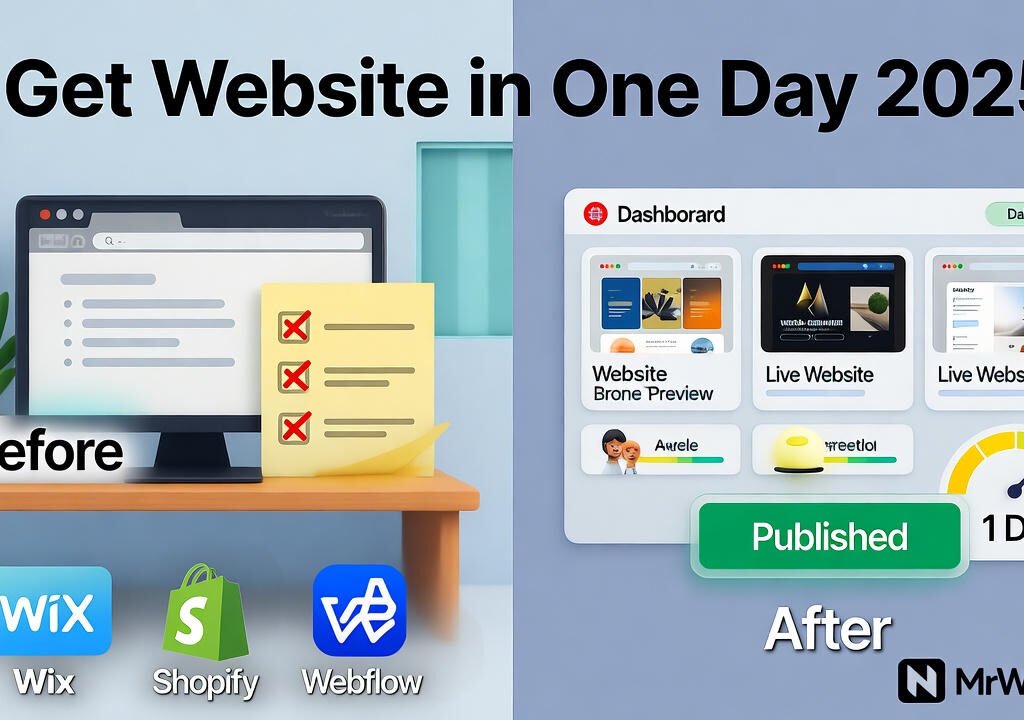
Get Website in One Day 2025 before and after transformation
Launch your site in one day with Wix, Shopify, or Webflow.

Tips for Launch After Get Website in One Day 2025

Drive traffic. Share on social media. Run Google Ads.

Track analytics. Use built-in tools. Tweak based on data.

Update content. Add blogs weekly. This keeps visitors coming.

Success follows action. Visit mrwebapp.com/blog for more.

FAQs

How long to really Get Website in One Day 2025? Hours if you follow steps. Beginners take 4-6 hours.

Which platform for beginners to Get Website in One Day 2025? Wix. Its editor is intuitive and forgiving.

Can I sell products to Get Website in One Day 2025? Yes, Shopify excels here. Setup store basics fast.

Is Get Website in One Day 2025 free? Free trials on all. Upgrade later as needed.

What if I need help to Get Website in One Day 2025? MrWebApp offers free consults. Contact us.

Ready to Launch at MrWebApp?

Build your site today. Visit mrwebapp.com. Let’s get you online in one day.

Cam Scanner Online Free 2025 by MrWebApp

Cam Scanner Online Free 2025 — No Sign Up, No App, Just Scan

In 2025, people want speed — not downloads. And when it comes to scanning documents online, every second matters. That’s where Mr WebApp’s Cam Scanner Online Free tool changes the game. It’s fast, secure, and unbelievably simple — no login, no app, no headache.

Just upload, scan, and get a clean, ready-to-share PDF in under a second. Sounds unreal? Try it once, bhai. You’ll never open a mobile app again.

Why This Cam Scanner Is Different

Most online scanners are stuck in the past — clunky, ad-filled, and slow. Our Free Cam Scanner Online 2025 isn’t just another upload tool. It’s built with modern web technology. That compresses, crops, and enhances your documents in nano-seconds.

Here’s the mindset:

“If Tesla made a document scanner, this would be it.”

You drag your file, we do the rest.

Cam Scanner Online Free 2025

This entire article focuses on the Cam Scanner Online Free 2025 experience

A one-click, instant PDF converter made

For students

For Businesses, and forremote workers who hate wasting time.

Whether it’s ID cards, receipts, or full contracts.

Our online tool turns them into clean, high-quality PDFs instantly.

How It Works (No App, No Sign-Up)

There’s no download, no email form, and no hidden steps.

Here’s the quick flow:

  1. Upload Your Image or File Drop a photo or document from your phone or PC.
  2. Auto-Enhance & Crop Our tool adjusts brightness, sharpness, and edges automatically.
  3. Instant PDF Conversion Click “Convert” — and boom. Your PDF is ready in under a second.
  4. Preview & Download Review the scan, then hit download. No watermark, no waiting.
  5. Done. Ready for sharing, emailing, or printing.

What Makes It the Best Free Cam Scanner of 2025

There’s a reason users are switching to MrWebApp’s Free Online Cam Scanner:

  • Speed Like Never Before — Converts in nano-seconds.
  • AI-Enhanced Edges — Sharp and clear scans automatically.
  • Zero Data Storage — Your files vanish after you download.
  • Works Everywhere — Chrome, Safari, Edge, mobile — all smooth.
  • No Sign-Up, No Ads — Straight to the point.
  • Auto PDF Builder — Smart page detection and merge.

It’s scanning made for the 2025 user — simple, secure, and lightning fast.

Who Uses This Tool

The tool fits everyone who needs quick, paperless scanning:

  • Students submitting online assignments.
  • Business owners needing invoice copies.
  • Freelancers uploading KYC or contracts.
  • Remote teams organizing files.
  • Offices digitizing old records.

No app to install, no learning curve. Just results.

Modern Tech Behind the Magic

We built this tool using MrWebApp’s custom tech stack — designed for speed and stability.

Tools & Technologies Used:

  • JavaScript ES2025
  • React.js + Node.js backend
  • OpenCV for image detection
  • PDF.js for instant conversion
  • Cloudflare CDN for high-speed load
  • MrWebApp’s in-house optimization engine

Each scan runs directly in your browser — meaning no data leaves your device.

MrWebApp’s Vision: Smarter, Faster, Free

At MrWebApp, we don’t sell tools. We start your business free, help it grow, and you pay when you start earning.

That’s our model — no big upfront costs, just shared success.

This Cam Scanner Online Free is part of that mission. It helps thousands of users go paperless every day, without barriers.

Process (If You Want a Custom Tool Like This)

Want your own branded scanner or automation app? Here’s how we build similar tools:

  1. Understand Your Goals
  2. Map User Flow
  3. Design UI in Figma
  4. Develop with React/Node
  5. Integrate APIs
  6. Test in Real Time
  7. Deploy & Optimize
  8. Support & Scale

We’ve done this for 40+ startups and small businesses globally.

Timeline for Custom Tools

  • Initial Chat: 1 day
  • UI/UX Design: 2–4 days
  • Development: 5–7 days
  • Testing & Launch: 2 days
  • Support: Lifetime (yep, forever)

Team Roles

Building digital tools isn’t magic — it’s teamwork. Here’s who makes it happen at MrWebApp:

  • Product Strategist
  • Front-End Developer
  • UI/UX Designer
  • QA Engineer
  • Growth Manager

Each role keeps your project smooth and stress-free.

Special Offers for 2025

Because we believe in starting strong:

  • Free tool setup
  • Free growth plan
  • Free marketing visuals
  • Pay-from-profits model
  • 50% off on custom upgrades
  • Free SEO check for your app page

Start free — pay only when you earn.

Why Choose MrWebApp

Our process is fast, our tools are powerful, and our team is serious about results.

We build smart solutions for real growth — whether it’s an app, website, or online tool. Because in 2025, speed + simplicity = success.

“If your competitors are still asking users to sign up before scanning, you’ve already won.”

  • AI QR Code Generator
  • PDF Editor Online
  • Online Image Compressor

External Resources:

  • OpenCV Documentation
  • React Official Site
  • Cloudflare CDN

FAQs

1. How much does this tool cost? It’s 100% free to use. No sign-up, no hidden fees.

2. Do I need to install anything? No. It runs directly in your browser.

3. How long does a scan take? Usually less than a second — seriously.

4. Is my data safe? Yes. Files are processed locally and auto-deleted after download.

5. Can I build my own scanner like this? Yes, we can create one for your brand. Just WhatsApp us at +92 300 7118710.

Launch Your Scanner or Try It Now

You’ve got two choices:

  1. Use the Free Cam Scanner Online right now at 👉 https://mrwebapp.com/free-online-cam-scanner/
  2. Or message us to build your own version for your business.

💬 WhatsApp: +92 3100078066 🌐 Website: https://mrwebapp.com

Webflow vs Shopify Templates 2025 by MrWebApp.

Free Online Cam Scanner No Signup

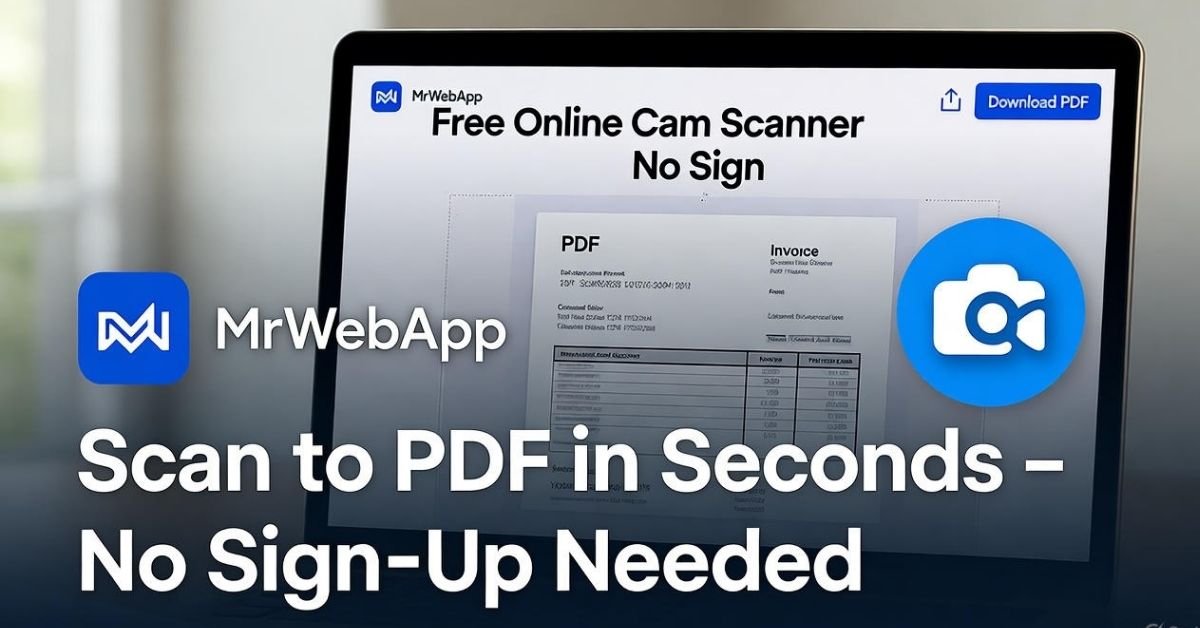
Imagine running a small business where every receipt, contract, or invoice needs a clear scan—fast. Traditional apps demand sign-ups and eat up storage, slowing you down. At Mr WebApp, we’ve built a solution that changes the game. Our Free Online Cam Scanner No Sign lets you scan documents to PDF in seconds, no account required. Start free and pay only when you earn. Let’s dive into how this tool can transform your workflow.

We’re a Lahore-based team passionate about digital solutions, Mr WebApp focuses on tools that save time and boost productivity. This scanner fits perfectly, offering a hassle-free way to manage paperwork. So, whether you’re a shop owner or a freelancer, this is for you.

What Makes Free Online Cam Scanner No Sign Stand Out?

This tool breaks the mold. No sign-up barriers mean you jump straight to scanning. Use your phone or upload files, and get a polished PDF instantly. Businesses love the speed and simplicity.

Our scanner works across devices. No app download needed. Plus, it keeps your data safe with browser-based processing. This ease sets it apart from cluttered alternatives.

How to Use Free Online Cam Scanner No Sign Effectively

Getting started is a breeze. First, visit our site and find the scanner tool. Then, upload images or snap photos with your camera. Arrange the pages as you like.

Next, hit the generate button. A clean PDF downloads in moments. Use it for invoices or client docs. This process saves time every day.

Latest Features in Free Online Cam Scanner No Sign

We’ve upgraded this tool for 2025. Auto-enhance now fixes lighting and angles. Shadows vanish, making scans crisp. Businesses benefit from clearer documents.

This update reflects current trends. Users want quick, reliable tools. So, we’ve added features to meet that demand. Try it and see the difference.

Benefits for Small Businesses with Free Online Cam Scanner No Sign

Small shops thrive with this tool. Quick scans speed up billing. No sign-up means less hassle for staff. Plus, it boosts efficiency.

Clear files impress clients. Share them easily via email. This reliability helps grow your customer base. Check out Shopify for eCommerce tips that pair well here.

Why Trust Mr WebApp for Free Online Cam Scanner No Signup?

Our team builds with care. We test every feature to ensure quality. Users rely on us for consistent results. This trust drives our work.

We focus on real solutions. No gimmicks, just tools that work. So, you can count on us for support. Visit WordPress to see how tools integrate with sites.

Step-by-Step Process for Free Online Cam Scanner No Sign

Here’s how it flows. Start by selecting your images. Then preview and adjust them. Finally, download your PDF.

Each step is simple. No tech skills needed. This makes it perfect for busy owners. See mrwebapp.com/services for more tools.

Time-Saving Tips with Free Online Cam Scanner No Signup

Save hours weekly. Batch scan multiple pages at once. Then organize them later. This cuts down busy work.

Use it during meetings. Snap docs on the spot. Share right away. This speed helps you stay ahead. Explore HubSpot for productivity hacks.

Tools Behind Free Online Cam Scanner No Signup

We use smart tech. Browser APIs handle uploads. Image processors clean files. PDF creators finish the job.

This combo ensures quality. No heavy software needed. So, it runs smoothly on any device. Check mrwebapp.com/tools for other options.

Team Effort in Free Online Cam Scanner No Signup

Our crew makes it happen. Developers code the magic. Testers check every scan. Support guides you through.

Everyone plays a part. This teamwork delivers results. You get a tool that works. Learn more at mrwebapp.com/blog.

Special Offers with Free Online Cam Scanner No Signup

Start with perks. Get a free trial period. Plus, enjoy free file optimization. Then pay only after profit.

We add value upfront. No pressure to commit. This approach helps you grow. See Wikipedia for scanner history.

Real Stories Using Free Online Cam Scanner No Sign in

A local café owner scans menus daily. No sign-up saves time. His team loves the ease. Sales improve with clear files.

A freelancer shares contracts fast. Clients appreciate the clarity. This tool boosts his reputation. Real wins happen here.

How to Integrate Free Online Cam Scanner No Sign on Your Site

Add it to your page. Grab our embed code first. Then paste it into your site. Customize the look next.

Test on mobile devices. Launch when ready. This brings scans to your visitors. It’s a smart move.

Future of Free Online Cam Scanner No Signup

We plan more updates. AI will enhance scans further. Expect smarter features soon. This keeps you ahead.

Stay tuned for news. Our goal is better tools. So, your business grows with us. Watch trends evolve.

FAQs

How much does Free Online Cam Scanner No Sign in cost? It’s free to start. Pay only after you earn. Extra features start at $50.

Is it fast to use Free Online Cam Scanner No Sign up? Yes, scans take seconds. Multi-page docs finish in minutes.

What devices work with Free Online Cam Scanner No Sign up? Any device with a browser. No app needed at all.

Can it help my business grow? Absolutely. Clear scans boost client trust and sales.

What if I need help with Free Online Cam Scanner No Sign up? We offer free support. Just ask anytime you need it.

Take the Next Step with MrWebApp

Ready to simplify your scans? Explore mrwebapp.com today. Contact us to see how this tool fits your needs. Let’s grow together!


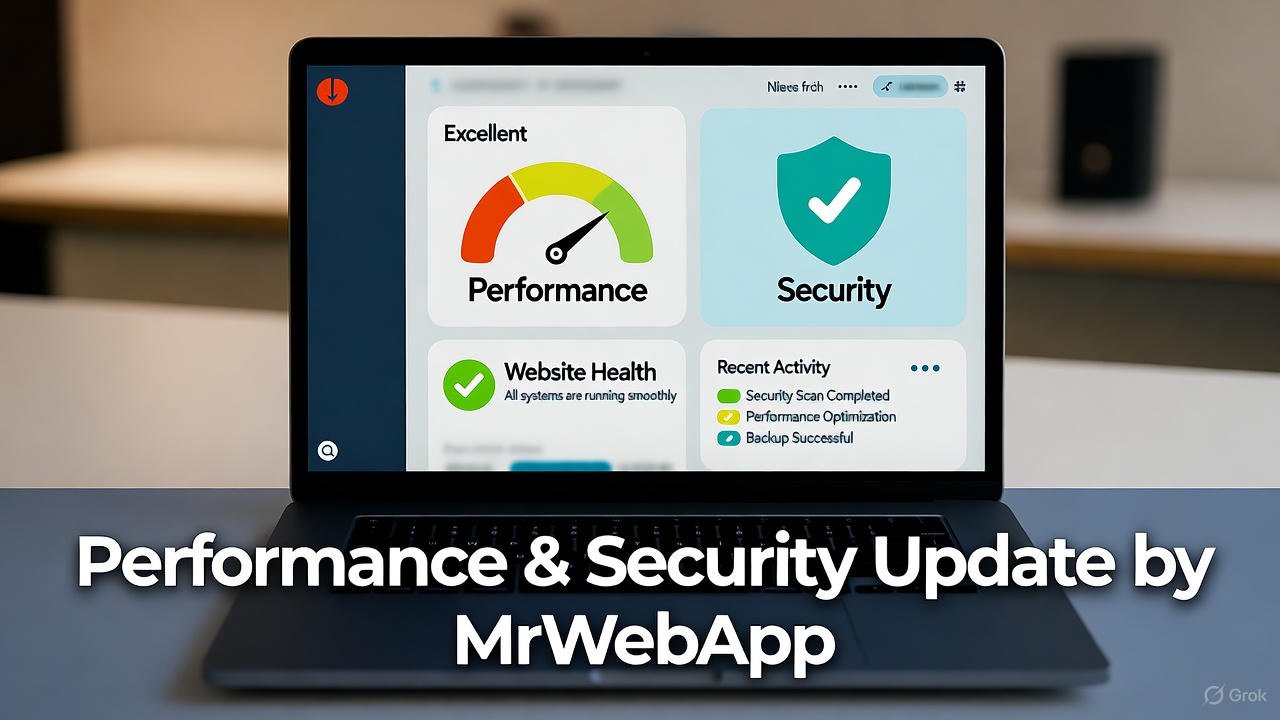
Performance & Security Update by MrWebApp

Continuous Website Maintenance — Keep Your Website Secure, Fast, and Growing

Is your website slowing down? Or maybe it sometimes crashes without warning? That means it needs a full Performance & Security Update.

Most business owners ignore this part until something breaks. Then they panic when customers leave or payments fail. You don’t have to face that. At MrWebApp, we make your site quick, stable, and secure every single day. And yes, you can start free and pay later — when your website starts earning.

What a Performance & Security Update Actually Means

Think of it like a full health check for your website. We fix the slow parts, remove the bugs, tighten the doors, and make it run smooth as butter.

A Performance & Security Update improves speed, stability, and protection from attacks. It’s not a one-time patch — it’s a system that keeps your digital business strong.

Our goal is simple: a website that loads in seconds and stays safe all the time.

Why You Need This Update Now

Most websites lose 30–40% of visitors if they load slowly. And even one security issue can break trust completely.

That’s why speed and safety are not extras anymore. They are your brand’s foundation. When people feel safe, they stay longer, buy more, and share your site confidently.

At MrWebApp, we mix performance and protection in one simple plan — so you don’t have to hire two teams or pay twice.

Our Process for Your Performance & Security Update

We don’t keep secrets. Here’s how we do it — step by step, clean and clear.

  1. Understand your goals
  2. Audit your current website
  3. Create an update strategy
  4. Prepare full backup and rollback plan
  5. Improve loading speed and caching
  6. Upgrade hosting and compression layers
  7. Secure data and forms
  8. Add firewalls and malware protection
  9. Test everything on desktop and mobile
  10. Launch and monitor performance

Each step is focused on one thing: make your site fast and safe. Our process is simple, bhai — no confusion, no waste.

Timeline — How Long It Takes

We divide the update into short, clear phases so you can track progress easily.

  • Phase 1: Kick-off meeting and website audit
  • Phase 2: Plan and approval
  • Phase 3: Implementation
  • Phase 4: Testing and fixes
  • Phase 5: Launch and monitoring

Most small sites finish within one to two weeks. For complex sites or eCommerce stores, it can take up to four weeks. You’ll always know what’s happening because we send progress updates every few days.

Tools and Technologies We Use

We use tools that are trusted globally. They are easy to maintain, reliable, and future-proof.

  • Google Lighthouse and GTmetrix for speed testing
  • Cloudflare CDN for faster delivery
  • SSL and HTTPS for secure access
  • Firewall and malware protection plugins
  • Redis and caching systems for performance
  • Uptime and error monitors for stability

These tools keep your site strong, safe, and quick — 24/7.

Team Roles You’ll Work With

Your Performance & Security Update isn’t done by one person. You’ll get a small, smart team handling every part with care.

  • Performance Engineer: Handles speed and caching
  • Security Engineer: Protects against hacks
  • Web Developer: Fixes code and structure
  • QA Expert: Tests everything before launch
  • Project Manager: Keeps you updated
  • Support Specialist: Monitors site after completion

Everyone knows their job — so you get professional results without confusion.

Schedules and Communication

You’ll never wonder what’s happening. We set up clear schedules from day one.

  • Weekly updates
  • Feedback calls
  • Live progress reports
  • Post-launch checks

If something urgent appears, our support team jumps in instantly.

Pricing Range

We keep pricing honest and flexible. Here are the usual ranges for Performance & Security Update projects:

  • Small business sites: $200 – $600
  • Medium or eCommerce sites: $600 – $1,500
  • Large or complex systems: $1,500 – $4,000

Exact pricing depends on your website’s condition and size. We discuss it after the audit — no hidden fees, no surprises.

Our Exclusive Offers

We don’t just sell updates. We start growth journeys. That’s why our offers are designed to help you move faster — even before paying.

  • Free Service Kickstart — we begin a basic update at zero cost
  • Free Audit Report — get a full report before any payment
  • Free Growth Plan — learn how speed and safety increase sales
  • Free Post-Launch Check — we test again after your site goes live
  • Free SEO Boost — optimize visuals and technical elements
  • 50% Off Custom Features after your website starts earning
  • Pay-from-Profits Model — pay a share when results come in

As Ahmad Bin Obaid says:

“We don’t sell services. We start your business for free, push growth, and you pay when earning.”

That’s not a slogan — it’s how we work every single day.

Why Our Process Works So Well

Speed and security go hand in hand. When your site runs fast, visitors trust you more. When it’s secure, they feel safe to buy or share data.

Here’s why our method works:

  • We track real performance numbers, not just scores
  • We use global best practices, but keep pricing local
  • We offer ongoing checks so your site stays optimized
  • We focus on results — more traffic, more leads, more sales

And yes, everything is handled in simple language. No tech talk, no confusion.

The Real Value for You

You don’t just get a faster website. You get peace of mind.

Imagine , no error messages, no hacking alerts — just smooth business every day. That’s what our Performance & Security Update gives you.

You also save money because you don’t need separate speed and security experts. Our combined system keeps things efficient and affordable.

Industries We Support

Our service fits almost any business type:

  • E-commerce brands who want faster checkouts
  • Education platforms needing stable logins
  • Real estate firms showing property listings
  • Restaurants managing online menus
  • Healthcare and clinics securing patient data
  • Startups and agencies needing reliable dashboards

Wherever you are — in Pakistan, UAE, UK, or USA — we can help you grow.

Why MrWebApp Is the Right Choice

Because we think like business people, not just developers. We understand your pain points:

  • You want results, not reports.
  • You want clear steps, not long meetings.
  • You want proof before payment.

Our model fits all three. Start free, test the results, then pay only when you see growth.

We call it smart partnership.

Our Promise

When you choose MrWebApp, you get:

  • A faster, safer website
  • Transparent pricing
  • Regular communication
  • Real performance reports
  • Free audits and post-checks
  • Support after completion

We treat your project like our own business — because your growth proves our skill.

Simple Example of Impact

One of our recent clients had a WooCommerce store that took 11 seconds to load. After our update, it loaded in 2.8 seconds and security rating jumped to A+. Their daily sales increased by 37%.

Results like that are not magic. They are the result of a focused Performance & Security Update done right.

FAQ

1. How much does a Performance & Security Update cost? It starts around $200 and depends on your site’s size and condition. You’ll get a full quote after the audit.

2. How long does it take? Most projects take one to four weeks depending on content and complexity.

3. What tools or technologies do you use? We use caching systems, CDN, SSL, security plugins, and speed testing tools.

4. Can you also help with engagement and conversions? Yes. A faster site means better SEO, higher trust, and more conversions.

5. What if something goes wrong after the update? We include a rollback plan and free post-launch support. You’re never left alone.

Thanks for reading!

Performance & Security Update that protects your business and grows your sales? Let’s make your website faster, safer, and stress-free today.

👉 Visit https://mrwebapp.com or 📱 WhatsApp us at +92 300 7118710

No upfront payment. No long waiting. Just results — quick, safe, and real.

MrWebApp — Smart Solutions. Real Growth.